EasyManua.ls Logo

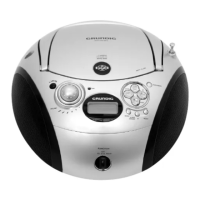
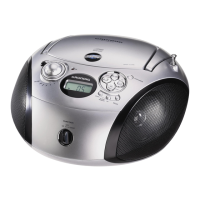
Grundig RCD 1420 MP3 - User Manual

Grundig RCD 1420 MP3
16 pages
Print Icon
To Next Page IconTo Next Page
Loading...
ǵ
PORTABLE
RADIO
CD/MP3
PLAYER
RCD 1410
RCD 1420 MP3

Other manuals for Grundig RCD 1420 MP3

Questions and Answers

  • S
    Sara ConleyAug 4, 2025
    Why is there no sound coming from my Grundig RCD 1420 MP3 CD Player?
    • S
      Stephanie DelgadoAug 4, 2025
      If there's no sound, check the following: ensure the volume isn't too low by adjusting it; if headphones are connected, unplug them; replace flat batteries or correctly insert them; and make sure the mains cable is properly connected.
  • S
    Sheila TaylorAug 7, 2025
    What to do if my Grundig RCD 1420 MP3 CD Player skips tracks?
    • T
      Troy MccartyAug 7, 2025
      If your CD player skips tracks, it might be because a stored track memory is playing. Switch to normal playback or delete the stored memory. Alternatively, the RANDOM function may be activated; switch it off to resolve the issue.
  • C
    Carly FrancisAug 12, 2025
    What to do if my Grundig RCD 1420 MP3 does not respond to button commands?
    • D
      Dr. Karen Parker MDAug 12, 2025
      If your device isn't responding, it could be due to static electrical discharge. Try switching off the device, disconnecting the mains cable, and plugging it back in after a few seconds. Also, remove any batteries.
  • S
    Samuel ReidAug 16, 2025
    Why is my Grundig CD-Rs or CD-RWs not being played back, or being played back incorrectly?
    • D
      Deanna MyersAug 16, 2025
      If CD-Rs or CD-RWs aren't playing correctly, the CD might be faulty, or the software or hardware settings were incorrect during burning. Check the components of your CD burner/burner software or try using a different CD.
  • L
    Lynn FigueroaAug 21, 2025
    How to improve poor radio reception on my Grundig RCD 1420 MP3?
    • T
      Tammy GrossAug 21, 2025
      To improve poor radio reception, tilt and turn the telescopic antenna for VHF (FM). Also, keep the radio recorder away from electrical devices that may cause interference, such as televisions, video recorders, computers, or neon lamps.
  • K
    Kristin HernandezAug 25, 2025
    What to do if CD Playback will not start on my Grundig RCD 1420 MP3 CD Player?
    • A
      adrian59Aug 26, 2025
      If CD playback won't start, the CD might be damaged or dirty. Try replacing or cleaning the CD.
  • M
    melissa42Aug 29, 2025
    Why does my MP3 CD play too fast or slowly on Grundig CD Player?
    • F
      fryeellenAug 29, 2025
      If your MP3 CD plays too fast or slowly, it's likely because the sampling frequency of 44.1 kHz wasn't used. Burn a new MP3 CD using the correct sampling frequency.

Summary

OVERVIEW

General and Radio Controls

Covers power, volume, headphones, AC, radio antenna, band selection, tuning, and presets.

CD Unit Controls (RCD 1410)

Explains CD compartment, playback, track selection, and memory functions for RCD 1410.

CD Unit Controls (RCD 1420)

Explains CD compartment, playback, track selection, and memory functions for RCD 1420.

Display Indicators (RCD 1410)

Explains various indicators and their meanings for Radio and CD modes.

Display Indicators (RCD 1420)

Explains various indicators and their meanings for Radio and CD modes.

Power Supply

Details mains operation, battery operation, and back-up batteries.

Additional Information for UK Units

Covers UK specific power plug, fuse, and wiring information.

CARE AND SAFETY

General Precautions

Protect device from elements, ensure ventilation, avoid liquids, and candles.

Laser Device Information

Explains CLASS 1 LASER PRODUCT symbol and safety.

GENERAL FUNCTIONS

Switching On;Off and Input Source

How to turn the device on/off and select input sources.

Adjusting Volume and Bass

How to adjust volume and activate the Ultra Bass System.

Listening with Headphones

Connecting headphones and how it affects loudspeakers.

RADIO MODE

Antennas and Input Selection

Using telescopic and built-in antennas, selecting radio input source.

Station Tuning and Storage

Automatic/manual station search and storing presets.

Stereo;Mono Reception

Switching between stereo and mono for FM reception.

CD MODE (RCD 1410;1420)

Selecting CD Input and Loading

Switching to CD mode, opening compartment, inserting and closing CD.

CD Playback Operations

Starting, pausing, resuming, stopping playback, and ejecting CD.

Repeating Current Track

How to repeat the current track during playback.

Selecting and Searching Tracks

How to select another track or search within a track.

Repeat Functions

Repeating a single track or all tracks on the CD.

Random Playback

Playing back tracks in random order.

Creating a Track Memory

Programming and storing up to 20 tracks for custom playback.

Managing Track Memory

Changing, adding, or deleting tracks in the memory.

MP3 MODE (RCD 1420)

Selecting Albums and Files

Navigating and selecting albums and files on an MP3 CD.

Repeat Functions

Repeating a single file, album, or all files on the MP3 CD.

Random Playback

Playing back MP3 files in random order.

Creating a Track Memory

Programming and storing up to 20 files from albums for custom playback.

Managing Track Memory

Changing, adding, or deleting files in the memory.

INFORMATION

Technical Data

Specifications for power, consumption, output, dimensions, and radio bands.

MP3 Features

Details playback format, sampling frequency, and file system for MP3s.

Troubleshooting

Common problems, possible causes, and remedies for radio, CD, and MP3 playback.

Grundig RCD 1420 MP3 Specifications

General IconGeneral
Frequency range20 - 16000 Hz
Speakers2
RMS rated power3 W
Digital tunerYes
Device typePersonal CD player
Title memory20
Product colorSilver
Headphone outputs1
Headphone connectivity3.5 mm
Power requirements230 V
Number of batteries supported6
Dimensions (WxDxH)245 x 245 x 140 mm
Weight and Dimensions IconWeight and Dimensions
Weight1750 g

Related product manuals