EasyManua.ls Logo

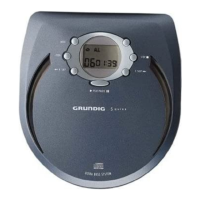
Grundig SQUIXX CDP 4200 AS 45 - User Manual

Grundig SQUIXX CDP 4200 AS 45
15 pages
Print Icon
To Next Page IconTo Next Page
Loading...
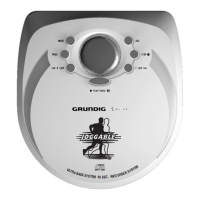
PORTABLE CD-PLAYER
Squixx
CDP 4200 AS45
ǵ

Questions and Answers

  • M
    millerbarbaraAug 11, 2025
    Why is there no sound coming from my Grundig CD Player, or why is the sound quality poor?
    • C
      carldeckerAug 12, 2025
      If you're experiencing no sound or poor sound quality with your Grundig CD Player, first, make sure the volume isn't turned all the way down; adjust it using the »VOLUME « control. Then, check that the earphone plug is securely connected to the »PHONES« socket and not loose or plugged into the »LINE OUT« socket.
  • A
    Alexis GarciaAug 21, 2025
    What to do if my Grundig CD Player will not switch on, start playback, or has no display?
    • M
      Mitchell FoxAug 21, 2025
      If your Grundig CD Player won't switch on, start playback, or show anything on the display, here are a few things to check: * Ensure the batteries are inserted correctly. * If the batteries are flat, replace or recharge them. * Make sure the »HOLD« switch is in the »OFF« position. * Verify that the mains adapter is properly connected.
  • M
    Michael ChoiSep 1, 2025
    How to make my Grundig CD Player start playback with the first track?
    • M
      matthewmackSep 1, 2025
      If playback on your Grundig CD Player doesn't start with the first track, the PROGRAM or RANDOM function may be activated. Try switching off the PROGRAM or RANDOM function.

Grundig SQUIXX CDP 4200 AS 45 Specifications

General IconGeneral
TypeCD player
BrandGrundig
ModelSQUIXX CDP 4200 AS 45
Supported Disc TypesCD, CD-R, CD-RW
OutputsHeadphone output
Power Supply220V

Related product manuals