EasyManua.ls Logo

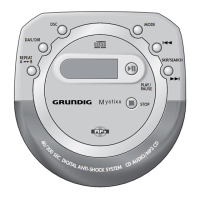
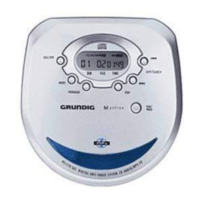
Grundig Mystixx CDP 9200 SPCD - User Manual

Grundig Mystixx CDP 9200 SPCD
18 pages
Print Icon
To Next Page IconTo Next Page
Loading...
PORTABLE MP3/CD-PLAYER
Mystixx
CDP 9200 SPCD
ǵ

Questions and Answers

  • Y
    Yesenia EspinozaJul 31, 2025
    Why won't my Grundig CD Player switch on or start playing?
    • M
      Michael SummersJul 31, 2025
      If your Grundig CD Player won't switch on, playback won't start, and there's no display, here's what you can check: * Ensure the batteries are inserted correctly. * Replace flat batteries with new ones or recharge them. * Make sure the »HOLD« switch is in the »OFF« position. * Verify that the mains adapter is properly connected.
  • C
    crystal91Aug 8, 2025
    What to do if my Grundig CD Player playback won't start or gets interrupted?
    • M
      Michael WiseAug 8, 2025
      If the Grundig CD Player is not playing, gets interrupted, or shows no display, it might be due to: * The CD compartment not being properly closed – ensure it's fully closed. * Moisture on the lens – let the device stand in a warm room for a while. * The CD not inserted correctly – insert the CD with the label facing upwards. * A damaged or dirty CD – replace or clean the CD. * The INTRO function being activated – switch off the INTRO function.
  • R
    Richard FritzAug 16, 2025
    How to fix no sound or poor sound quality on my Grundig CD Player?
    • S
      sherrykingAug 16, 2025
      If you're experiencing no sound or poor sound quality with your Grundig CD Player, try the following: * Adjust the volume using the »VOLUME « control, as it might be at the minimum level. * Check the earphone connection to ensure it is properly plugged in and not loose. * Verify that the earphone plug is connected to the »0« socket and not the »LINE OUT« socket.
  • R
    rushbrittanyAug 23, 2025
    Why doesn't my Grundig CD Player start playback with the first track?
    • H
      Heidi WilliamsAug 23, 2025
      If playback on your Grundig CD Player doesn't start with the first file or track, it might be because the PROGRAM or RANDOM function is activated. Try switching off the PROGRAM or RANDOM function.

Summary

Safety

Safety Precautions

Instructions for safe device operation and handling, prohibiting other uses.

Maintenance Guidelines

Cleaning instructions for the device, CDs, and laser optics.

Overview

Top Panel Controls

Explains buttons like PLAY/PAUSE, STOP, MODE, DAS/DIR, PROGRAM.

Side Panel Controls

Details buttons like HOLD, BASS, LINE OUT, and sockets.

Back and Bottom Controls

Explains DC IN socket and OPEN button for battery compartment.

Remote Control Operation

Explains how to use the remote control for playback and volume.

Power Supply

Mains Operation

Instructions for connecting and using the mains adapter.

Battery Operation

Instructions for inserting and replacing batteries.

Rechargeable Batteries

Guidelines for using and charging NiCd batteries.

Preparation

Connecting Peripherals

How to connect earphones and remote control.

Volume Adjustment

How to adjust volume using the unit and remote control.

Basic Functions

Grundig Mystixx CDP 9200 SPCD Specifications

General IconGeneral
BrandGrundig
ModelMystixx CDP 9200 SPCD
CategoryCD Player
LanguageEnglish

Related product manuals