EasyManua.ls Logo

Grundig CDP 9100 SPCD Mystixx - User Manual

Grundig CDP 9100 SPCD Mystixx
18 pages
Print Icon
To Next Page IconTo Next Page
Loading...
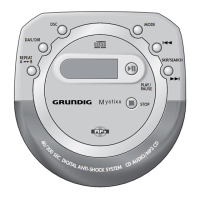
PORTABLE MP3/CD-PLAYER
CDP 9100 SPCD
Mystixx
ǵ

Questions and Answers

  • C
    Christopher BaxterJul 31, 2025
    Why is there no sound from my Grundig CDP 9100 SPCD Mystixx CD Player, or why is the sound quality poor?
    • R
      Ryan ParkerAug 1, 2025
      If you're experiencing no sound or poor sound quality with your Grundig CD Player, there are a few potential causes. First, make sure the volume isn't turned all the way down; adjust it using the »VOLUME « control. Also, check that the earphone plug is securely connected and not loose. Finally, ensure the earphone plug is connected to the correct »0« socket and not the »LINE OUT« socket.
  • M
    millerkevinAug 8, 2025
    What to do if my Grundig CD Player won't switch on, start playback, or show anything on the display?
    • E
      Eric HarrisAug 8, 2025
      If your Grundig CD Player isn't switching on, playing, or displaying anything, check these things: Ensure the batteries are correctly inserted. If the batteries are flat, replace or recharge them. Make sure the »HOLD« switch is in the »OFF« position. Finally, check that the mains adapter is properly connected.
  • M
    Michael NelsonAug 16, 2025
    What to do if playback won't start, gets interrupted, or there's no display on my Grundig CDP 9100 SPCD Mystixx?
    • D
      Debra JohnsonAug 16, 2025
      If your Grundig CD Player is not starting playback, is interrupted, or has no display, consider these possibilities: Ensure the CD compartment is fully closed. If moisture has collected on the lens, let the device sit in a warm room for a while. Check that the CD is inserted correctly, with the label facing upwards. If the CD is damaged or dirty, replace or clean it. Also, check if the INTRO function is activated and, if so, switch it off.
  • E
    Emily CookAug 23, 2025
    Why doesn't my Grundig CD Player start playback with the first file or track?
    • T
      Tyler WilliamsAug 23, 2025
      If playback on your Grundig CD Player doesn't start with the first file or track, it might be because the PROGRAM or RANDOM functions are activated. Try switching off the PROGRAM or RANDOM function.

Summary

Safety

General Safety Precautions

Ensures long-term satisfaction by observing usage instructions and protecting the device from moisture, sunlight, and heat.

Device Maintenance

Instructions for cleaning laser optics with a cleaning CD and the device casing with a moist cloth.

Power Supply

Mains Operation

Instructions on how to operate the device using the AC mains adapter.

Battery Operation

Guidance on inserting and using standard AA batteries for portable power.

Basic Functions

CD Handling

Steps for inserting and removing CDs, including compatibility information.

Digital Anti-Shock System (DAS)

Explanation of the DAS feature for preventing playback interruptions due to shocks or vibrations.

CD Playback Operations

How to start, pause, resume, and stop CD playback for both MP3 and CD-DA formats.

Track Memory

Selecting and Saving Tracks

Instructions for creating a custom playlist by saving selected files or tracks.

Grundig CDP 9100 SPCD Mystixx Specifications

General IconGeneral
TypeCD Player
ModelCDP 9100 SPCD Mystixx
BrandGrundig
Playback FormatsCD, CD-R, CD-RW
Frequency Response20 Hz - 20 kHz
Digital OutputCoaxial
DAC1-bit DAC
OutputsAnalog RCA

Related product manuals