EasyManua.ls Logo

Grundig SQUIXX CDP 4101 AS10 - User Manual

Grundig SQUIXX CDP 4101 AS10
15 pages
Print Icon
To Next Page IconTo Next Page
Loading...
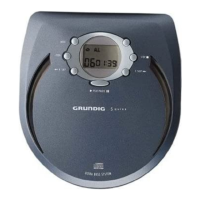
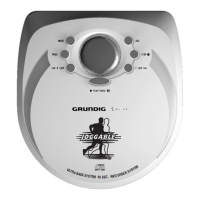
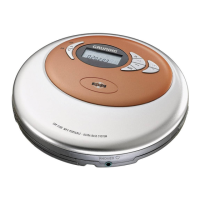
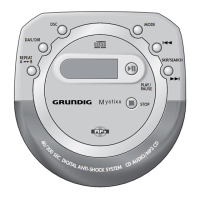
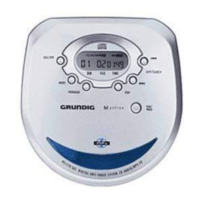
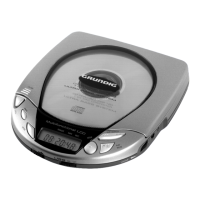
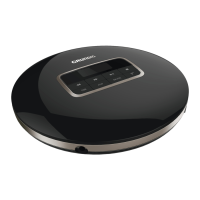
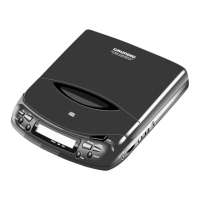
PORTABLE CD-PLAYER
Squixx
CDP 4100
CDP 4101 AS10
CDP 4102 AS40
ǵ

Questions and Answers

  • S
    Stephen MartinAug 8, 2025
    Why is there no sound coming from my Grundig CD Player, or why is the sound quality poor?
    • B
      brendancantrellAug 8, 2025
      If you're experiencing no sound or poor sound quality with your Grundig CD Player, first, make sure the volume isn't turned all the way down; adjust it using the »VOLUME « control. Then, check that the earphone plug is securely connected to the »PHONES« socket and not loose or plugged into the »LINE OUT« socket.
  • C
    Christian HarveyAug 15, 2025
    What to do if my Grundig SQUIXX CDP 4101 AS10 will not switch on, start playback, or has no display?
    • A
      Anthony BranchAug 15, 2025
      If your Grundig CD Player won't switch on, start playback, or show anything on the display, here are a few things to check: * Ensure the batteries are inserted correctly. * If the batteries are flat, replace or recharge them. * Make sure the »HOLD« switch is in the »OFF« position. * Verify that the mains adapter is properly connected.
  • C
    charles38Aug 22, 2025
    What to do if playback won't start or is interrupted on my Grundig CD Player?
    • S
      Stacy WilliamsonAug 22, 2025
      If the Grundig CD Player playback won't start, is interrupted, or there is no display, consider the following: * Ensure the CD compartment is properly closed. * If moisture has collected on the lens, let the device stand for a while in a warm room. * Make sure the CD has been inserted correctly, with the label facing upwards. * If the CD is damaged or dirty, replace or clean it.
  • A
    arellanolarryAug 30, 2025
    How to make my Grundig CD Player start playback with the first track?
    • R
      richardfriedmanAug 31, 2025
      If playback on your Grundig CD Player doesn't start with the first track, the PROGRAM or RANDOM function may be activated. Try switching off the PROGRAM or RANDOM function.

Summary

Safety

Safety Instructions

Instructions for safe operation and device care.

Maintenance Procedures

Procedures for cleaning the device and CDs.

Environmental Considerations

Information on packaging disposal and battery recycling.

Overview of Controls and Features

Top Device Controls

Identifies and explains controls on the top surface of the player.

Side Controls and Connections

Identifies and explains side controls and input/output ports.

Display Indicators

Explains the meaning of various icons and indicators on the device display.

Power Supply Options

Mains Operation

Instructions for operating the device using the AC adapter.

Battery Operation

Guide on inserting and using batteries for portable power.

Nickel-Cadmium Battery Charging

Instructions for charging NiCd batteries using the mains adapter.

Preparation for Use

Connecting Earphones

How to connect headphones for listening.

Volume Adjustment

Method for controlling the audio output level.

Ultra Bass System Activation

How to activate or deactivate the bass enhancement feature.

CD Handling

Step-by-step guide for inserting and removing a CD.

Basic CD Player Functions

Digital Anti-Shock System (DAS)

Explains the shock protection feature to prevent playback interruptions.

CD Playback Operations

Instructions for starting, pausing, resuming, and stopping CD playback.

Track Navigation

How to select different tracks on a CD.

Passage Search within Track

Method for fast-forwarding or rewinding within a track.

Additional Playback Features

Repeat Track Function

How to set the player to repeat a single track.

Repeat CD Function

How to set the player to repeat the entire CD.

Intro Scan Function

Function to play the first few seconds of each track.

Random Playback

How to play tracks in a shuffled sequence.

Button Lock (Hold Function)

Using the 'HOLD' function to lock controls and prevent accidental presses.

Creating and Managing Track Memory

Selecting and Saving Tracks

Steps to program a custom playback sequence of tracks.

Playing Track Memory

How to play the programmed sequence of tracks.

Deleting Track Memory

How to clear the saved track sequence.

Information and Specifications

HiFi System Connection

Connecting the CD player to an external audio system.

Product Compliance

Details on EC directives, safety regulations, and laser product classification.

Technical Data

Specifications including power supply, output, frequency response, and dimensions.

Troubleshooting Guide

Problem Diagnosis and Solutions

A guide to diagnosing and resolving common problems with the device.

Service and Support

Grundig Customer Service Germany;Austria

Contact information for customer support and advice in Germany and Austria.

Grundig European Service Centers

List of Grundig service centers and contact details across various European countries.

Grundig SQUIXX CDP 4101 AS10 Specifications

General IconGeneral
TypeCD player
ModelSQUIXX CDP 4101 AS10
BrandGrundig
Supported Disc TypesCD, CD-R, CD-RW
OutputsAnalog audio

Related product manuals