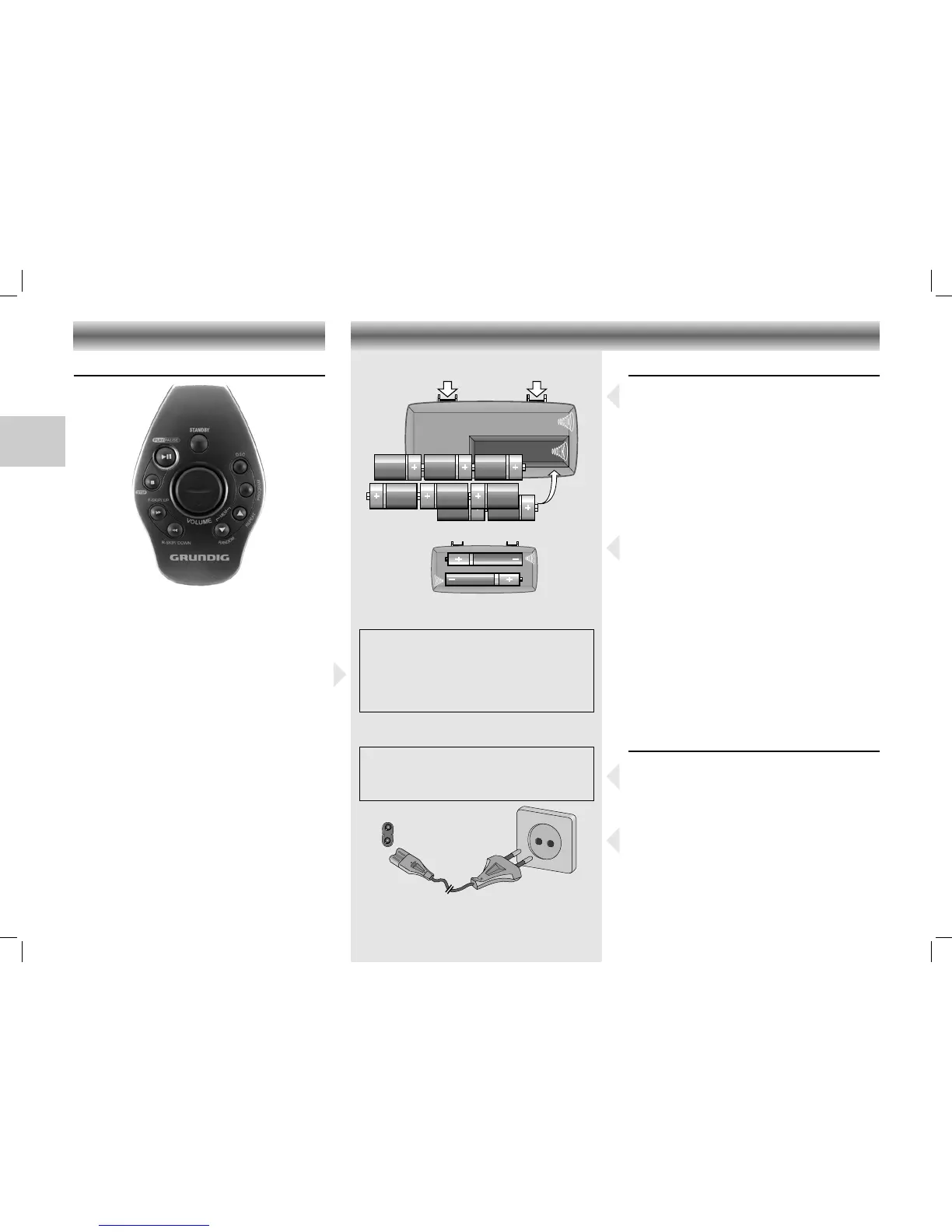
Remote control (only RR 760 CD)
The buttons on the remote control have the same
functions as the corresponding buttons on the
unit.
Note:
When using battery supply, the y button can
only be used to switch the unit off.
To switch the unit on when using battery supply,
use the STANDBY button on the set
(see 'Switching on and off').
Changing batteries
If the range of your infrared remote control seems
to decrease, or if certain functions can no longer
be carried out, you should replace the batteries.
Two batteries 1.5 Volt LR03, size AAA batteries
are required.
To change the batteries, open the compartment
on the back of the remote control. Ensure that the
batteries are inserted properly (note the markings
in the compartment).
Battery Supply
• Open the battery compartment and insert as
shown 8 batteries, type R20, UM1 or D-cells.
• Remove the batteries if exhausted or if they
will not be used again for a long period.
– The battery supply is switched off when the set
is connected to the mains.
• To change over to battery supply, pull out the
plug from the AC ~ socket.
Back-up batteries for preset memory
In order to keep the presets stored in the memory
during the time that the power supply is
interrupted (e.g. when changing the batteries), it
is necessary to insert two additional batteries.
• Place these batteries size LR 6, AA, alkaline
type in the battery compartment.
• These batteries should always be inserted,
regardless of the power supply (mains voltage
or batteries).
– No responsibility can be accepted for
damage due to leaking batteries.
Mains supply
• Check if the mains voltage as shown on the
type plate (at the bottom of the set) corresponds
to your local mains voltage. If it does not,
consult your dealer or service organisation.
• Connect the mains lead to the AC ~ socket
and the wall socket.
– The mains supply is switched on.
• To disconnect the set from the mains complete-
ly, withdraw the mains plug from the wall
socket.





 To Next Page