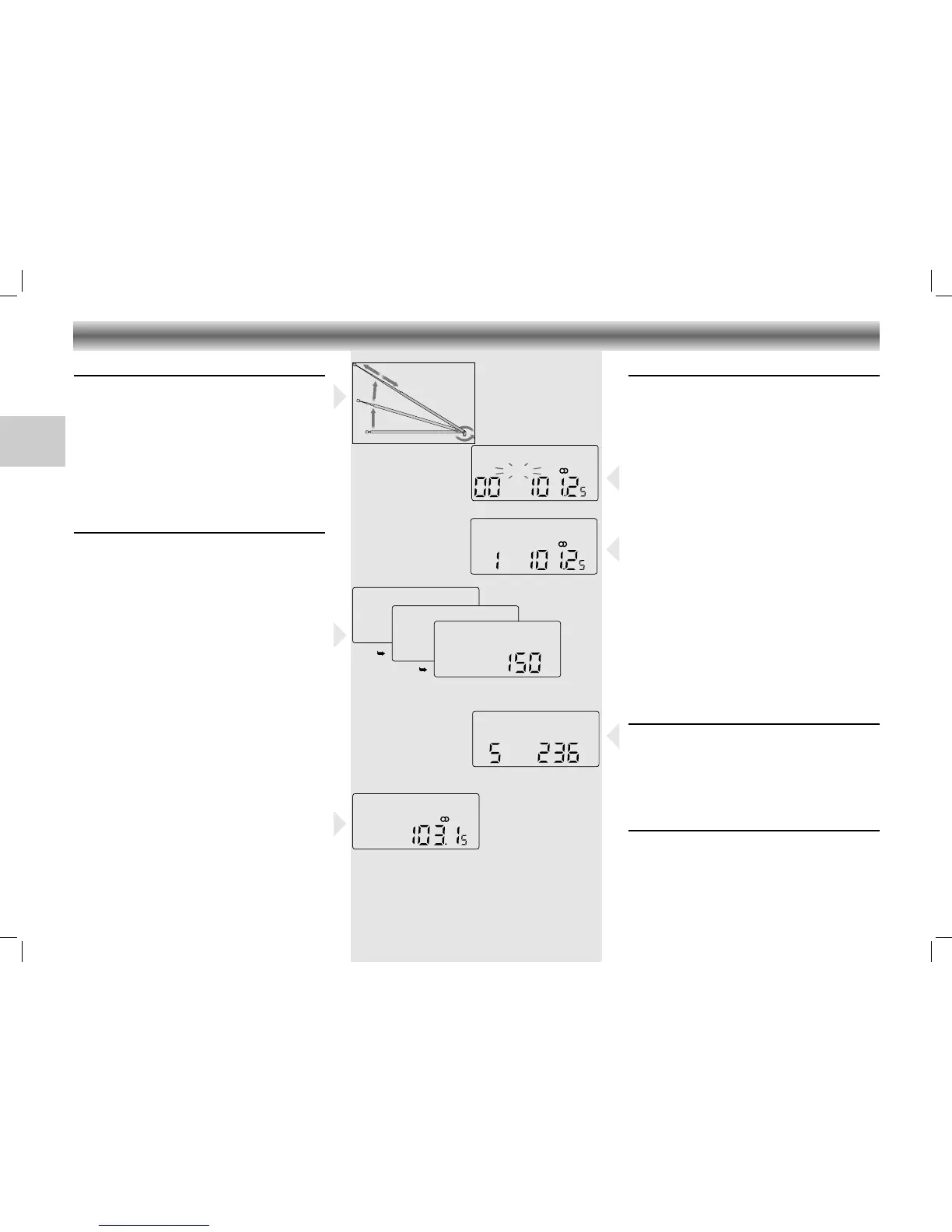
Radio aerials
–
For FM, pull out the telescopic aerial. To
improve
FM-reception, incline and turn the
aerial.
Reduce its length if the FM-signal is too strong
(very close to a transmitter).
– For MW/LW, the set is provided with a built-
in aerial, so the telescopic aerial is not
needed. Direct the aerial by turning the whole
set.
Radio reception
• Set the FUNCTION switch to RADIO.
• Adjust the sound using the VOLUME, DSC and
SURROUND SOUND controls.
• You may connect stereo headphones having a
3.5 mm plug to the jack
p.
– Inserting the plug will disconnect the speakers.
• Select the wave band using the BAND button.
• Start the automatic station search by holding
the UP 22 or DOWN 11 button down for
one or two seconds, and then releasing it.
– The tuner automatically searches for the next
station with sufficient signal strength.
• Repeat this step to search for other stations.
• To tune to a weak station, briefly press the
UP 22 or DOWN 11 buttons several times
until the correct frequency is displayed, or until
reception is best.
– When '
ɳ' appears on the display, you are
receiving an FM stereo transmitter.
Storing stations
You can store a maximum of 40 stations
(20 x FM, 10 x MW and 10 x LW).
• Select the wave band using the BAND button.
• Select the desired station with the UP 22 or
DOWN 11 buttons.
• Press the PROG. button.
–'MEMORY' starts flashing on the display.
• Select within 5 seconds the channel you wish
to assign to this station with the MEM 3 or 4
buttons. If not, you will leave the function
without storing the station.
• While 'MEMORY' is flashing, press PROG. to
store this station.
–'MEMORY' disappears from the display.
The display now indicates the station's
assigned channel, its frequency and
waveband.
• If you assign a station to a channel that had
been previously assigned to a different station,
the old station is deleted and replaced by the
new one.
Selecting stations
• Select the wave band using the BAND button.
• Select the desired memory channel with the
MEM 3 or 4 button.
– The display indicates the selected channel, the
station frequency and waveband.
Last station memory
LAST STATION MEMORY means that the unit
'remembers' the last frequency that was tuned to.
This function ensures that the station which was
selected before the radio was switched off is
automatically selected again when your radio is
switched back on.
RADIO
18
RR 720/760 CD page 18
GB




 To Next Page