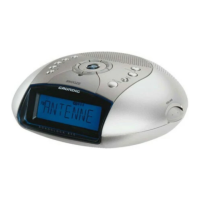
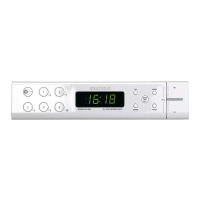
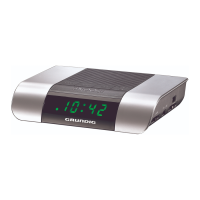
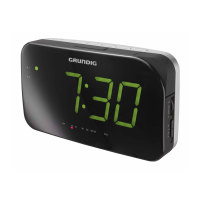
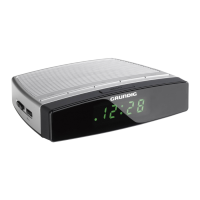
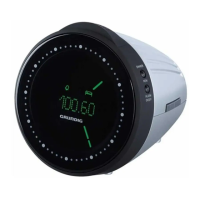
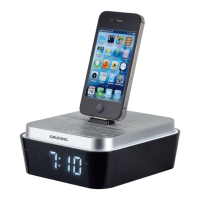
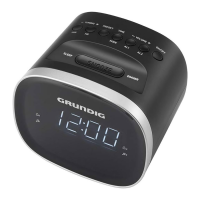
This document describes the Grundig Clock Radio models SCC 240, SCN 230, Sonoclock 2000, and Sonoclock 2500 BT. It serves as a user manual, providing information on safety, setup, operation, and technical specifications.
Function Description
The Grundig Clock Radio is designed for the playback of audio signals, primarily functioning as a clock radio with FM radio reception and alarm capabilities. The Sonoclock 2500 BT model additionally offers Bluetooth connectivity for streaming audio from compatible devices.
Key Functions:
- Clock and Alarm: Features a radio-controlled clock (DCF 77) for precise timekeeping, automatic adjustment for daylight saving, and two independent alarm times. Alarms can be set to a signal tone or a radio station.
- FM Radio: Allows tuning to FM (VHF) radio stations and saving up to 10 preset stations.
- Sleep Timer: A programmable sleep timer allows the device to switch off automatically after a set period (1 minute to 1 hour 59 minutes).
- Snooze Function: Temporarily interrupts a sounding alarm for 9-minute intervals.
- Display Dimmer: A sliding switch adjusts the display brightness between two levels.
- USB Host (SCC 240 only): Provides a 5V power-out USB port for charging external devices.
- Bluetooth (Sonoclock 2500 BT only): Enables wireless audio streaming from Bluetooth-enabled devices (smartphones, laptops, tablets) supporting the A2DP profile. It can be paired with up to eight devices, though it streams audio from only one at a time. Automatic reconnection to the last connected device is supported.
Important Technical Specifications
- Power Supply: AC 100 - 240 V~, 50/60 Hz (adaptor).
- Max. Power Consumption:
- Operation: < 3 W
- Standby: < 1 W
- Back-up Battery: 1 x 9 V === IEC 6 LF22 (for retaining settings during power outages).
- Frequency Bands: FM 87.5 ... 108.0 MHz.
- Circuit Features:
- Loudspeaker: 2 1/4 inch
- Output Power: 1.5 W
- Dimensions (W x H x L): 95 x 150 x 75 mm.
- Weight: 565 g.
- USB Host (SCC 240 only): 5V power-out.
- Bluetooth (Sonoclock 2500 BT only): Supports A2DP profile, wireless range up to 9m, can be paired with up to eight devices.
- Compliance: EU WEEE Directive (2012/19/EU), EU RoHS Directive (2011/65/EU), European directives 2014/53/EU, 2009/125/EC, and 2011/65/EU.
Usage Features
Controls:
- TIME: Press and hold to set the time.
- PRESET: Displays alarm times; press longer to save radio stations.
- TUNING+/HR: Tunes radio up, sets hours for clock/alarm.
- TUNING-/MIN: Tunes radio down, sets minutes for clock/alarm.
- TUN-/AL 1 (VOLUME -/AL 1): Adjusts volume down, activates/sets alarm 1.
- TUN+/AL 2 (VOLUME +/AL 2): Adjusts volume up, activates/sets alarm 2.
- ON/OFF: Switches device on/off (standby).
- SNOOZE: Interrupts alarm, displays seconds.
- DIMMER: Sliding switch for display brightness.
- SLEEP: Activates sleep timer, displays current sleep timer setting.
Display Indicators:
- AL 1: Indicates alarm 1 is active (signal tone or radio).
- AL 2: Indicates alarm 2 is active (signal tone or radio).
- Bluetooth (Sonoclock 2500 BT only): Displays "Bluetooth" and "Searching" during pairing, "Connected" when connected.
Radio-Controlled Clock (DCF 77):
- Automatically sets time signals from the atomic clock of the Physikalisch-Technischen Bundesanstalt (PTB) via long wave 77.5 kHz.
- Synchronization occurs immediately upon first activation and then daily at 2 am and 3 am.
- Flashes ">>>)<«" during synchronization if the signal is strong; lights up continuously after successful synchronization.
- Automatically adjusts for winter and summer time.
Setting Time and Day of the Week:
- Manual time setting is required if no time signal is received or after power loss without a back-up battery.
- Hours and minutes are set using TUNING+/HR and TUNING-/MIN.
- Day of the week is set by pressing TIME and SET simultaneously.
Setting Time Zone:
- Allows correction of time by +/- 2 hours for use outside the Central European Time Zone (CET).
Alarm Settings:
- Two independent alarm times can be set.
- Alarms can be set to a dynamic signal tone (volume increases over 30-45 seconds) or a radio station.
- Alarm duration is 59 minutes.
Bluetooth Operation (Sonoclock 2500 BT only):
- Select Bluetooth as the input source.
- Activate Bluetooth on the external device and search for "Grundig Sonoclock 2500" to pair and connect.
- Playback can be controlled from the Bluetooth device or the clock radio (play/pause, next/previous track).
- Automatic shutdown after 15 minutes if no Bluetooth device is connected.
Maintenance Features
- Cleaning: Do not use cleaning agents. Clean the device with a clean, moist leather cloth.
- Battery Replacement: The back-up battery (2 x 1.5 V, LR3/ UM 4/ AAA) should be removed if flat or if the device will not be used for a long period.
- Environmental Disposal:
- Batteries should be disposed of according to local environmental regulations, not with household waste.
- The device itself (WEEE) should be taken to a collection center for recycling at the end of its service life. Packaging materials are recyclable.
- Safety:
- Protect from moisture (water drops or splashes); do not place liquid-filled vessels on the device.
- Do not place naked flames (e.g., candles) on the device.
- Ensure adequate ventilation; do not cover ventilation slots.
- Avoid prolonged listening at loud volumes with earphones to prevent hearing damage.
- Do not expose the back-up battery to extreme heat.
- Never open the device casing; incorrect handling voids warranty.
- The mains plug serves as the disconnect device and should remain readily operable.

 Need help?
 General


 To Next Page