This document describes the Grundig Sonoclock 220 and Sonoclock 230 USB clock radios, providing an overview of their functions, usage, and safety guidelines.
General Overview
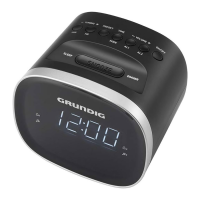
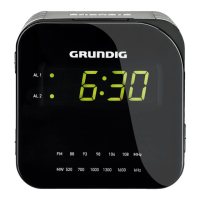
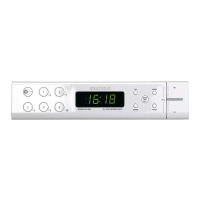
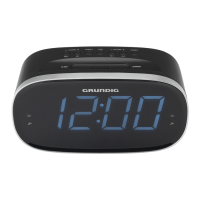
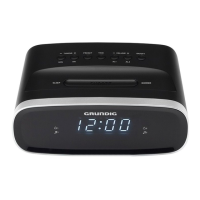
The Sonoclock 220 and Sonoclock 230 USB are clock radios designed for playing audio signals and providing alarm functions. The Sonoclock 230 USB model includes additional features for playing media from USB memory sticks and SD cards. Both devices feature a digital display for time, frequency, and alarm settings, along with various control buttons and a rotating swivel for adjustments.
Setup and Safety
Before using the device, it is crucial to follow the setup and safety instructions to ensure proper operation and prevent damage.
Placement
The device is designed for use in dry rooms. If used outdoors, it must be protected from moisture. Avoid placing it close to heating units or under direct sunlight to prevent overheating. Do not place any vessels containing liquids or burning candles on the device. When setting up on shelves or in cupboards, ensure adequate ventilation with at least 10 cm of space on the sides, above, and behind the device. Be aware that furniture coatings may contain chemical additives that could corrode the unit's feet, potentially leaving stains. Do not cover the device with newspapers, tablecloths, or curtains.
Power Connection
The device operates on mains power via a supplied power adapter. For the SC 220, use a 5V = 0.5A adapter, and for the SC 230 USB, use a 5V = 1.0A adapter. Ensure the mains voltage matches your local supply. The power adapter plug should be easily accessible and not obstructed. To completely disconnect the device from the mains, pull out the power adapter plug.
Back-up Batteries
The device uses two 1.5 V LR 03/AM 4/AAA batteries as a back-up power source. These batteries ensure that stored settings are not lost during a power failure or when the device is briefly disconnected from the mains. To insert them, open the battery compartment underneath the device, observe the correct polarity, and then reinsert the lid. Do not expose batteries to extreme heat. Remove flat or unused batteries for extended periods to prevent leakage damage. Dispose of used batteries according to local environmental regulations.
USB/SD Card Connection (SC 230 USB only)
For the SC 230 USB, MP3 players or USB memory sticks can be connected via the USB interface, and Micro SD/SDHC memory cards can be inserted into the card slot. Always switch off the device before connecting or inserting these media to prevent data loss. When removing, switch off the device and then pull out the data medium. Do not use excessive force when inserting memory cards, and ensure they are dry and clean. Never remove memory cards during operation, as this can damage the card and invalidate your warranty. The USB socket does not support extension cables or direct connection to a computer.
Malfunctions
In case of malfunctions due to static electricity or brief mains voltage surges, reset the device by pulling out the mains adapter and reconnecting it after a few seconds. Do not open the device casing under any circumstances, as this will void the warranty.
Function Description and Usage
Basic Operation
- ON/OFF: Switches the device in and out of standby mode.
- Volume Adjustment: Adjusts the audio volume.
- Display Brightness: Adjusts the display brightness in four levels (high, medium, low, off).
- Night Light: Switches the night light on or off by pressing the SNOOZE button.
Time Setting
- Switch the device to standby.
- Press and hold SET to activate the setting mode. The time will flash.
- Press HOUR to set the hours.
- Press MIN to set the minutes.
- Press SET to confirm the setting.
Radio Mode
- Antenna: For optimal FM reception, align the wire antenna accordingly.
- Station Search (Manual): In radio mode, briefly press HOUR or MIN repeatedly to move the frequency in 50 kHz steps.
- Station Search (Automatic): Switch the device from standby. Press HOUR or MIN until the frequency display changes to rapid run-through. The search stops when a station is found.
- Storing Stations to Presets:
- Select the desired preset button (1-4 for SC 220, 1-3 for SC 230 USB).
- Select the FM radio station using HOUR or MIN.
- Press SET to activate the memory function.
- Press SET again to save the station.
- Note: If stations are already stored on presets, they will be overwritten.
- Selecting Stored Stations: Select the desired station using the preset buttons.
- RDS Display: If radio stations with RDS signals and adequate strength are received, the radio station's name will be displayed.
USB/SD Mode (SC 230 USB only)
- Input Source Selection: Select "USB/SD" as the input source using the preset buttons.
- Playing Content:
- Switch the device from standby.
- Select "USB/SD" as the input source. The display will flash, then show the number of albums and files.
- Select a folder using the folder button.
- Select a file or track using HOUR or MIN.
- Press the play/pause button to start playback. The elapsed playing time will be displayed.
- Press the play/pause button again to pause playback.
- Press the play/pause button to continue playback.
- Press SET to stop playback.
- Resume Function: Playback resumes from the last selected title when the device is switched off and on, or if the program source is changed. This function is not available if a different MP3 player or USB memory stick is connected. To initialize a new medium and play the first title, press SET twice.
- Repeating Current Title: During playback, briefly press MIN to repeat the current title from the beginning.
- Selecting Another Title: During playback, repeatedly press HOUR or MIN until the desired title number appears. Playback starts automatically.
- Searching Within a Title: During playback, press and hold HOUR or MIN until the desired passage is found. Playback resumes when the button is released. The volume is switched off during the search.
- Selecting Folders and Titles (MP3 only):
- During playback, select a folder using the folder button. Playback starts automatically with the first title in the selected folder.
- In the current folder, select a title by pressing HOUR or MIN.
- Folders and titles can also be selected in stop mode, but playback must then be started manually. The root folder is counted as number 1, and only folders containing MP3 titles can be selected.
Alarm Mode
- Setting the Alarm Time:
- Switch the device to standby.
- Turn the rotating swivel to set the alarm time.
- Press the alarm button to activate the alarm function. The display will show the alarm icon and "MUSIC" or "BELL".
- Select the desired sound source (radio station, USB/SD, or buzzer) using the alarm signal selection button.
- Select the desired radio station using the preset buttons (1-4 for SC 220, 1-3 for SC 230 USB).
- The device will wake you up at the set time with the signal tone or a radio station at the last selected volume. The Wake Up Light will also activate. The alarm duration is 60 minutes.
- Note: For SC 230 USB, USB/SD can also be selected as an alarm signal. If USB/SD is selected but no data store is connected, the device will use a signal tone.
- Interrupting the Alarm: Press SNOOZE while the alarm is sounding. The alarm signal and Wake Up Light will stop. The alarm will sound again at six-minute intervals (total alarm duration is 59 minutes).
- Ending the Alarm: Press ON/OFF while the alarm is sounding. The alarm signal and Wake Up Light will stop. The alarm retains the set time for the next day.
- Activating/Deactivating the Alarm:
- In standby mode, briefly press the alarm button to deactivate the alarm. The alarm icon and "MUSIC" or "BELL" will disappear. The set alarm time is saved.
- In standby mode, briefly press the alarm button to activate the alarm.
Sleep Timer Mode
- Activating the Sleep Timer: The device has a sleep timer that switches it off at a preset time (15, 30, 60, 90 minutes, or off). Repeatedly press SLEEP to select the desired switch-off time. The display will show "SLEEP" and the selected time. After the set time, the device switches off automatically.
- Deactivating the Sleep Timer: Deactivate the sleep timer prematurely by pressing ON/OFF.
Maintenance Features
Cleaning
The manual does not explicitly detail cleaning instructions, but general care for electronic devices suggests using a soft, dry cloth for external cleaning. Avoid abrasive cleaners or solvents.
Environmental Note
This product is made from high-quality, recyclable materials. Do not dispose of it with household waste at the end of its service life. Take it to a collection point for recycling electrical and electronic devices, as indicated by the symbol on the product, manual, and packaging. Used batteries should also be disposed of according to local environmental regulations.

 Need help?
 General


 To Next Page