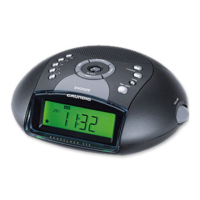
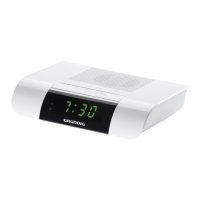
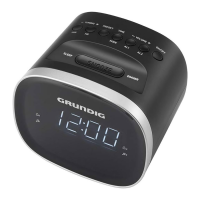
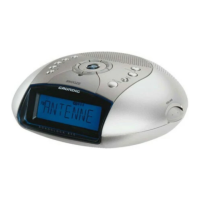
This document describes the Grundig Electronic Clock Radio with CD (CCD 5600 SPCD), a device designed primarily for the playback of audio signals from radio and CDs, with additional clock and alarm functionalities.
Function Description
The device serves as an electronic clock radio with an integrated CD player. It allows users to listen to radio broadcasts, play audio CDs, and set alarms. The radio function supports both FM and MW frequency bands, with options for FM stereo and mono reception. The CD player is compatible with music CDs (CD-DA), CD-Rs, and CD-RWs containing audio data, MP3, or WMA formats.
Key functions include:
- Audio Playback: Radio (FM/MW) and CD playback.
- Clock Functionality: Displays current time, with options for 12-hour or 24-hour clock format.
- Alarm Functionality: Two independent alarm times (Alarm 1 and Alarm 2) can be set. Alarm 1 can wake the user with radio or CD playback, while Alarm 2 uses a signal tone.
- Sleep Timer: A sleep timer can be set to automatically switch off the device after a preset duration (90, 60, 30, or 15 minutes).
- Headphone Output: Allows for private listening via headphones, automatically muting the loudspeakers when connected.
Usage Features
General Operation:
- Switching On/Off: The device can be switched in and out of standby mode using the "ON/OFF" button.
- Input Source Selection: Users can switch between radio and CD input sources using the "RADIO • CD" button.
- Volume Adjustment: Volume is adjusted via controls on the left side of the device.
- Display Brightness: The backlight display brightness can be set to one of three levels using the "DIMMER" control on the rear panel.
Setting Time and Alarms:
- Setting the Time: The time can be set when the device is in standby mode. Hours and minutes are adjusted step-by-step or quickly by holding down the respective buttons. The clock format (12-hour or 24-hour) can also be selected.
- Setting Alarm Times: Alarm 1 and Alarm 2 can be set independently. The process involves activating the alarm setting, adjusting hours and minutes, and confirming the setting.
- Activating/Deactivating Alarms: Alarms can be activated or deactivated in standby mode by briefly pressing the corresponding alarm button. The set alarm time is saved even when deactivated.
- Interrupting Alarms: When an alarm is active, pressing "SNOOZE" will temporarily stop the alarm for 6 minutes, after which it will resume. The alarm duration is 60 minutes in total.
- Cancelling Alarms for the Day: Pressing "ON/OFF" while an alarm is active will stop the alarm for the day, but the set time will be retained for the next day.
Radio Mode:
- Waveband Selection: The waveband (FM ST, FM, or AM) is selected using a button on the right side of the device.
- Station Tuning: Radio stations are tuned using the "TUNING" control on the right side. The display temporarily shows the frequency before reverting to the time.
- Stereo/Mono Reception: For FM, if the signal is weak, reception can be switched from stereo to mono to improve sound quality.
- Antenna: The device uses a wire antenna for FM reception and a built-in rod antenna for MW reception. Optimal reception requires proper alignment of the device/antenna.
CD Mode:
- CD Insertion: The CD compartment is opened and closed using a dedicated button. CDs are inserted with the label facing upwards.
- Playback Control: Standard playback controls include play/pause, stop, next/previous track, and fast forward/rewind within a track.
- MP3 Features: For MP3 CDs, the device supports folder navigation. Users can select folders and tracks within them. Folders and tracks are sorted alphabetically.
- Repeat Functions:
- Repeat One: Repeats the current track.
- Repeat All: Repeats all tracks on the CD.
- Repeat Folder (MP3 only): Repeats all tracks within the current folder.
- Random Playback: Tracks can be played back in a random order.
- Playlist Creation: A playlist of up to 20 tracks (from different folders for MP3s or from the current CD for CD-DA) can be created in stop mode. Tracks can be saved multiple times in the playlist.
Power Supply and Backup:
- Mains Operation: The device is powered via a mains connection. The power plug should be easily accessible for complete disconnection.
- Backup Batteries: Two AAA batteries can be inserted into a compartment on the bottom of the device. These batteries preserve stored settings (time, alarms) during power outages or brief disconnections from the mains.
Maintenance Features
Safety Guidelines:
- General Safety: The device is designed for audio playback only. It should be protected from rain, moisture, sand, and heat.
- Ventilation: Ensure adequate ventilation with at least 10 cm free space behind the device. Do not cover ventilation slots or place objects on them.
- Environmental Conditions: Use the device only in a moderate climate. Avoid placing liquid-filled vessels or naked flames on the device.
- Condensation: If brought in from the cold, allow the device time to warm up to prevent condensation on the CD lens.
- Internal Components: The CD part contains self-lubricating bearings and should not be oiled or greased.
- Servicing: Never open the appliance. Improper handling voids warranty claims.
- Thunderstorms: Disconnect the power plug during thunderstorms to prevent damage from lightning strikes.
Cleaning:
- Device Housing: Clean the device with a clean, dry cloth. Do not use cleaning agents that may damage the housing.
- CD Unit: If the device has trouble scanning CDs, use a standard, commercially available cleaning CD for the laser optics. For cleaning CDs themselves, use a lint-free cloth and wipe from the inside out in a straight line. Avoid cleaning agents for vinyl discs, solvents, or abrasive cleaners.
- CD Handling: Keep the CD compartment closed to prevent dust. Do not attach adhesive labels to CDs. Keep CD surfaces clean.
Environmental Considerations:
- Disposal: The product is made from recyclable materials. Do not dispose of it with household waste. Take it to a collection point for recycling electrical and electronic devices, as indicated by the symbol on the product, manual, and packaging.
- Batteries: Remove flat batteries or if the device will not be used for a long time. Dispose of used batteries according to local environmental regulations. Batteries should not be exposed to extreme heat.

 Need help?
 General

 To Next Page