GRUNDIG Service 1 - 13
UMS 1 / UMS 2 Allgemeiner Teil / General Section
General information
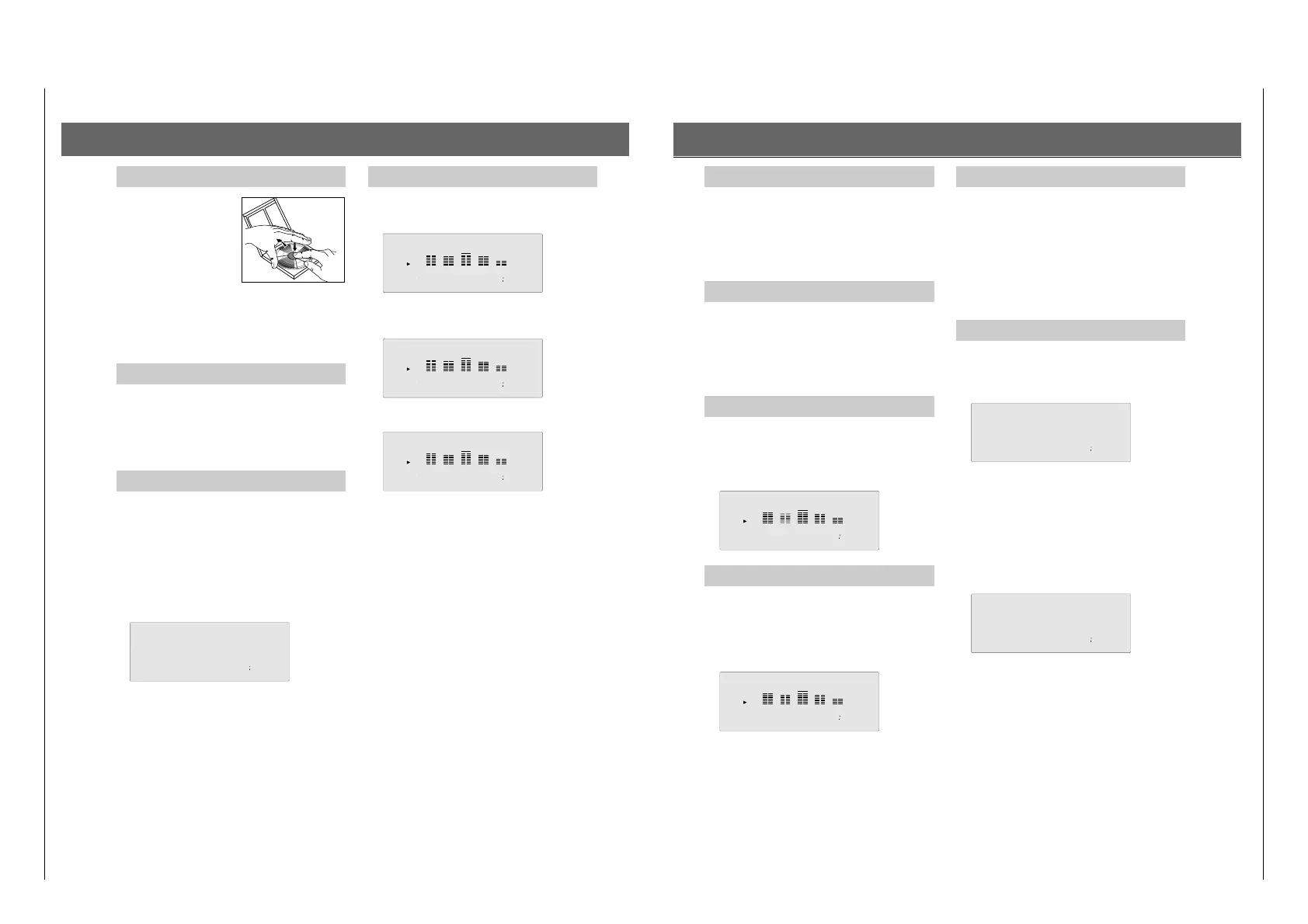
To remove a CD from its case,
hold it on its outside edge with
the index finger and thumb.
Do not touch the surface of a CD
with your fingers.
Always store a CD in its case
when it is not being used.
Place a CD in its case with the
label facing up and press down lightly.
Do not leave CD's for any length of time in direct sunlight or
other places where high temperatures may occur, such as in
the vicinity of heating apparaturs. Do not expose the CD's to
humidity or rain.
Switching on
• Select the source CD by pressing the CD button.
– If you have not inserted a CD, ‘DISC’ appears briefly in the
display, and then ‘–:– –’.
– After the unit has been switched on, it is always in the STOP
mode.
Inserting a CD
• Select the source CD by pressing the CD button.
• Open the CD compartment by pressing 9 / ?.
• Insert the CD so that the printed side of the disc is facing
up.
• The CD compartment can also be closed by hand.
– After the compartment has closed, the unit reads the
contents of the CD. Information on the number of tracks,
playing length, etc. are recorded there. This information is
shown in the display.
CD playback
• Press B on the unit (or on the remote control) to start play-
back. The display shows the number of the track being played
as well as the elapsed playing time (relative playing time).
The display can also show you additional information.
• Press
Ǻ on the unit or on the remote control and the display
shows you the CD´s remaining playing time, ‘REMAIN’.
• If you press this button once more, the display shows the
total playing time and the total number of tracks.
• If you press B again, the running track will be restarted
(REPLAY function).
• If you want to stop playback without changing the unit
settings, press ;. The ; indicator on the display lights up.
• While playback is interrupted, you can press S T
to skip to another track, or keep S or T pressed to
search for a certain passage.
•
If you want to continue with playback, press ; or B once more.
• To stop playback, press 9 (STOP).
CD
Skip function (TRACK NEXT/PREVIOUS)
• By pressing SKIP T you can skip to the beginning of
the next track in the track sequence (NEXT), and by pressing
SKIP S you can skip to the beginning of the preceding
track (PREVIOUS).
• While in STOP mode you can choose a certain track.
– Playback begins immediately.
Fast search (SEARCH)
• Hold the S or T button down to reach the desired
point on the CD. As soon as you release the button,
playback resumes.
During the fast search procedure you can listen to the tracks,
even with the volume turned down. After approx. 3 seconds the
unit ´s mute function is activated.
REPEAT function
The repeat function allows you to repeat the entire CD (or your
programme).
• By pressing the REPEAT button, you activate the repeat
function; by pressing the button again you deactivate the
repeat function.
SHUFFLE function
• By pressing SHUFFLE you activate the shuffle function
which mixes up the order of the CD tracks. A random num-
ber generator selects the order of the tracks to be played.
– All operating functions continue to function as during
normal playback.
–
The random number generator also controls the skip function.
• The function is deactivated by pressing SHUFFLE or 9/? ;
in this case the remaining tracks are played in their normal
order or playback is stopped.
– The shuffle function is also possible during playback of a
programme.
Programming
You can programme your own track sequence for each CD.
The order of the programmed tracks determines the order in
which they are played. Each track can be stored as often as you
like. The time display shows you the total playing time of the
programme.
There are two methods of programming the desired track
sequence. You can enter a programme in the STOP mode or in
the PLAY mode.
You can store a sequence of up to 20 tracks.
Programming in STOP mode
• Insert a CD and close the compartment.
– The CD player reads the contents of the CD. The display
shows the total playing time and the number of tracks.
• Press MEMORY to select the PROGRAM mode.
• Select the first track you want to programme with S and
T.
– The track number flashes.
– The display shows the time which will be the total time of
your programme when you store the selected track. In this
way you can easily search for tracks
which fill in your
program to a desired total time (e.g. for recording purposes).
• By pressing MEMORY, the track is stored in your
programme.
– The track number at the left stops flashing.
• Choose the next track you wish to include in your
programme and press MEMORY to save it.
–
The playing time display is updated.
• You can leave the programme mode by pressing the 9
button.




 To Next Page