EasyManua.ls Logo

Grundig Vision 6 - User Manual

Grundig Vision 6
36 pages
Print Icon
To Next Page IconTo Next Page
Loading...
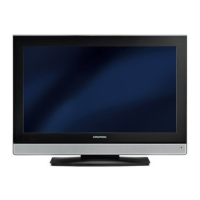
COLOR TELEVISION
VISION 6 37-6820
VISION 6 42-6820
01Vision 6_37_42-6820_de:Layout 1 06.11.2007 10:10 Uhr Seite 1

Other manuals for Grundig Vision 6

Questions and Answers

  • D
    Denise ChandlerAug 18, 2025
    Why is my Grundig LED TV remote control not working?
    • G
      Grace HillAug 18, 2025
      If your Grundig LED TV remote control isn't working, there might be a few reasons. First, ensure you're pointing the remote directly at the TV. Next, check and replace the remote batteries if needed. As a last resort, try switching off the television with the main power button for approximately 2 minutes.
  • A
    Aaron WareAug 20, 2025
    What to do if my Grundig LED TV screen shows snow but no station?
    • M
      Michael MaldonadoAug 20, 2025
      If your Grundig LED TV screen shows static (snow) but no station, check the antenna cable connection. If the connection is fine, start a station search. Also, adjust the brightness, contrast, or color settings. Test with a different station to rule out a problem at the station. Finally, consider that interference from other devices could be the cause, so try changing the position of the device.
  • J
    jonesjenniferAug 23, 2025
    What causes ghosting or reflection on my Grundig LED TV?
    • D
      Danny WilliamsAug 23, 2025
      Ghosting or reflections on your Grundig LED TV can be due to several factors. Try automatic or manual channel setting/fine tuning. Have your antenna cable or system checked. Adjust the color intensity and select the correct color standard if the option is available. Test with another channel in case the problem is at the station. Also, ensure the volume isn't set to minimum.
  • E
    Eric AndrewsAug 26, 2025
    Why is teletext missing or faulty on my Grundig LED TV?
    • B
      brandonwilsonAug 26, 2025
      If teletext is missing or faulty on your Grundig LED TV, the issue could stem from the station itself, so test with another channel. It is also possible that the television station has no teletext or there is an issue with the antenna system, so test another channel for fine tuning and ghosts. A weak station signal could also be the cause, in this case check the antenna system.
  • M
    Misty EvansAug 27, 2025
    How to fix a dark picture in PC mode on my Grundig LED TV?
    • R
      Richard StoneAug 27, 2025
      If the picture is dark in PC mode on your Grundig LED TV, the picture resolution and picture frequency on the PC might be set incorrectly. Change the setting on the PC, for example, to a picture resolution of 1280 x 768 and a picture frequency of 60Hz.
  • H
    Hunter AllenAug 29, 2025
    How to fix a Grundig TV remote control that is not working?
    • A
      Alicia CameronAug 30, 2025
      If the Grundig TV remote control isn't working, first, ensure you're pointing it directly at the TV. Then, check the batteries and replace them if needed. As a last resort, power off the TV using the main power button for about 2 minutes.
  • G
    Gary HamptonSep 1, 2025
    How to improve poor picture contrast on Grundig Vision 6?
    • J
      Jacob PowersSep 1, 2025
      If you are experiencing poor picture contrast on your Grundig TV, try adjusting the brightness, contrast, or color settings. If the issue persists, test with another channel to rule out a problem with the broadcast station.
  • C
    cwilliamsSep 3, 2025
    Why is there no color on my Grundig Vision 6?
    • D
      dennis68Sep 4, 2025
      If your Grundig TV has no color, first, check the color intensity setting and increase it if it's at minimum. If available, verify that the correct color standard is selected in the TV settings. Finally, test with another channel to ensure the problem isn't with the broadcast.
  • F
    Fernando LeeSep 6, 2025
    What to do if my Grundig TV has picture but no sound?
    • S
      Shawn AndersonSep 6, 2025
      If your Grundig TV shows a picture but has no sound, the first thing to check is the volume level. Make sure it isn't set to minimum or muted. Turn up the volume or switch it on.
  • T
    Tina RiveraSep 8, 2025
    Why does my Grundig Vision 6 TV show snow but no station?
    • R
      russell79Sep 8, 2025
      If your Grundig TV screen shows static (snow) but no station, ensure the antenna cable is securely connected. If it is, initiate the station search function to program available channels.

Grundig Vision 6 Specifications

General IconGeneral
Display TechnologyLED
Smart TVYes
Operating SystemAndroid TV
HDRHDR10, HLG
HDMI Ports3
USB Ports2
Wi-FiYes
BluetoothYes
Display Size55 inches
Resolution3840 x 2160 (4K UHD)
Refresh Rate60 Hz

Related product manuals