16
Ver. 1.1
Remote
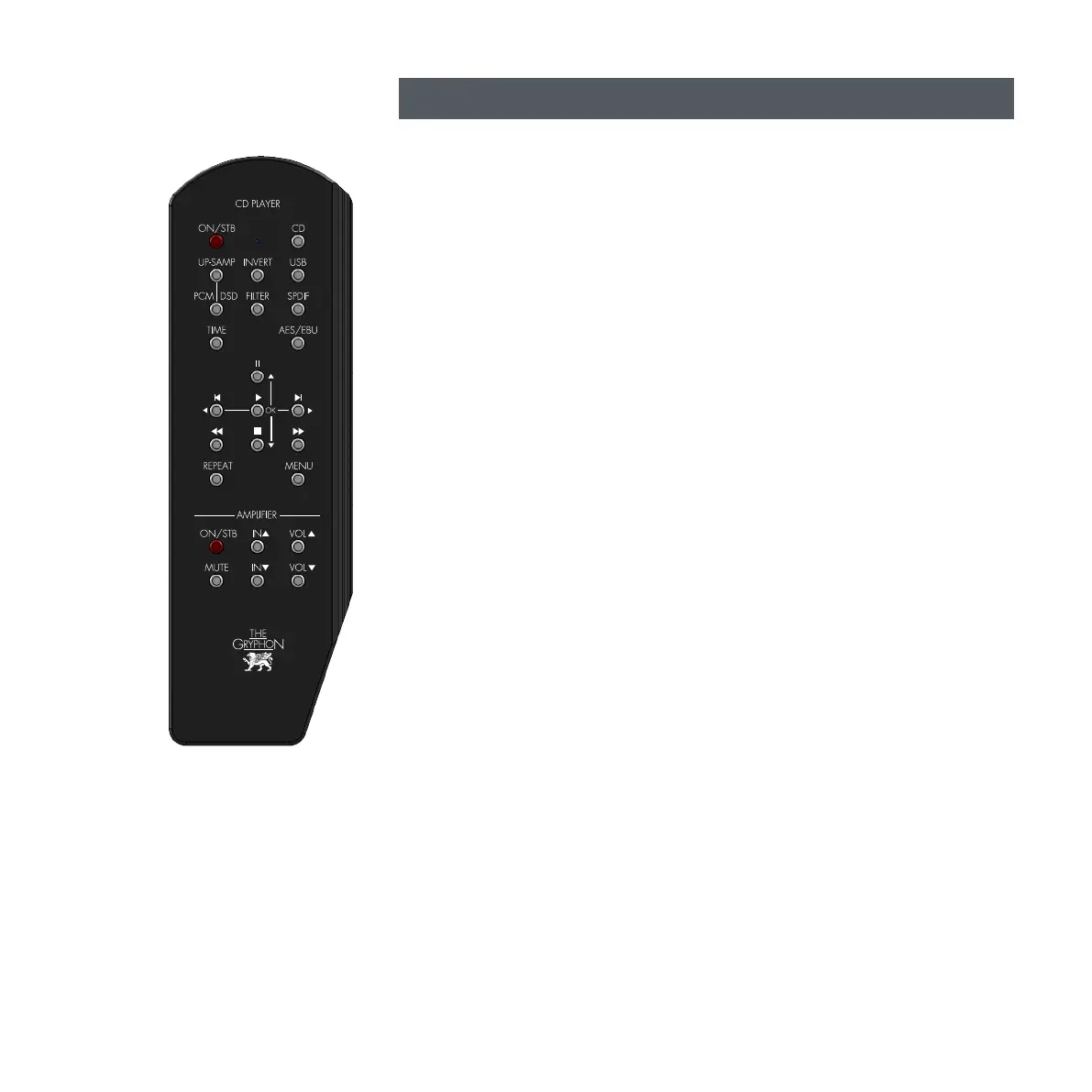
FILTER:
Changes the Ethos DAC’s digital filter slope for PCM or DSD formats:
1. PCM: ‘Filter 1’ indicates Slow roll-off, minimum phase filter.
2. PCM: ‘Filter 2’ indicates Slow roll-off, linear phase filter.
3. PCM: ‘Filter 3’ indicates Brickwall Filter.
4. PCM: ‘Filter 4’ indicates Hybrid Filter (default).
5. PCM: ‘Filter 5’ indicates Apodizing Filter.
6. PCM: ‘Filter 6’ indicates Fast roll-off, minimum phase filter.
7. PCM: ‘Filter 7’ indicates Fast roll-off, linear phase filter.
UP-SAMP: (PCM/DSD)
DSD ‘Filter 1’: 50kHz -3dB pass band frequency (default).
DSD ‘Filter 2’: 60kHz -3dB pass band frequency.
DSD ‘Filter 3’: 70kHz -3dB pass band frequency.
Selectable upsampling under the following conditions: PCM format below Fs=384kHz.
When ON, the Ethos upsamples to PCM Fs=384kHz or DSD128, Fs=5.6448MHz.
Upsampling is ON when the green ‘UP-SAMP’ indicator to the right of the display is on.
Please observe that ‘UP-SAMP’ and ‘FILTER’ modes are set globally for all sources/inputs.
Example: Selecting upsampling to DSD and filter 3, for incomming PCM signal via USB input,
means that the same settings are applied when playing a CD or using AES/EBU or S/PDIF inputs.
INVERT:
Selectable inversion of the Ethos output signal phase. The output signal is inverted when the green
‘INVERT’ indicator to the right of the display is on.
DIRECT INPUT SELECT:
The four remote buttons; ‘CD’, ‘USB’, SPDIF’ and ‘AES/EBU’ directly selects the respective
Ethos input.
TIME:
Toggles between ‘TIME: IN TRACK’ and ‘TIME: ON DISC’ when the Ethos is in CD mode.
REPEAT:
Toggles between ‘repeat entire disc’ or ‘repeat current track’
MENU:
This remote button selects the Ethos MENU options, described previously in this manual.



 To Next Page