17
Ver. 1.1
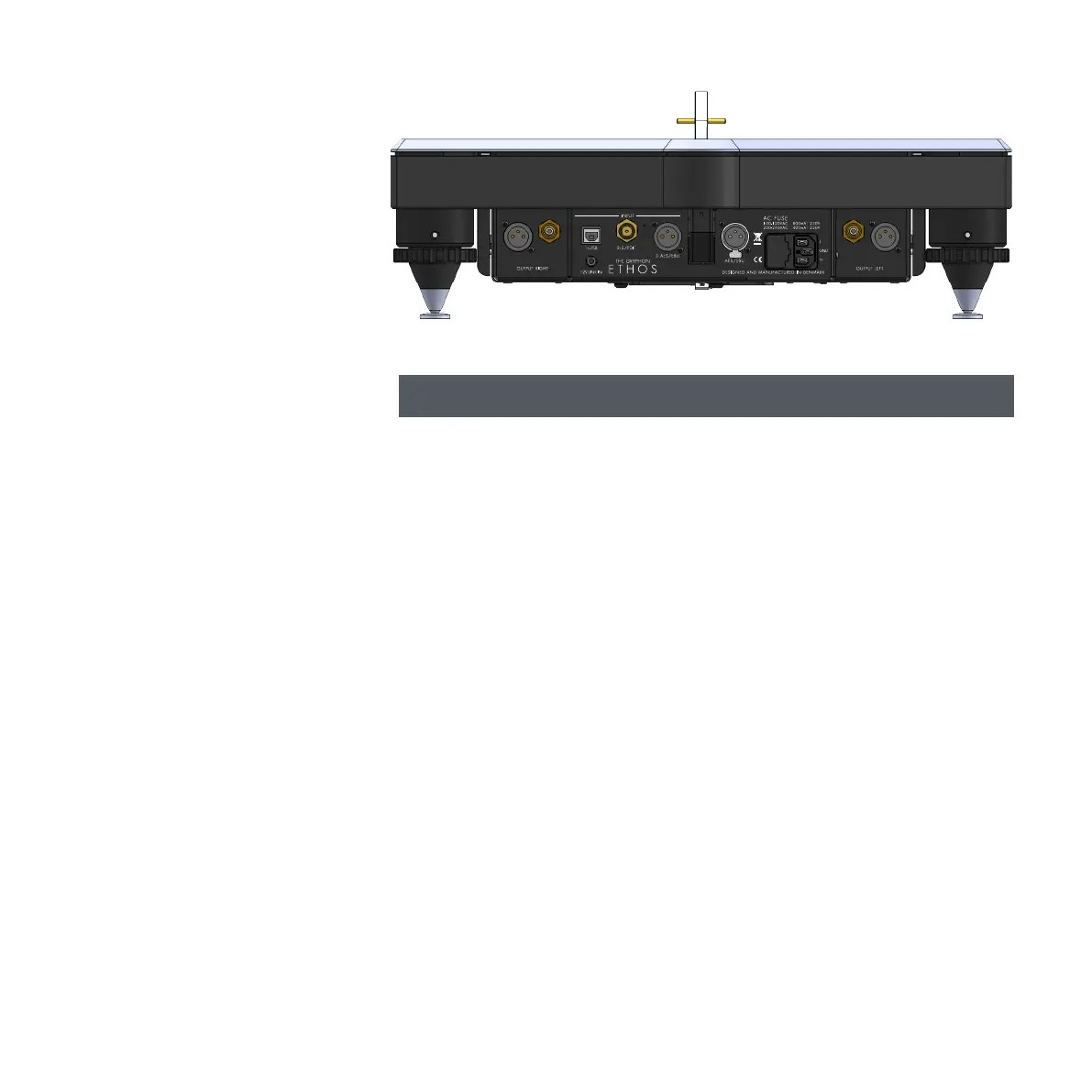
Ethos connections
From left:
Right channel Analog outputs:
Single-ended RCA and balanced XLR*.
USB INPUT 1:
Connect to PC or Mac through your preferred
dedicated USB audio cable.
Please see separate PC/Mac player informa-
tion and guide on: www.gryphon-audio.com.
Accepted USB formats and sample rates:
PCM (Pulse Code Modulated): Fs: 44.1Khz,
48Khz, 88.2Khz, 96Khz 176.4Khz, 192Khz,
352.8Khz or 384Khz
DSD (Direct-Stream Digital): Mac: DSD64 and
DSD128 Windows: DSD64, DSD128, DSD256
and DSD512.
NO Drivers needed for Mac OSX 10.6+ and
Linux with UAC2 compliant kernel.
Ethos Kernel-Streaming/ASIO drivers for MS
OS Win7 to Win10 32-64bit, can be down-
loaded at: www.gryphon-audio.com
BNC, S/PDIF INPUT 2:
Connect a digital source with single-ended
75 Ohm output to this input.
AES/EBU INPUT 3:
Connect a digital source with balanced 110
Ohm output to this XLR* input.
AES/EBU OUTPUT, CD MODE:
This XLR* output output’s the 44.1 kHz EBU,
110 Ω from the Ethos CD drive.
12V LINK IN:
+12VDC on this 12V link INPUT turns the
Ethos on from Standby. The Ethos re-enters
Standby when the +12VDC voltage is no
longer present.
Mini Jack Mono connectors with + on the tip
are to be used.
Mains input:
Actual working mains voltage is printed on the
Serial Number label on rear side of the Ethos.
Only connect the Ethos to the specified
voltage!
Left channel Analog outputs:
Single-ended RCA and balanced XLR*.
* XLR: PIN1: GROUND, PIN2: POSITIVE,
PIN3: NEGATIVE



 To Next Page