5
Installation Diagrams
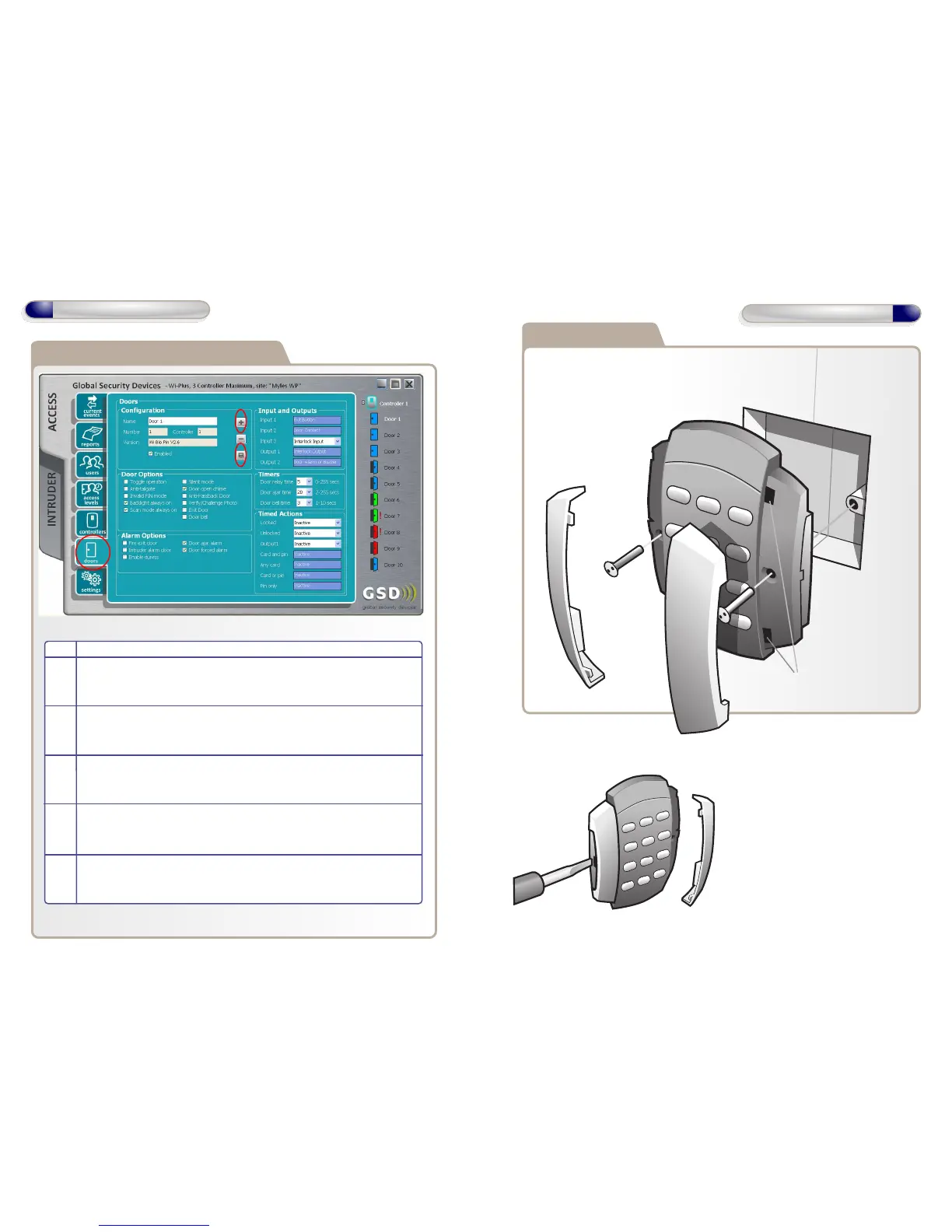
To release Security Caps push a
screwdriver into slots on the side
and pull forward.
Door Control is mounted to electrical pattress box using security
screws provided. Both Security Caps are
then clipped onto Door Control.
Flush Mounting
To attach Security Caps: Simply
align the tabs into holes and push
on until click is heard.
Adding Door Controls
12
Enrolling Door Controls
Step Description
1 Click the Doors Icon on the left hand toolbar (see 1 above)
2 Click ‘Add New Door’ (see 2 above)
3 The Door is added to the Controller.
4 Configure the required Door settings : Door Timers, Alarm Options,
Door Options, Timed Actions, Inputs & Outputs.
5 Click ‘Save’ to transmit the changes to the GSD Controller.
(see 5 above)
1
2
5


 To Next Page