2. Phone Functions & Messages
2.1 Voice Calls
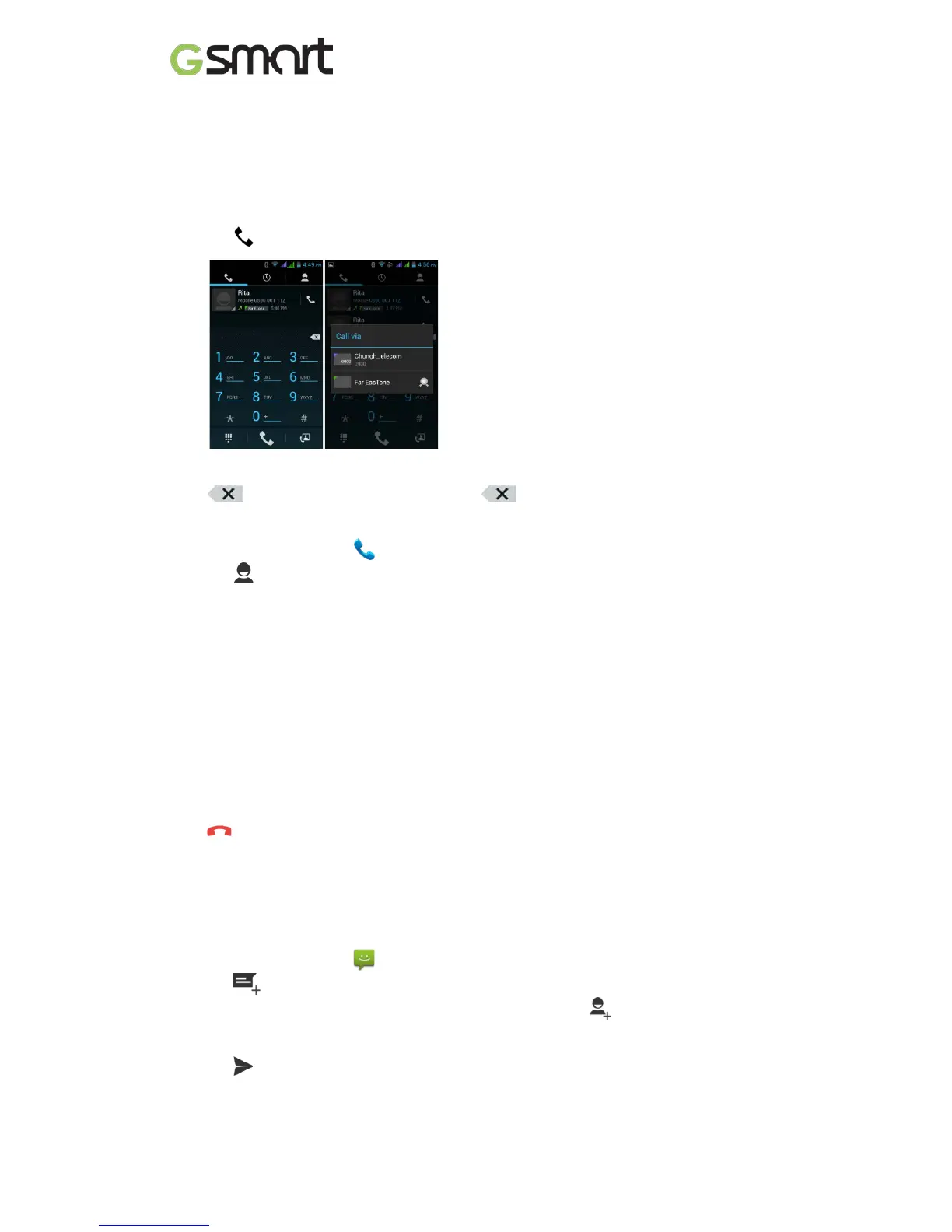
To make a call from the Phone screen
(1) Go to the Phone screen.
(2) Use the keypad to input phone numbers.
(3) Tap then choose SIM1 or SIM2 to make the phone call.
NOTE:
Tap to delete a number. Tap and hold to erase entire numbers.
To make a call from Contacts
(1) Tap Applications tab > .
(2) Tap .
(3) Tap a contact you want to call.
(4) If SIM2 inserted, there is a menu will pop up. You may select “SIM1” or “SIM2” to make a
phone call.
To make emergency calls
You have to unlock your device before making an emergency call. Enter the international
emergency number 112, and tap SIM1 or SIM2 to make the emergency call.
Answering a call
When there is an incoming call:
• The phone will ring with the ring volume is turned on.
• A notification message will appear on the screen.
Ending a call
Tap . It’s the end icon to end a call.
2.2 Creating and sending a text message
Your phone offers several ways to create and send a new text message.
From Message screen
(1) Tap Applications tab > .
(2) Tap to create a new message.
(3) In the “To” field, enter the recipient’s phone numbers or tap to add from your
contacts.
(4) Type your message in the “Type message” field.
(5) Tap to send your message. You may select SIM1 or SIM2 (If SIM2 inserted).
T4 |11



 To Next Page