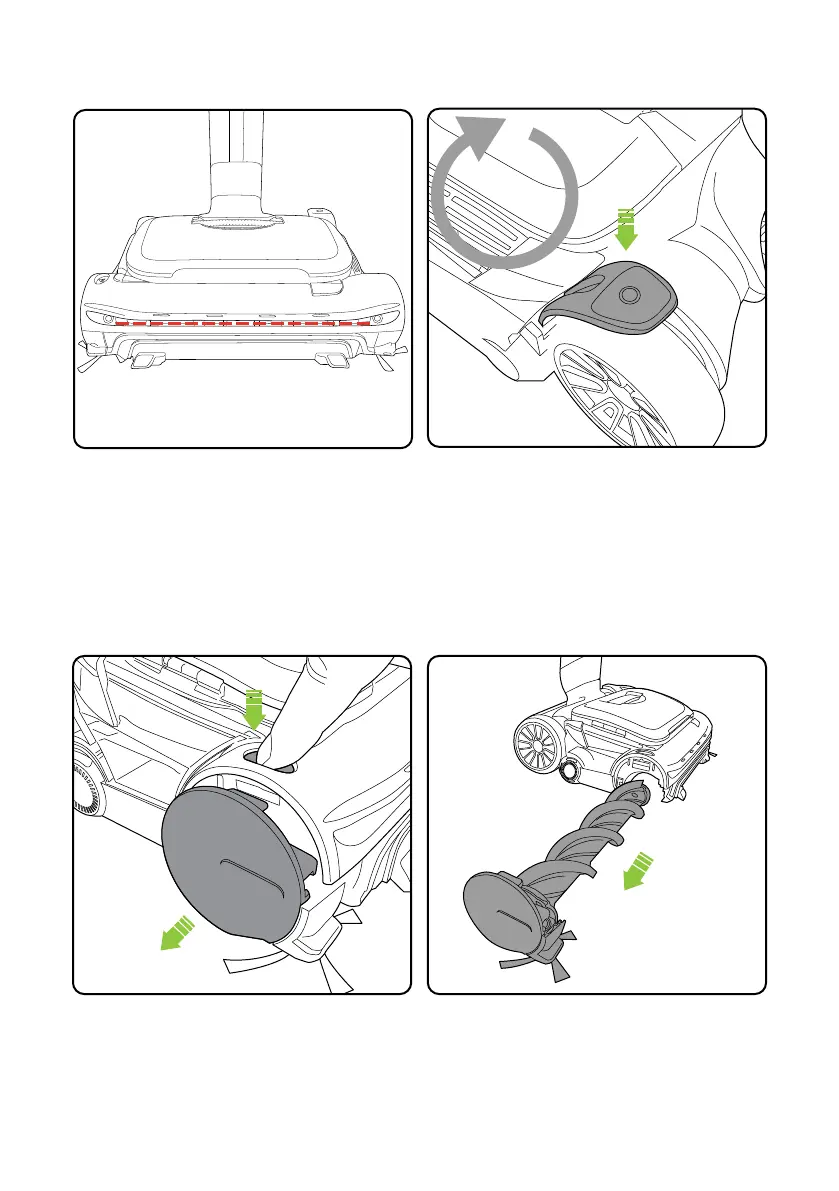
The product will not re-start until the red
lights go out. This will take 5 seconds. Press
the power button with your foot to turn the
product on. If the problem persists, follow the
troubleshooting instructions on page 16.
If the brush bar jams during use, the product
will stop and the headlights will appear red.
You will need to clean the brush bar and
remove any blockage.
12
Brush bar jam
5
seconds
Before checking for a blockage, switch off and
remove the battery. Press the button to release
and eject the brush bar.
The brush bar can now be removed from the
head.
Removing and cleaning the brush bar














 To Next Page