EasyManua.ls Logo

Gtech POWER FLOOR ATF038 - User Manual

Gtech POWER FLOOR ATF038
16 pages
Print Icon
To Next Page IconTo Next Page
Loading...
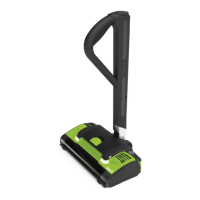
OPERATING MANUAL
POWER
FLOOR
Model number:
ATF038

Questions and Answers

  • L
    Lindsey GarciaAug 11, 2025
    What to do if my Gtech Vacuum Cleaner Power Floor is not cleaning well?
    • Y
      ylarsenAug 11, 2025
      If your Gtech Vacuum Cleaner's Power Floor isn't cleaning effectively, try these steps: 1. Empty the bin. 2. Clean the holes in the filter housing. 3. Wash the filter. 4. Check for blockages. 5. Remove hair from the brushbar.
  • A
    ashley08Aug 21, 2025
    What to do if my Gtech Vacuum Cleaner Power Floor has stopped or won’t work?
    • A
      Andrew BaxterAug 21, 2025
      If the Power Floor on your Gtech Vacuum Cleaner has stopped working, consider the following: * Charge the battery, ensuring the socket is working and turned on. * Check for blockages. Refer to the steps for addressing cleaning issues, such as emptying the bin, cleaning the filter housing, washing the filter and checking for blockages.
  • D
    deborahwebbAug 31, 2025
    Why are 4 red lights displayed on my Gtech Vacuum Cleaner battery?
    • L
      Lauren MendezAug 31, 2025
      If you see 4 red lights on your Gtech Vacuum Cleaner battery, it indicates that the brush bar is jammed. To resolve this, turn off the Power Floor, remove the battery, and clear any blockage.

Gtech POWER FLOOR ATF038 Specifications

General IconGeneral
BrandGtech
ModelPOWER FLOOR ATF038
CategoryVacuum Cleaner
LanguageEnglish

Related product manuals