EasyManua.ls Logo

Gtech GT50 - User Manual

Gtech GT50
84 pages
Print Icon
To Next Page IconTo Next Page
Loading...
OPERATING MANUAL
Original Instructions
BETRIEBSANLEITUNG
Originalanleitung
MANUEL D’UTILISATION
Instructions originales
MANUALE OPERATIVO
Istruzioni originali
MANUAL DE INSTRUCCIONES
Instrucciones originales
MANUAL DE UTILIZAÇÃO
Instruções originais
GEBRUIKSHANDLEIDING
Originele instructies
INSTRUKCJA OBUGI
Instrukcja oryginalna
MANUAL DE UTILIZARE
Instrucțiuni originale
Model Number
Modellnummer
Numéro de modèle
Numero modello
Número de modelo
Número do modelo
Modelnummer
Numer modelu
Numărul modelului
ENG
DEU
FRA
ITA
ESP
POR
NED
POL
ROM
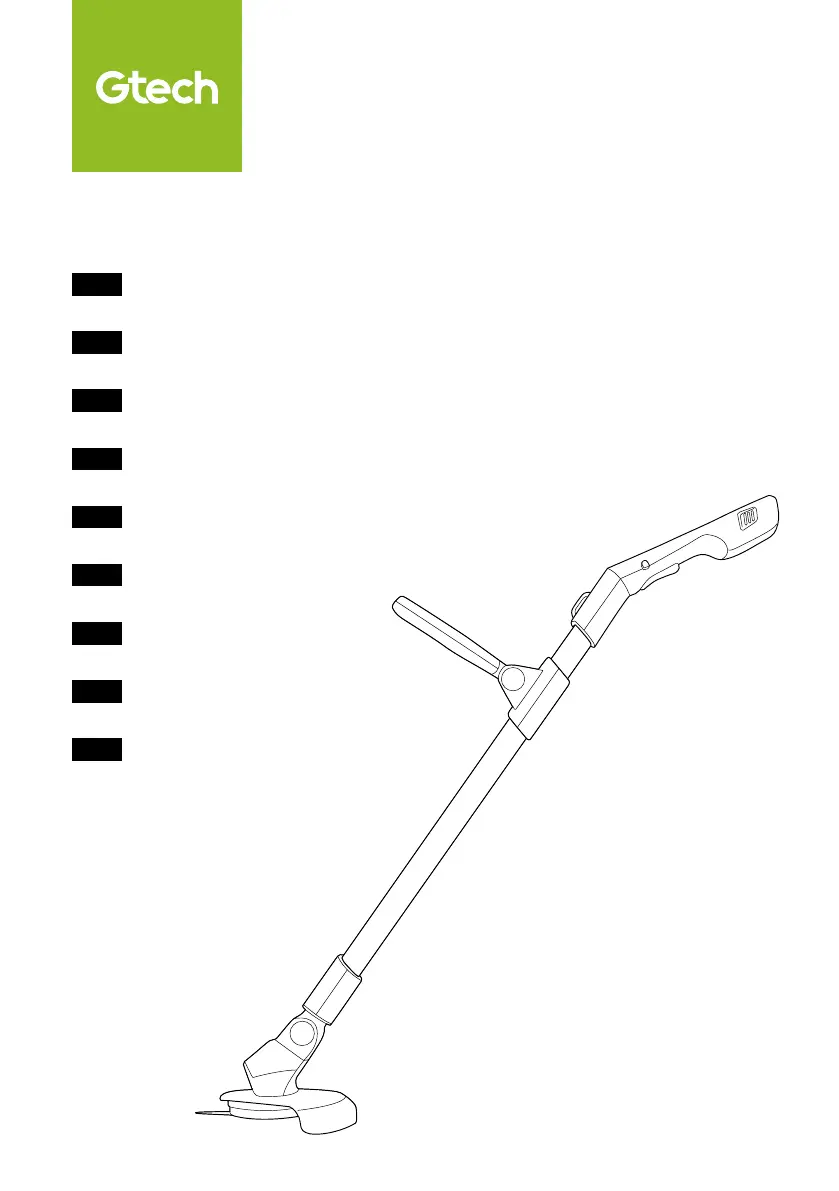
Cordless Grass Trimmer
GT50

Questions and Answers

  • M
    Michael SchwartzAug 2, 2025
    Why does my Gtech GT50 stop when cutting?
    • W
      Willie ValdezAug 2, 2025
      Your Gtech Trimmer might stop when cutting due to several reasons. First, the automatic cut-out may need to reset, so try using a lighter cutting action. Second, the blade may have debris, so check it and remove any obstructions. Finally, the battery may need charging, so ensure it is adequately charged.
  • S
    Shannon MolinaAug 6, 2025
    What to do if Gtech Trimmer fails to operate?
    • D
      David HarrisAug 6, 2025
      If your Gtech Trimmer fails to operate, try the following: * Recharge the battery. * Check the switch to ensure it clicks when operating correctly. * Inspect the blade for any jams.
  • R
    rwilliamsAug 10, 2025
    What to do if Gtech GT50 Trimmer cutting time has reduced?
    • R
      Richard PetersAug 10, 2025
      If the cutting time of your Gtech Trimmer has reduced, there are several things you can try: 1. Use a lighter cutting action and cut in several stages. 2. Fully discharge and then recharge the battery. 3. Replace the blade.
  • N
    Natalie HubbardAug 15, 2025
    What to do if Gtech GT50 blade will not cut?
    • M
      Michael GriffithAug 15, 2025
      If the cutting blade of your Gtech Trimmer will not cut, it is likely that the blade is either worn or damaged. The solution is to replace the blade.
  • H
    Holly GrantAug 19, 2025
    What to do if Gtech GT50 Trimmer blade will not move?
    • K
      Kurt LopezAug 19, 2025
      If the blade of your Gtech Trimmer will not move, replace the blade.
  • N
    Nicole HillAug 23, 2025
    What to do if Gtech GT50 Trimmer shows solid red LEDs?
    • C
      Cassandra ColeAug 23, 2025
      If the LEDs on your Gtech Trimmer show solid red, it means the trimmer has jammed. To fix this, check the blade and remove any debris that may be causing the jam.
  • A
    Anthony RiosAug 28, 2025
    Why does my Gtech Trimmer have abnormal vibrations?
    • A
      arthur41Aug 28, 2025
      Abnormal vibrations in your Gtech Trimmer could be due to a few reasons: * Ensure the hub screw is securely screwed in. * Verify that the blade is correctly fitted. * Check for any obstacles preventing the normal rotation of the hub.

Summary

IMPORTANT SAFEGUARDS

Personal Safety

Guidance on safe personal operation and handling of the trimmer.

Electrical Safety

Precautions for safe use of the electrical appliance and its components.

Maintenance and storage

Service

Intended use

Warning Label Descriptions

Whats in the box

Assembly

Operation

Changing to edge trimming mode

Using your Grass Trimmer

Using to trim grass

Using to edge

Harness

Removing the battery

State of charge

Battery charging

Product Care

Troubleshooting

Product fails to operate

Steps to take when the product does not turn on or function.

Cutting blade will not cut

Troubleshooting steps for when the cutting blade is ineffective.

Blade will not move

Solutions for when the cutting blade is immobile.

Cutting time has reduced

Troubleshooting for reduced operational time per charge.

Abnormal vibrations

Steps to address unusual shaking or vibration of the trimmer.

Trimmer stops when cutting

Causes and solutions when the trimmer stops during operation.

LEDs show solid red

Meaning and troubleshooting for solid red LED indicator.

Product support

TECHNICAL SPECIFICATION

WARRANTY - REGISTRATION

WARRANTY - TERMS AND CONDITIONS

SUMMARY

Overview of warranty effectiveness, duration, and claims process.

WHAT ISNT COVERED

Exclusions from the product warranty coverage.

EC Declaration of Conformity

Gtech GT50 Specifications

General IconGeneral
Battery typeRemovable
Power sourceBattery
Charging time4 h
Operating time30 min
Battery voltage18 V
Battery capacity2 Ah
Removable batteryYes
Battery low indicationNo
Country of originChina
Customs product code (TARIC)8467298000
Export Control Classification Number (ECCN)3A001
TypeString trimmer
Head typeBlade
Spool size-
Handle typeD-loop handle
Engine power- hp
Product colorGreen, White
Blade materialPlastic
Rotational speed9000 RPM
Height adjustment- mm
Sound power level- dB
Fuel tank capacity0 L
Engine displacement0 cm³
Line length supplied- m
Cutting diameter (max)230 mm
Vertical edge-cutting angle0 °
Warranty period2 year(s)
Weight and Dimensions IconWeight and Dimensions
Depth140 mm
Width180 mm
Length1360 mm
Weight1850 g
Package depth227 mm
Package width150 mm
Package height719 mm
Package weight3200 g

Related product manuals