EasyManua.ls Logo

Gtech HT01 - User Manual

Gtech HT01
16 pages
Print Icon
To Next Page IconTo Next Page
Loading...
Safety and Instruction Manual for
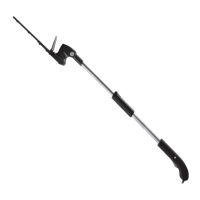
cordless hedge trimmer
HT01
www.gtechonline.co.uk
HT01_UKManual2010v3.indd 1 25/03/2010 10:02

Questions and Answers

  • P
    Paula RamseyAug 2, 2025
    Why is my Gtech HT01 battery not charging?
    • L
      Luke CrawfordAug 2, 2025
      There are several reasons why your Gtech Trimmer battery might not be charging. First, ensure the charger plug is securely connected to the battery pack and fully pushed into the mains socket, and that the mains socket is switched on. The charger should feel warm when charging correctly. If these steps don't resolve the issue, consult a qualified electrician to check the socket or contact customer service.
  • T
    toddhughesAug 8, 2025
    What to do if Gtech Trimmer fails to operate?
    • M
      Michael RyanAug 8, 2025
      If your Gtech Trimmer isn't working, start by checking if the battery is flat and recharge it if necessary. Also, verify the cord is properly connected to the battery pack. If the trimmer still doesn't operate, the switch in the handle may be faulty. The switch should ‘click’ when operating properly.
  • S
    Sherri BensonAug 13, 2025
    Why is cutting time low on my Gtech HT01 Trimmer?
    • J
      Joshua DuncanAug 13, 2025
      If you're experiencing short cutting times with your Gtech Trimmer, it could be due to several factors. Ensure the battery is fully charged. Also, the blade may need cleaning and lubrication. Avoid overloading the motor by using a lighter cutting action. Finally, the battery might be damaged or not holding a charge, in which case it should be replaced.
  • J
    Jennifer SmithAug 20, 2025
    What to do if the blade will not move on Gtech HT01 Trimmer?
    • K
      Kevin ShepherdAug 20, 2025
      If the blade on your Gtech Trimmer won't move, first ensure the battery is recharged. Check for any obstructions jamming or damaging the blade teeth and remove them, making sure to switch the tool off first. If the blade is corroded or seized, it should be replaced.
  • R
    Ronald ZimmermanAug 26, 2025
    Why is the cutting blade on my Gtech Trimmer excessively hot?
    • B
      bryan79Aug 26, 2025
      If the cutting blade on your Gtech Trimmer is getting too hot, it's likely due to a lack of lubrication. Clean and lubricate the blade. If the blade is damaged or blunt, you should replace it.

Summary

Important Safety Information

General Power Tool Safety Warnings

General safety warnings and instructions for power tools, covering shock, fire, and injury.

Work Area Safety

Guidelines for maintaining a safe and clean work area to prevent accidents.

Power Tool Use and Care

Battery Use and Care

Hedge Trimmer Safety Warnings

Additional Safety Warnings

Part Location

Battery Charging and Recharging

Assembly

Cutting Head Adjustment

Using Your Trimmer

Starting and Stopping

Tips on Cutting

Care and Maintenance

Cleaning and Storage

Troubleshooting

Warranty Information

Gtech HT01 Specifications

General IconGeneral
Battery TypeLithium-Ion
Power SourceBattery
WaterproofNo
CordlessYes
Battery Life60 minutes per charge

Related product manuals