EasyManua.ls Logo

Gtech HT50 - User Manual

Gtech HT50
80 pages
Print Icon
To Next Page IconTo Next Page
Loading...
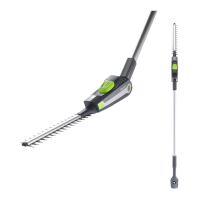
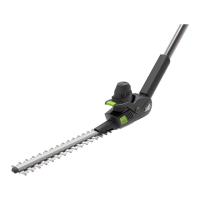
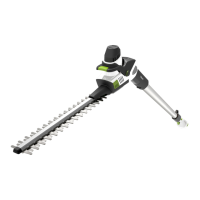
Cordless Hedge Trimmer
HT50
OPERATING MANUAL
Original Instructions
BETRIEBSANLEITUNG
Originalanleitung
MANUEL D’UTILISATION
Instructions originales
MANUALE OPERATIVO
Istruzioni originali
MANUAL DE INSTRUCCIONES
Instrucciones originales
MANUAL DE UTILIZAÇÃO
Instruções originais
GEBRUIKSHANDLEIDING
Originele instructies
INSTRUKCJA OBSŁUGI
Instrukcja oryginalna
MANUAL DE UTILIZARE
Instrucțiuni originale
Model Number
Modellnummer
Numéro de modèle
Numero modello
Número de modelo
Número do modelo
Modelnummer
Numer modelu
Numărul modelului
ENG
DEU
FRA
ITA
ESP
POR
NED
POL
ROM

Questions and Answers

  • A
    Alexis NguyenJul 28, 2025
    What to do if my Gtech Trimmer stops when cutting?
    • N
      Nicholas PhelpsJul 28, 2025
      If your Gtech Trimmer stops while you're cutting, there are several things you can try. First, wait for the automatic cut-out to reset. Next, use a lighter cutting action. After that, check the blade and remove any debris. Finally, ensure the battery is adequately charged.
  • J
    Judy HuntAug 2, 2025
    What to do if Gtech Trimmer product fails to operate?
    • M
      Mark ScottAug 2, 2025
      If your Gtech Trimmer fails to operate, try the following: Recharge the battery. Check the switch to ensure it clicks when operating correctly. Also, check if the blade is jammed.
  • E
    eortegaAug 7, 2025
    Why has the cutting time of my Gtech HT50 Trimmer reduced?
    • M
      Marc GibsonAug 7, 2025
      If the cutting time of your Gtech Trimmer has reduced, consider the following: Use a lighter cutting action and cut in several stages. Fully discharge and then recharge the battery. Clean and lubricate the blade. If the issue persists, replace the blade.
  • M
    Mandy MooreAug 12, 2025
    What to do if the blade will not move on my Gtech HT50 Trimmer?
    • K
      Katie AndersonAug 13, 2025
      If the blade on your Gtech Trimmer won't move, you should clean and lubricate it. If that doesn't work, replace the blade.
  • K
    Kathryn WestAug 17, 2025
    How to fix a Gtech HT50 Trimmer cutting blade that will not cut?
    • B
      brenda97Aug 17, 2025
      If the cutting blade on your Gtech Trimmer will not cut, the blade is either worn or damaged. Replace the blade.
  • P
    ppierceAug 22, 2025
    Why do the LEDs show solid red on my Gtech HT50 Trimmer?
    • G
      George EspinozaAug 22, 2025
      If the LEDs on your Gtech Trimmer show solid red, it indicates that the trimmer has jammed. You should check the blade and remove any debris.

Summary

Important Safety Precautions

Personal Safety

Essential guidelines for safe personal operation of the hedge trimmer.

Electrical and Battery Safety

Measures to prevent electric shock, fire hazards, and safe battery handling.

Safe Usage Practices

Covers training, preparation, operation, maintenance, and service safety.

Whats in the Box

Product Assembly

Product Operation

Using Your Hedge Trimmer

Proper techniques for holding and operating the hedge trimmer safely.

Hedge Top Trimming

Instructions for angling the head to trim the upper part of the hedge.

Hedge Side Trimming

Techniques for sweeping motions to trim the sides of the hedge.

Battery Management

Removing the Battery

Procedure for safely detaching the battery from the trimmer.

State of Charge

How to check the battery's remaining charge level.

Battery Charging

Step-by-step guide for charging the product's battery.

Product Maintenance and Care

Troubleshooting

Technical Specifications

Warranty Information

Warranty Registration

Instructions for registering your product's warranty with Gtech.

Warranty Terms and Conditions

Details of warranty coverage, exclusions, and claim procedures.

Gtech HT50 Specifications

General IconGeneral
BrandGtech
ModelHT50
CategoryTrimmer
LanguageEnglish

Related product manuals