11
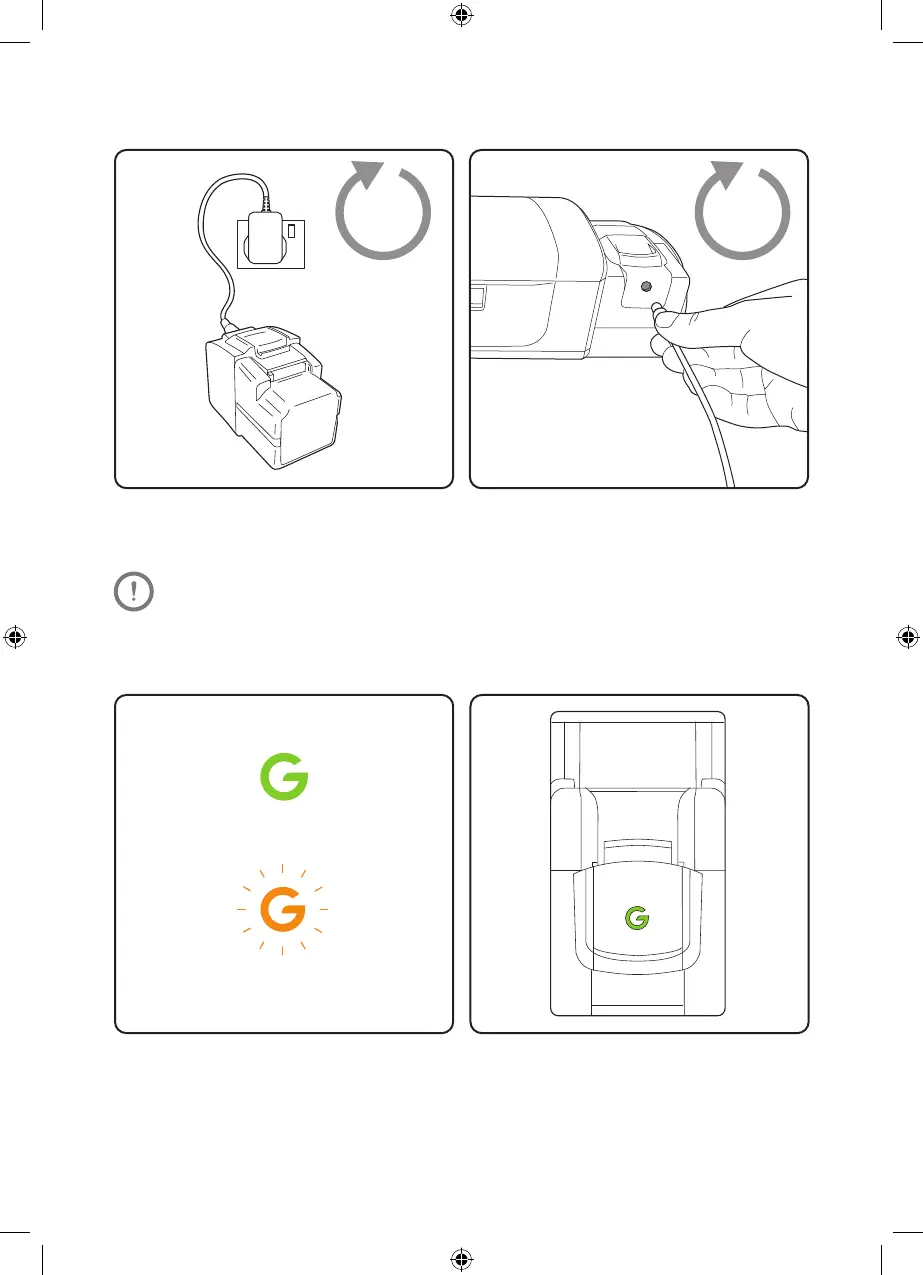
Plug the charger into the mains and connect it to
the battery. Switch the power on at the mains.
The battery can be charged on or off the main
vacuum unit.
Battery state-of-charge indicator
The battery indicator shows how much charge
remains in the battery.
Whilst charging, the ‘G’ on the battery will
pulsate green. When fully charged, it will show
a solid green colour.
15% - 1%
100% - 16%
Recharging the battery
14.4V
For optimum battery performance, we recommend turning the plug socket
off once the battery is fully charged.
2
hours
2
hours
4483_HyLite2_Manual_aw.indd 114483_HyLite2_Manual_aw.indd 11 20/08/2020 17:0620/08/2020 17:06



 To Next Page