9
WARNING: remove battery before carrying out any form of assembly.
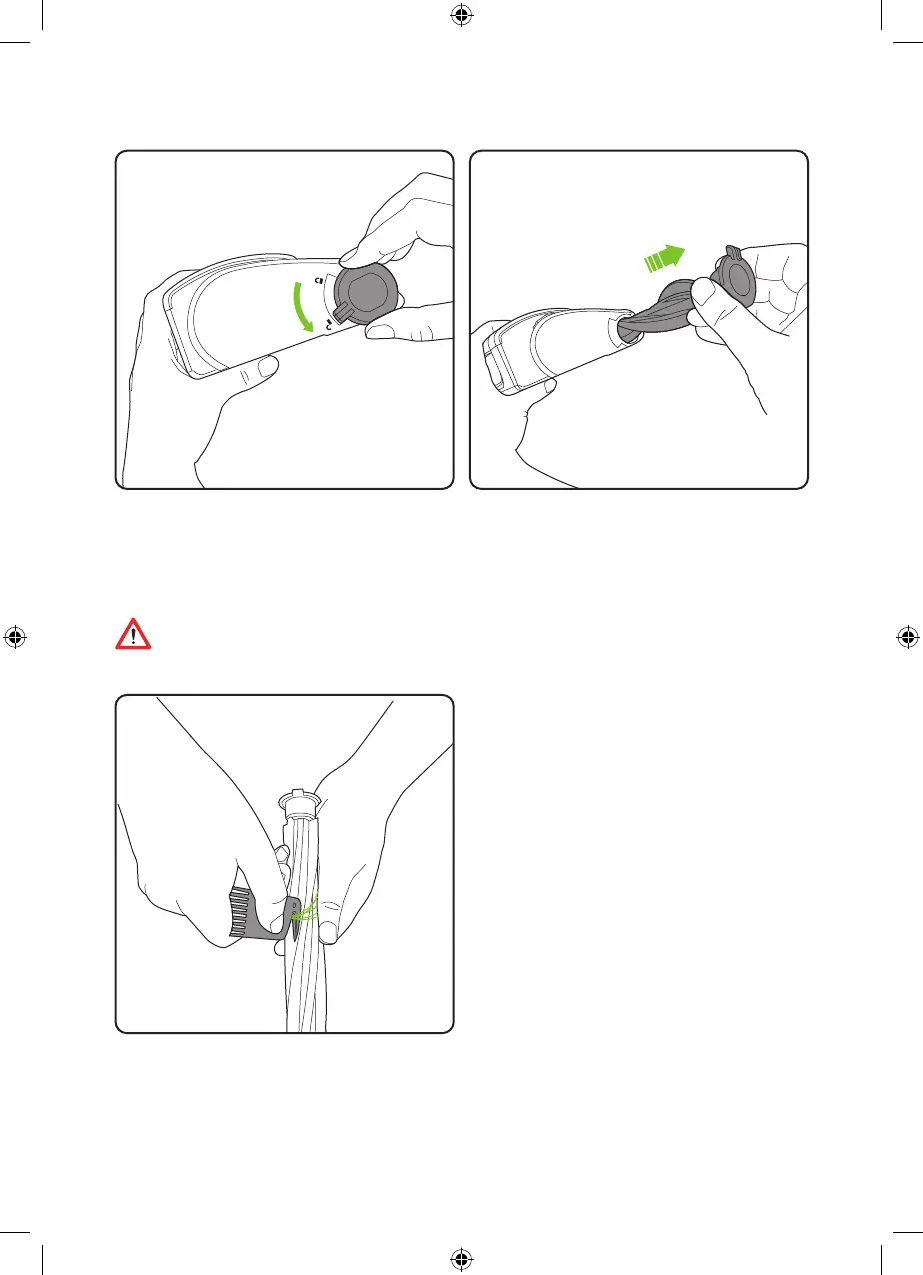
Remove the battery before maintaining any
part of your product. Rotate the latch from the
‘locked’ position to the ‘unlocked’ position.
Brush-bar removal
To remove hair from the brush-bar, run the
blade of the hair removal tool between the
brushes to cut the strands.
Pull the latch out to remove the brush-bar.
4483_HyLite2_Manual_aw.indd 94483_HyLite2_Manual_aw.indd 9 20/08/2020 17:0620/08/2020 17:06


 To Next Page