18
Product Care
Troubleshooting
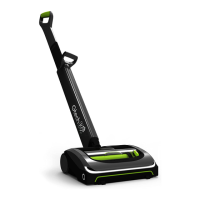
Your Gtech Multi doesn’t need much maintenance: keep the lter clean, check
for blockages, remove hair from the brushbar and charge the battery. Wipe it
with a dry cloth if it gets dirty, including the area under the bin. Never wash it with
liquid, run it under a tap or use it without the lter.
Multi is not cleaning well 1. Empty the bin
2. Clean the holes in the lter housing
3. Wash the lter
4. Check for blockages
5. Remove hair from brushbar
Multi has stopped or won’t work 6. Charge the battery (check the
socket works)
7. It might be blocked
– check items 1 to 4 above
8. Brush bar jammed.
9. Turn off Multi, remove the battery
and clear the blockage.
4 Red lights displayed on
battery
If this doesn’t solve your problem don’t worry, we will help. Please refer to
the back of this manual for your local distributor’s contact details.
Scented Cartridge
Scented cartridge rells: Keep out of the reach of children. People suffering from perfume
sensitivities should be cautious when using this product as it may produce an allergic reaction
or cause sensitisation by skin contact. If swallowed, seek medical advice immediately and show
this container or label. Toxic to aquatic organisms, may cause long-term adverse effects in the
aquatic environment. Scented rells contain: Linalyl acetate, Limonene, Linalool, Lilial, Lavender
oil, Vanillin, Borneol, Polysorbate 20
ENGLISH



 To Next Page