1111
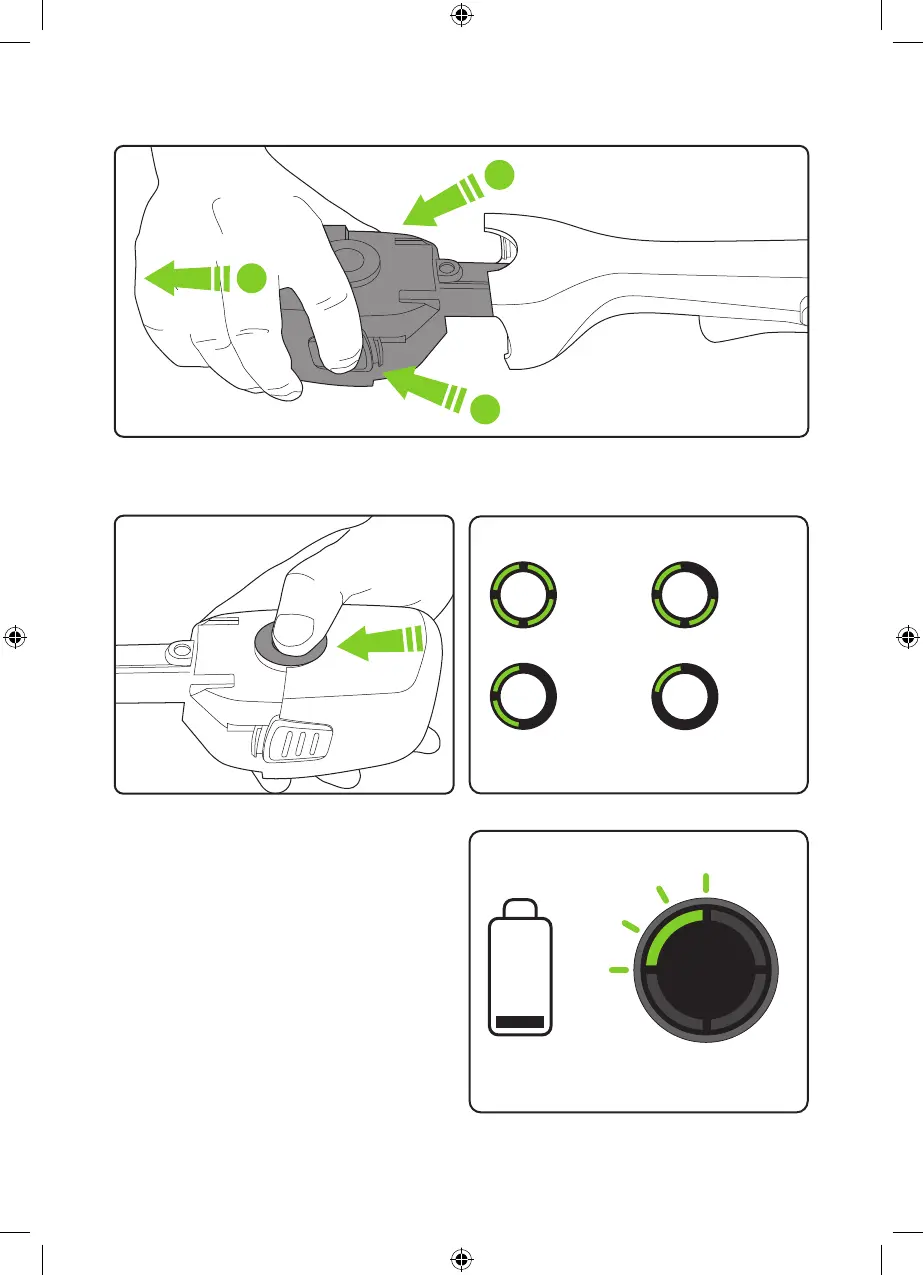
Removing the battery for charging
Press both buttons at the same time and pull to remove the battery.
1
1
2
Checking the battery charge status
Press the button to check how much charge
there is in the battery.
The number of lit LEDs shows the charge.
100%
- 60%
60%
- 30%
30%
-10%
10%
- 1%
Figures are approximate.
When there is no charge le, the final LED will
flash for 10 seconds and then go out.
=
4969_MiniMower_manual_aw.indd 114969_MiniMower_manual_aw.indd 11 08/07/2021 10:2008/07/2021 10:20


 To Next Page