• Greenhot:ResembletheLLL(nightvision)image.
4.8 Menu
When power is on and the menu is not called out, long press M
button to enter the main menu.
When power is on and the menu is called out, long press M button
to exit the menu bar or back to the previous menu.
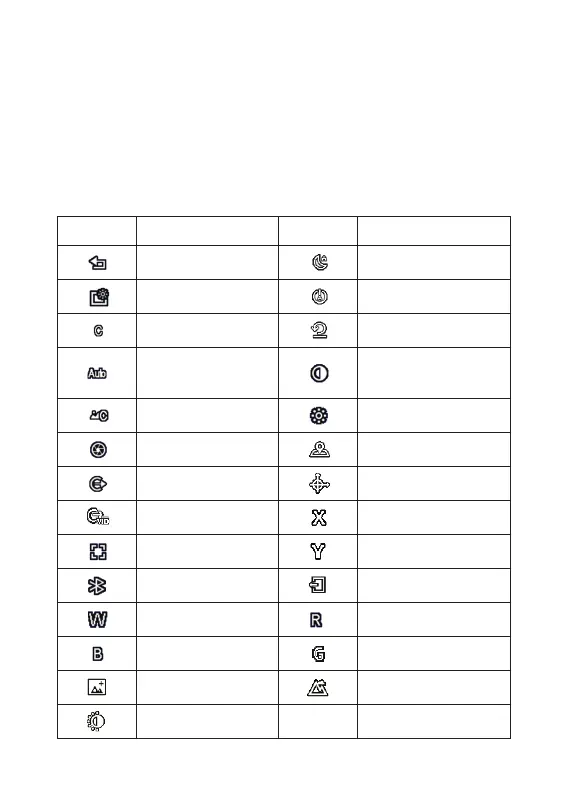
Icon Icon meaning Icon Icon meaning
Exit
Auto Stand-by
Screen brightness
Auto power-o
Calibration model
Restore default
Automatic
Calibration
Contrast
Scene Calibration
Brightness
Shutter Calibration
Position No.
Video Output
Screen movement
Video output is on
X-coordinate
Hot point track
Y-coordinate
Bluetooth
Save and Exit
White hot Red hot
Black hot Green hot
Enhance Nature
Highlight



 To Next Page