- 7 –
Installing the Battery Tray in the Safe
Position the safe with the door facing you, keypad upward.
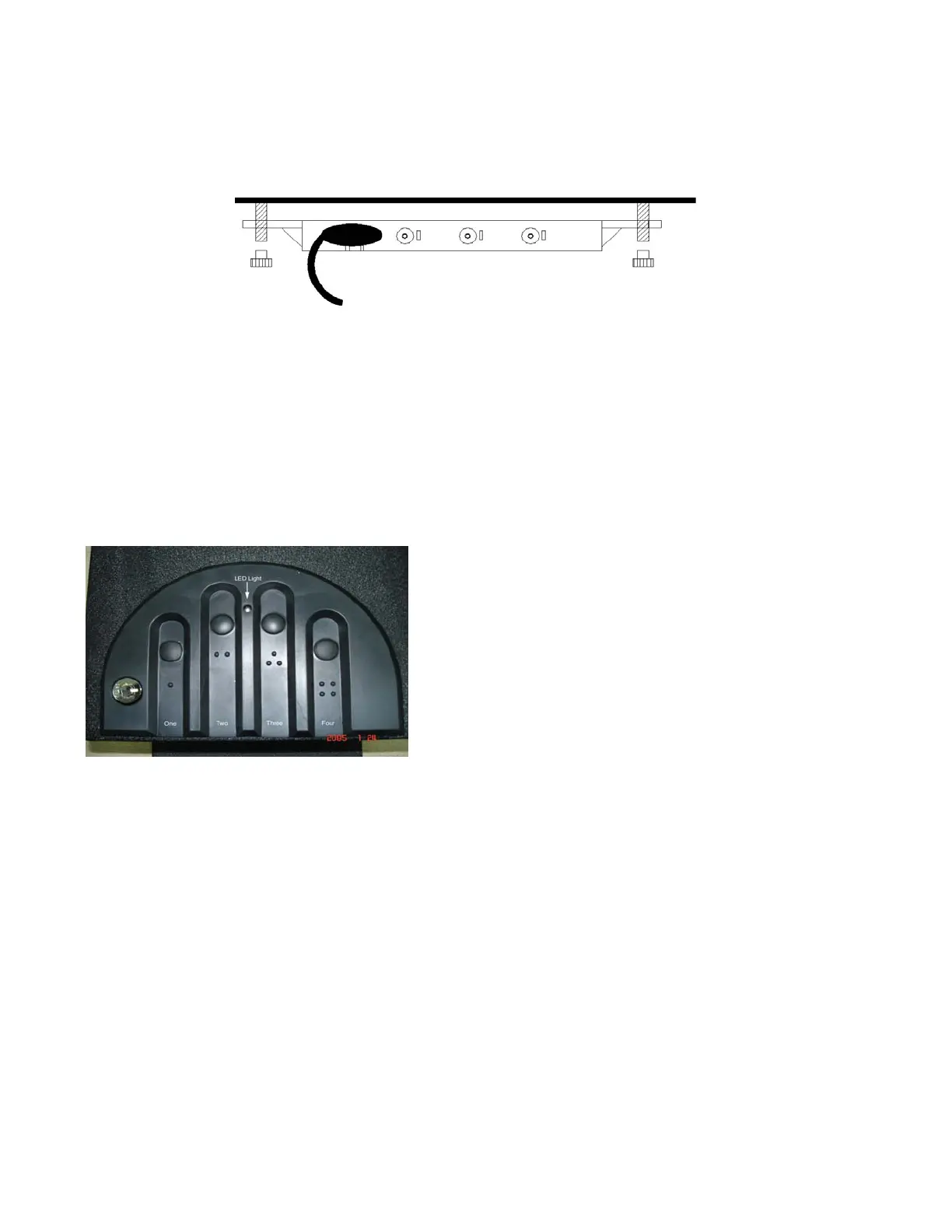
• Connect the power cable to the battery tray. You will hear a beep audio signal,
confirming that power is connected.
• Do not pinch the power cable between the tray and the ceiling.
• Press the tray into position, aligning the slots/holes onto the mounting studs.
• Use the thumbnuts to secure the tray.
• Do not over-tighten the fasteners; snug is best.
• Press the foam ceiling back into your unit to cover the battery tray and wire-tuck in
the far end to secure it.
Close the Door and Practice
SECURE YOUR KEYS!
DO NOT LOCK THEM INSIDE THE SAFE!
For practice, use the factory-default code, which is:
Press each button one time, from left to right – one,
two, three, four. (A common mistake is to press
button one once, button two twice, button three
three times, etc.) Notice the “feel” of the keypad;
feel the “click” as you press each key (One, Two,
Three, Four).
Getting Ready to Program
• Find the LED light in the keypad.
• It can glow either green or red. Depending upon the function being utilized.
• There is an audible beep when keys are pressed.
Choosing your Own Access Code
• Don’t tell anyone your code.
• An access code is a series of entries on the keypad. WARNING: This is not a
numeric keypad, you cannot program digits (there is no 5, 6, 7, 8, 9, or 10).
• An “entry” is a single press of one or more buttons at the same time.
• You can use a minimum of three entries, or a maximum of six entries, for your access
code.



 To Next Page