USB Driver Installation Under Windows
* XMOS USB driver can be found in the CD-ROM accessory or USB disk. Also one can visit the official website
http://www.gustard.cn for downloading the driver as well.
* Windows 10 users must disable digital signature before installing the driver, or it might be installed unsuccessful.
1. If connecting this DAC to desktop, you are strongly recommended using the desktop’s back panel USB interface.
Because this USB interface directly connects to the motherboard, while USB interface of the front panel connects
to the motherboard with a cable, and this cable will have a negative effect to the high-speed digital signal.
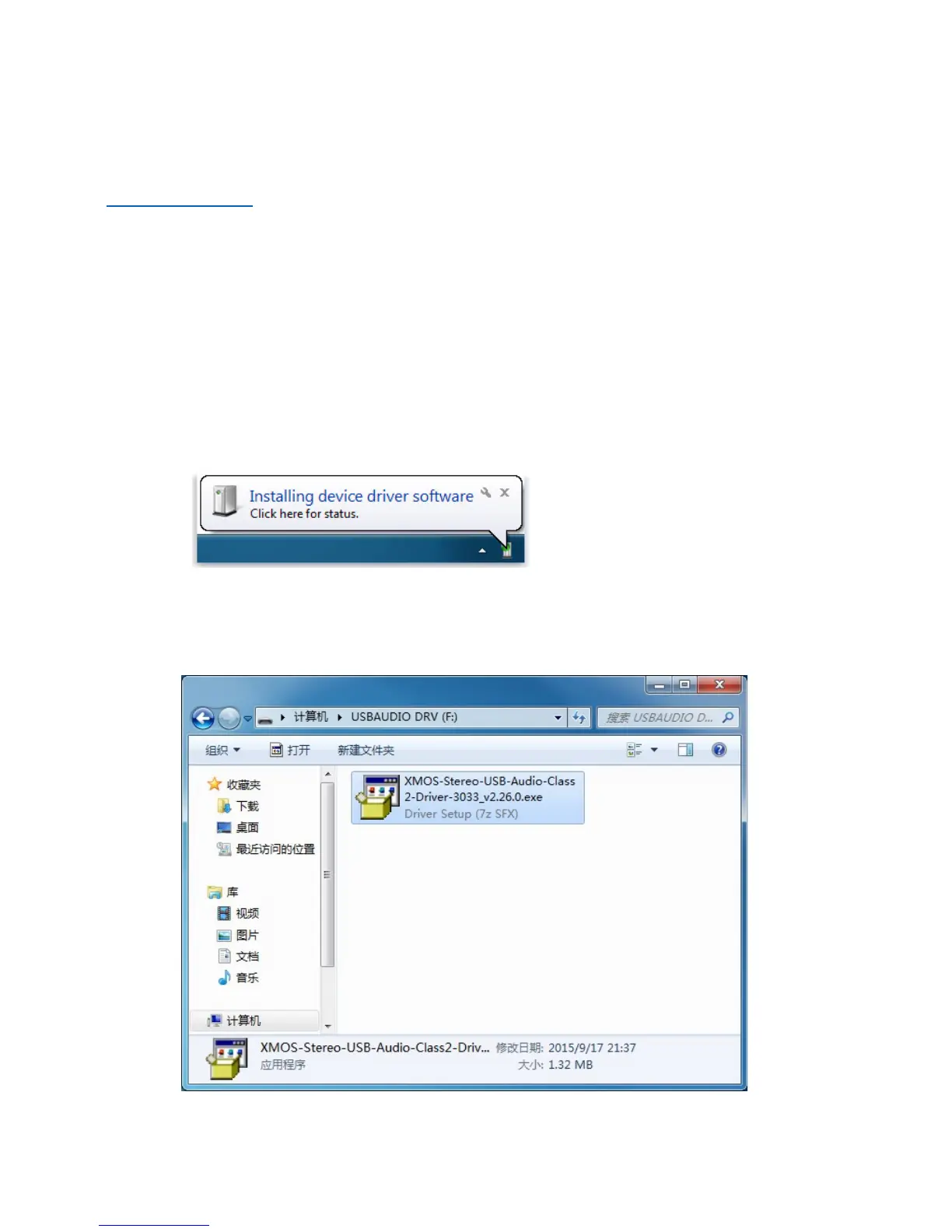
2. Connecting DAC-X20 to a computer by a USB cable, and then powering on. The computer will prompt the discovery
of new hardware and attempt to install the driver. If nothing happens, please try another USB port or re-power
DAC-X20.
3. Opening the CD-ROM folder, finding executable file“XMOS-Stereo-
USB-Audio-Class2-Driver-3033_v2.26.0.exe” and running it by double clicking its icon.


 To Next Page