33
DTV MODE
- Press SOURCE button on the unit or remote control to select DTV input source.
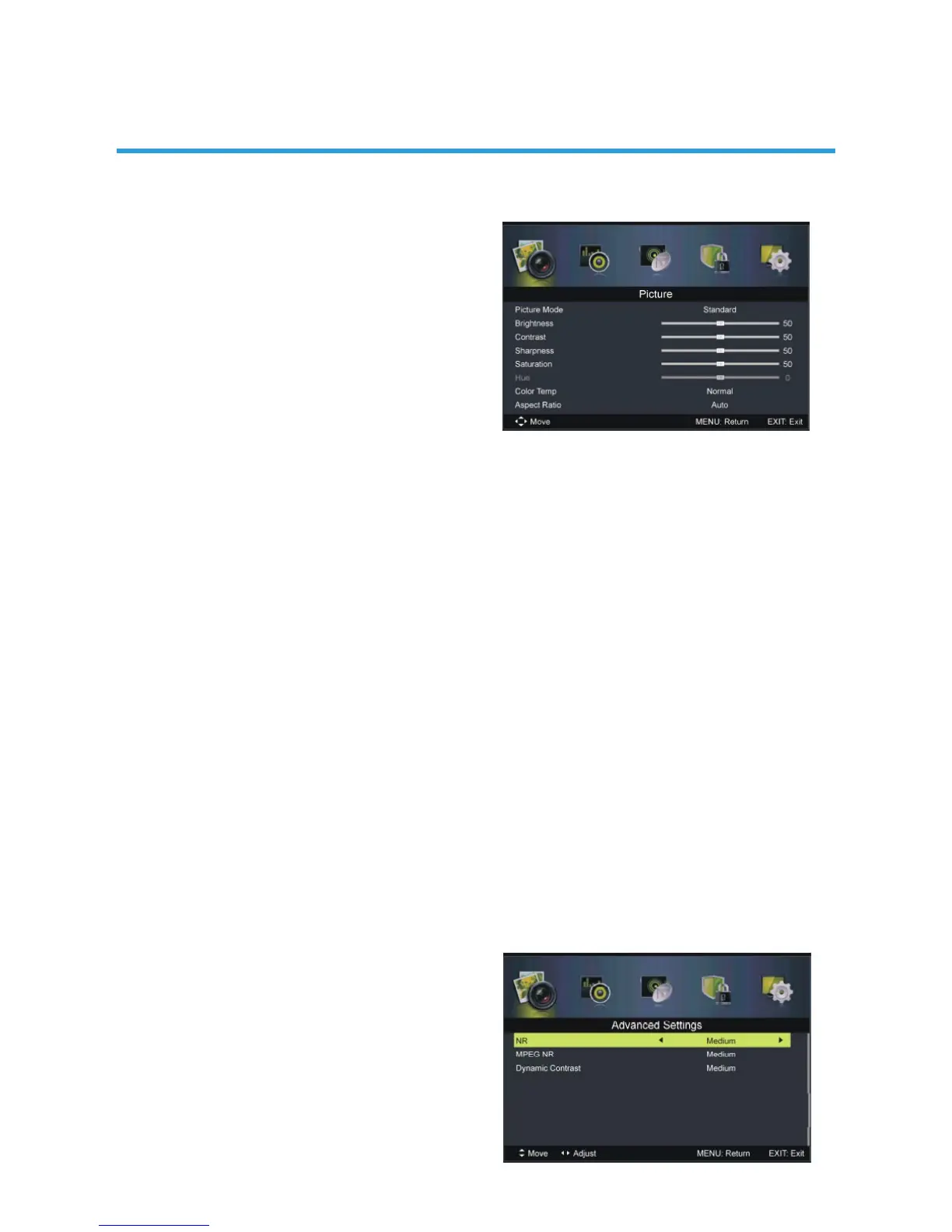
1. Picture
1.1 Picture Mode
Available options: Standard, Mild, Personal,
Dynamic.
1.2 Brightness
The brightness value of picture can be
adjusted from 0-100.
1.3 Contrast
The contrast value of picture can be adjusted from 0-100.
1.4 Sharpness
The sharpness value of picture can be adjusted from 0-100.
1.5 Saturation
The colour saturation value of picture can be adjusted from 0-100.
NOTE: If the value of Brightness, Contrast, Sharpness or Saturation has been changed,
Picture Mode will turn to Personal automatically.
1.6 Hue
This item is used to adjust the tone of colour in NTSC system from -50 to 50.
1.7 Colour Temp
This item is used to adjust the optimum colour temperature for suitable viewing.
Available options: Normal, Cool, Warm.
1.8 Aspect Ratio
This item is used to adjust the video size.
Available options: Auto, 4:3, 16:9, Zoom1, Zoom2.
NOTE: If there’s no signal, pressing ASPECT button on remote control will not work.
And the available video size may be different in different input source.
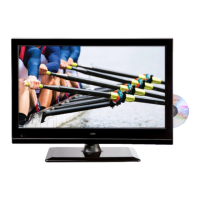
1.9 Advanced Settings
1.91 NR (Noise Reduction)
This item is used to adjust the NR level.
Available options: Off, Weak, Medium,
Strong.


 To Next Page