40
SETUP
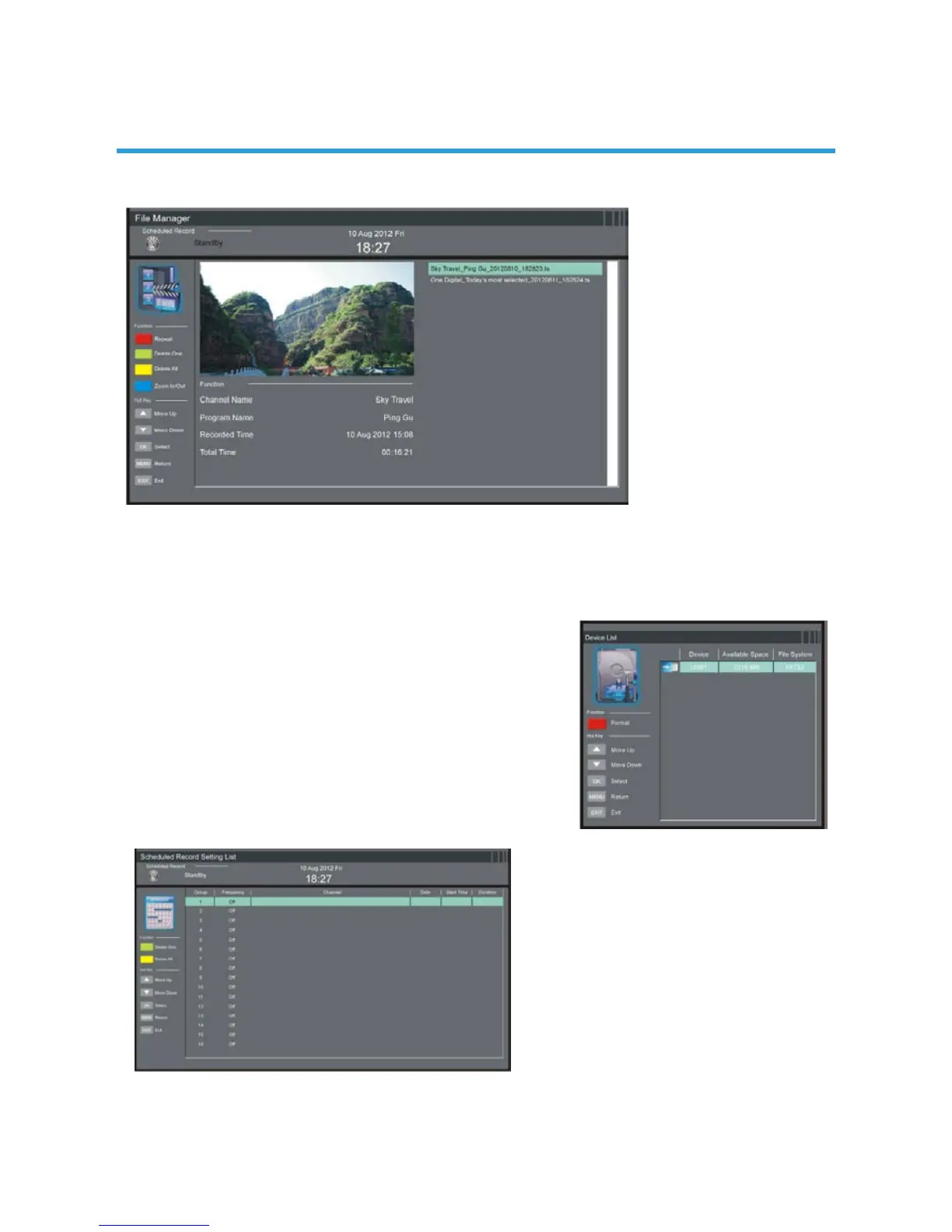
5.81 File Manager
- Press UP/DOWN navigation button to select a recorded le.
- Press RED button on remote control to play highlighted le from the beginning.
- Press GREEN button on remote control to delete highlighted le.
- Press YELLOW button on remote control to delete all recorded les.
- Press BLUE button on remote control to zoom in/out.
5.82 Device List
- In this part, you can check the available
space and le system of your USB
memory device.
- Press RED button on remote control to
format your USB memory device.
5.83 Scheduled Record
- Press GREEN button on remote control to delete highlighted option.
- Press YELLOW button on remote control to delete all.
- Press UP/DOWN navigation button to select the Group.
- Press OK button to enter Scheduled Record setting page.


 To Next Page