EasyManua.ls Logo

GW Instek GDM-8352 - User Manual

GW Instek GDM-8352
157 pages
Print Icon
To Next Page IconTo Next Page
Loading...
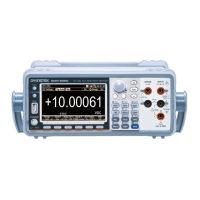
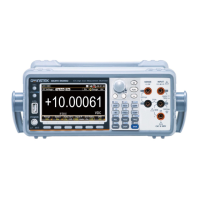
Dual Measurement Multimeter
GDM-8352
USER MANUAL
GW INSTEK PART NO. 82DM-83520E01
ISO-9001 CERTIFIED MANUFACTURER

Table of Contents

Question and Answer IconNeed help?

Do you have a question about the GW Instek GDM-8352 and is the answer not in the manual?

Overview

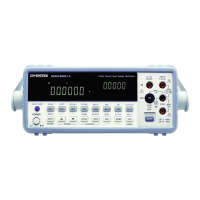
This document describes the GDM-8352 Dual Measurement Multimeter, a portable, dual-display digital multimeter suitable for a wide range of applications, including production testing, research, and field verification.

Function Description

The GDM-8352 offers a comprehensive set of measurement functions, including:

  • Basic Measurements: AC/DC Voltage, AC/DC Current, 2-wire and 4-wire Resistance, Capacitance, Frequency/Period, Diode Test, and Continuity Test.
  • Advanced Measurements: dBm/dB/W, Max/Min, Relative, Hold, Compare, and Math functions (MX+B, 1/X, Percentage).
  • Dual Measurement Mode: Allows for simultaneous display of two different measurement results, either from a single measurement (e.g., ACV and frequency/period) or from two separate measurements (e.g., ACV and DCV).

Important Technical Specifications

  • DCV Accuracy: 0.012%
  • High Current Range: Up to 10A
  • High Voltage Range: Up to 1000V
  • High ACV Frequency Response: 100kHz
  • Sampling Rate: Fastest sampling rate of 320 Readings/sec for ADC and PC transmission.
  • Display: 240000 count display.
  • Diode Test: Open-circuit voltage approximately 6V/1mA.
  • Resistance Measurement:
    • 2-wire resistance: Recommended for resistances larger than 1kΩ.
    • 4-wire resistance: Recommended for sensitive resistances smaller than 1kΩ, compensates for test lead effect.
  • Capacitance Measurement: Ranges from 10nF to 100μF.
  • Frequency/Period Measurement: Frequency range 10Hz~1MHz, Period range 1.0μs~100ms.
  • Temperature Measurement: Thermocouple types J, K, T supported, with a range of -200°C to +300°C.
  • Input Impedance Settings: For 200mV and 2V DC voltage ranges, input impedance can be set to 10MΩ or 10GΩ.
  • Digital Filter: Averages a specific number of input signal samples (2 to 320) to generate a reading, with selectable filter types (Moving or Repeating) and window thresholds (10%, 1%, 0.1%, 0.01%, none).
  • Power Supply: AC Input voltage 100/120/220/240 V AC, 50/60Hz. Power supply voltage should not fluctuate more than 10%.
  • Fuses:
    • Main AC Source Fuse: 0.125AT (100/120VAC) or 0.063AT (220/240VAC), 5mm X 20mm.
    • Input Fuse (for current measurements): F1.25A, 1.25A 1000V, 6.3mm X 32mm.
  • Dimensions (with bumpers): 107mm(H) X 264.4mm(D) X 300.2mm(L).
  • Weight: Approximately 2.9 kg.

Usage Features

  • Front Panel: Features a power switch, main display, input terminals (VΩ, Sense LO/HI, COM, DC/AC 1A, DC/AC 10A), and function keys.
  • Function Keys: Divided into upper (basic measurements) and lower (advanced functions) rows. Secondary functions are accessed using the SHIFT key.
  • Navigation: Menu system navigated using Up, Down, Left, and Right arrow keys, Auto/Enter key, and SHIFT/EXIT key.
  • Auto/Manual Ranging: Measurements can be set to auto-range or manually selected using the Up/Down arrow keys.
  • Refresh Rate: Adjustable (Fast, Medium, Slow) to balance measurement speed and accuracy.
  • Reading Indicator: Flashes on the display according to the refresh rate.
  • Triggering: Supports internal (automatic) and external triggering via the Digital I/O port or remote command.
  • dBm/dB/W Measurement: Calculates dB or dBm values based on ACV or DCV measurements and a user-defined reference resistance. Can also display power in Watts.
  • Max/Min Measurement: Stores and displays the highest (maximum) or lowest (minimum) reading.
  • Relative Measurement: Stores a reference value and displays subsequent measurements as the delta from that reference. The reference value can be manually set.
  • Hold Measurement: Retains the current measurement data and updates it only when it exceeds a set threshold (as a percentage).
  • Compare Measurement: Checks if measurement data falls within specified upper and lower limits, displaying "PASS," "LOW," or "HIGH."
  • Math Measurement: Performs mathematical operations (MX+B, 1/X, Percentage) on measurement results.
  • System/Display Configuration: Allows viewing serial and version numbers, adjusting beeper settings, display brightness (5 levels), input impedance, and frequency/period input jack settings.
  • Digital Filter Settings: Configurable filter type (Moving/Repeating), count (2-320 samples), and window threshold.
  • Remote Control: Supports USB (CDC and TMC) and RS232 interfaces for remote operation. Includes commands for configuring measurement functions, ranges, advanced functions, triggering, system settings, and digital I/O.
  • Digital I/O Port: Dual-function port. In Normal Mode, it outputs Hi Fail, Lo Fail, Pass, and End of Measurement (EOM) signals for compare functions. In User Mode (remote control only), pins 1-4 can be individually controlled.
  • Tilting Stand: The handle can be rotated to provide horizontal, tilt stand, or carry positions.

Maintenance Features

  • Cleaning: Use a soft cloth dampened with mild detergent and water. Avoid harsh chemicals.
  • Fuse Replacement: Detailed instructions are provided for replacing both the AC source fuse and the input fuse. Only specified fuse types and ratings should be used.
  • Factory Default Settings: The instrument can be restored to factory default settings via the System menu.
  • Firmware Updates: Information on contacting GW Instek Service Center or visiting their website for firmware updates.
  • Safety Guidelines: Emphasizes important safety instructions, including voltage and current input limits, proper handling, grounding, and not disassembling the instrument unless qualified.
  • Environmental Considerations: Specifies operating and storage environment conditions (temperature, humidity, altitude, pollution degree).
  • Disposal: Instructions for proper disposal of electronic equipment.

GW Instek GDM-8352 Specifications

General IconGeneral
BrandGW Instek
ModelGDM-8352
CategoryMultimeter
LanguageEnglish

Related product manuals