Contents
1. Features and Specifications............................................................................................................................................................................4
1.1. Features...............................................................................................................................................................................................4
1.2. Specifications.......................................................................................................................................................................................4
2. Installation Guide ...........................................................................................................................................................................................5
2.1. Safeguards and Warnings ....................................................................................................................................................................5
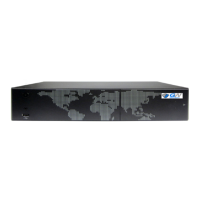
3. Product Appearance.......................................................................................................................................................................................6
4. Device Installation ..........................................................................................................................................................................................6
4.1. NVR Connection Diagram ....................................................................................................................................................................6
4.2. Installing the HDD................................................................................................................................................................................7
5. Basic Operation ..............................................................................................................................................................................................8
5.1. Power on and Shut down the NVR ......................................................................................................................................................8
5.2. Start-Up Wizard. ..................................................................................................................................................................................9
5.3. Mouse Operation.................................................................................................................................................................................9
5.4. Input Method ....................................................................................................................................................................................10
5.5. Keyboard description: .......................................................................................................................................................................10
5.6. Navigation Bar ...................................................................................................................................................................................10
6. Main Menu ...................................................................................................................................................................................................11
6.1. Data Inquire and Replay ....................................................................................................................................................................14
6.1.1. Inquire by Time.......................................................................................................................................................................14
6.1.2. Intel Play .................................................................................................................................................................................15
6.1.3. Data Management..................................................................................................................................................................16
6.2. Backup Management.........................................................................................................................................................................18
6.2.1. Instant Backup ........................................................................................................................................................................18
6.2.2. Manual Backup .......................................................................................................................................................................18
6.2.3. Scheduled Backup...................................................................................................................................................................18
6.3. Video Settings....................................................................................................................................................................................19
6.3.1. Recording Parameters ............................................................................................................................................................19
6.3.2. Manual Recording...................................................................................................................................................................20
6.3.3. Scheduled recording...............................................................................................................................................................20
6.4. Alarm Settings ...................................................................................................................................................................................21
6.4.1. Motion Detect ........................................................................................................................................................................21
6.4.2. Alarm Output..........................................................................................................................................................................22
6.4.3. Other Alarms ..........................................................................................................................................................................22
6.5. IPC Management ...............................................................................................................................................................................23
6.5.1. Add IP cameras .......................................................................................................................................................................23
6.5.2. Deleting IP cameras ................................................................................................................................................................24
6.5.3. Other Instructions...................................................................................................................................................................24
6.6. Settings Management .......................................................................................................................................................................24
6.6.1. General Settings .....................................................................................................................................................................25
6.6.1.1. Host name....................................................................................................................................................................25
6.6.1.2. Resolution....................................................................................................................................................................25
6.6.1.3. Auto lock......................................................................................................................................................................25
6.6.1.4. Display ‘Start-Up Wizard’.............................................................................................................................................25
6.6.1.5. Language......................................................................................................................................................................25
6.6.1.6. Open adaptive optimal resolution...............................................................................................................................25
6.6.1.7. Save and enable beep..................................................................................................................................................25
6.6.2. Time settings ..........................................................................................................................................................................25
6.6.2.1. Time Settings ...............................................................................................................................................................26
6.6.2.2. Daylight Saving Time (DST) ..........................................................................................................................................26
6.6.2.3. NTP Settings.................................................................................................................................................................26



 To Next Page