EasyManua.ls Logo

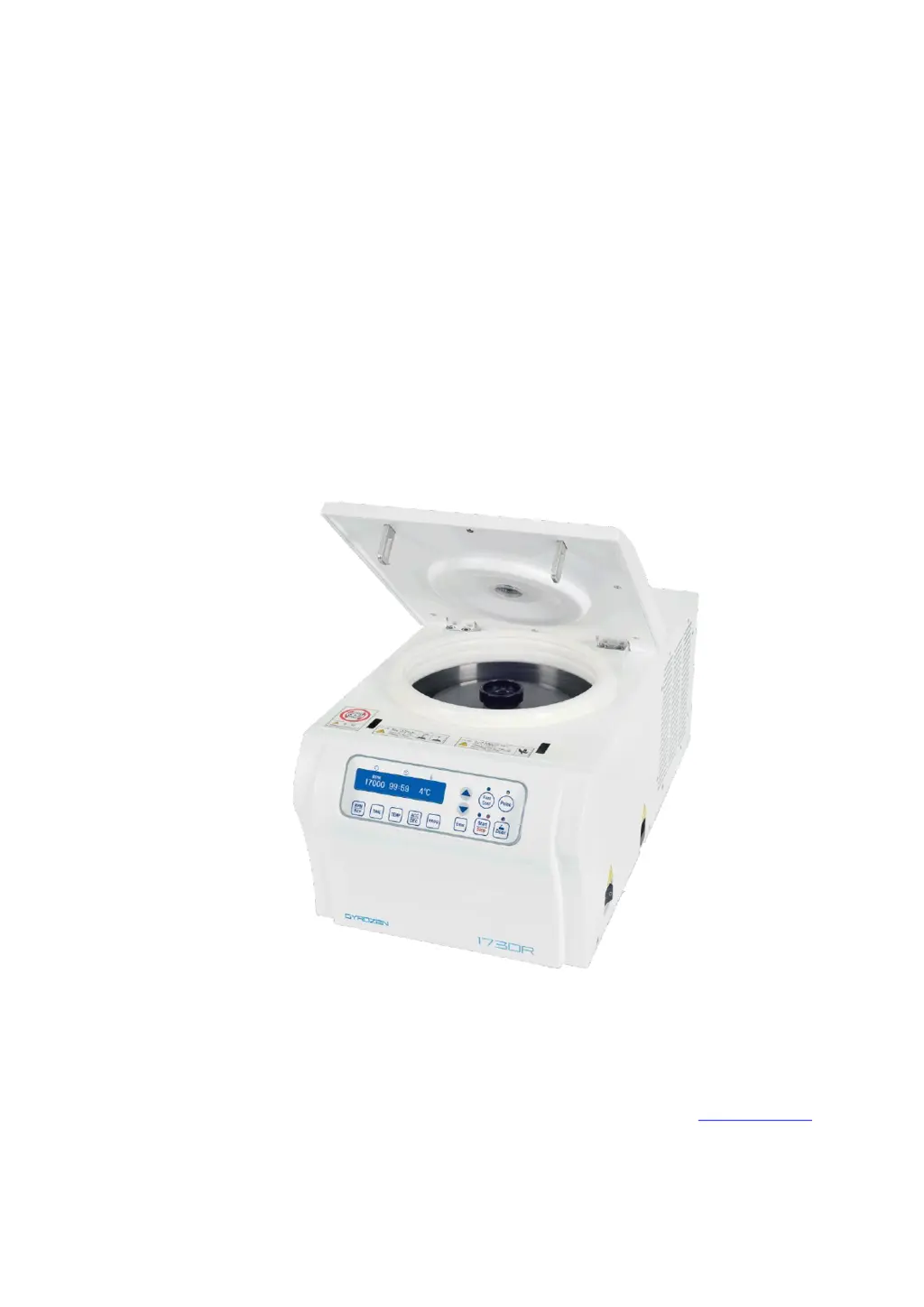
GYROZEN 1730R - User Manual

GYROZEN 1730R
24 pages
Print Icon
To Next Page IconTo Next Page
Loading...
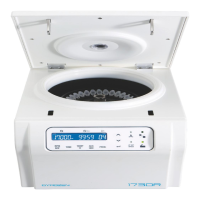
Refrigerated, High-Speed Microcentrifuge
1730R
Users Manual
Gyrozen Co., Ltd.
BStation, 30-12 Gyeryong-ro 141-gil, Yuseoung-gu, Daejeon 305-301, Korea
Tel: +82-42-719-8200 Fax: +82-42-826-9848
www.gyrozen.com
DOC. No.: C02DC00204-11

Other manuals for GYROZEN 1730R

Questions and Answers

  • L
    Laura CollinsAug 14, 2025
    Why is my GYROZEN Laboratory Equipment making noise and vibrating?
    • P
      poncenatashaAug 14, 2025
      There are several potential causes for noise and vibration during operation: * Check the stability of both the table and the instrument. * Verify the coupling of the rotor to the motor shaft. * Ensure the Rotor Locking Nut is securely fixed on the rotor. * Confirm that the Rotor Lid matches correctly with the rotor. * Examine the balance of samples within the rotor, ensuring they are symmetrically loaded with equal weights.
  • B
    Brittney BruceAug 17, 2025
    What to do for Error 4 on GYROZEN Laboratory Equipment?
    • A
      allison17Aug 17, 2025
      Error 4 indicates that the power input is 10% less than required. Turn off the power supply, check the voltage, and use an AVR to provide the correct power.
  • D
    danielsmithAug 20, 2025
    What to do for Error 5 on GYROZEN Laboratory Equipment?
    • D
      David PerezAug 20, 2025
      Error 5 means the power input is 10% more than required. Shut off the power, check the voltage of the power supply, and use an AVR to provide proper power.
  • G
    Grant MillsAug 23, 2025
    What to do for Error 3 on GYROZEN Laboratory Equipment?
    • C
      Cesar SmithAug 25, 2025
      Error 3 indicates the motor is overheated. Turn off the power for one hour, then turn it back on to check the instrument.
  • T
    Thomas EdwardsAug 27, 2025
    What to do for Error 6 on GYROZEN Laboratory Equipment?
    • A
      Andrew NelsonAug 27, 2025
      Error 6 indicates the instrument spun with over speed. Turn off the power, and then turn it back on to check the instrument.
  • B
    Brandy MooreAug 30, 2025
    What to do for Error 1 on GYROZEN Laboratory Equipment?
    • D
      Dr. Brian Martinez IIIAug 30, 2025
      Error 1 can occur if the door isn't completely closed. Remove any dirt at the door latch and then close the door completely.
  • A
    Amanda WilliamsSep 3, 2025
    What to do for Error 8 on GYROZEN Laboratory Equipment?
    • M
      Monica WagnerSep 3, 2025
      Check the weight balances of the samples. Then turn off and on the instrument for checking.
  • S
    Steven GlennSep 6, 2025
    What to do if I can’t close the door of my GYROZEN Laboratory Equipment?
    • D
      Donna Patel DVMSep 6, 2025
      Remove any dirt at the door latch and try closing the door again. If it seems like a mechanical issue, contact the service team.
  • R
    Ryan GarciaSep 9, 2025
    What to do for Error 7 on GYROZEN Laboratory Equipment?
    • M
      Mr. Stephen BellSep 10, 2025
      Error 7 indicates the installed software has bugs. Try tuning the firmware by downloading the latest version.

Summary

Meanings of Symbols & Safety Precautions

Meanings of Symbols

Explains symbols used on the device and within the document for warnings and reminders.

Safety Precautions

Provides essential guidance on the correct usage of the instrument to prevent injury or damage.

Product Description and Technical Specifications

Product Description

Details the various components and parts of the centrifuge through labeled diagrams.

Technical Specifications

Provides a comprehensive list of performance metrics, dimensions, and electrical requirements for the centrifuge.

Installation

Power On;Off and Door Release

Guides users through the initial power connection, activation, and door unlocking procedures.

Rotor Coupling and Disassembling

Details the correct procedures for mounting and removing rotors to the motor shaft.

Positioning of Sample Tubes

Explains the proper method for loading sample tubes into the rotor, emphasizing balance and fill levels.

Operation

Key Functions of Control Panel

Provides an overview of each button on the control panel and their respective operational functions.

Setting RPM;RCF

Details the process for adjusting the rotational speed (RPM) and relative centrifugal force (RCF).

Setting Time

Explains how to set the operational duration for the centrifuge run, including minutes and seconds.

Setting Temperature and Fast Cool

Guides on setting the chamber temperature and utilizing the rapid cooling feature.

Acceleration; Deceleration

Details how to adjust the acceleration and deceleration rates for sample protection.

Program Saving & Recalling

Explains the functionality to save and recall custom operational settings for repeated use.

Pulse

Describes the pulse function for quick, short centrifugation spins.

Start;Stop

Details the procedure for initiating and terminating a centrifugation run.

Emergency Door Open

Provides instructions for manually opening the instrument door in case of power failure or emergencies.

Maintenance

Outer Part of Instrument

Provides guidelines for cleaning and maintaining the external surfaces of the centrifuge.

Chamber

Details the cleaning procedures for the internal chamber to ensure cleanliness and prevent contamination.

Shaft

Offers guidance on cleaning the motor shaft to prevent imbalance issues and ensure longevity.

Rotor

Explains the proper methods for cleaning, handling, and storing rotors to maintain their condition.

Transportation of Instrument

Outlines essential precautions to protect the instrument during transportation or relocation.

Trouble Shooting

Check list

A table listing common symptoms and corresponding troubleshooting steps for quick resolution.

Error Code

Details various error codes, their potential causes, and recommended actions for diagnosis and repair.

Rotors & Accessories

Fixed Angle Rotor GRF-M-m2.0-24

Details specifications for the 24-place fixed angle rotor for 1.5/2.0 ml tubes.

Fixed Angle Rotor GRF-M-m2.0-30

Details specifications for the 30-place fixed angle rotor for 1.5/2.0 ml tubes.

PCR Rotor GRF-M-s0.2-64

Details specifications for the 64-place PCR rotor for 0.2 ml tubes and strips.

Product Range

CE Declaration

GYROZEN 1730R Specifications

General IconGeneral
BrandGYROZEN
Model1730R
CategoryLaboratory Equipment
LanguageEnglish

Related product manuals