Translation of the original instructions
11
GYSPACK 650-810
EN
BATTERY REPLACEMENT
1
3
4
2
Product Battery Type Voltage (V) Capacity (Ah)
Dimensions
(cm)
Battery ref
GYSPACK 650 G16EP Lead acid battery 12 16 18 x 8 x 17 53131
GYSPACK 810 PC950 Lead acid battery 12 30 25 x 9,7 x 15,6 53135
To replace the battery:
• The booster must be disconnected from the power supply.
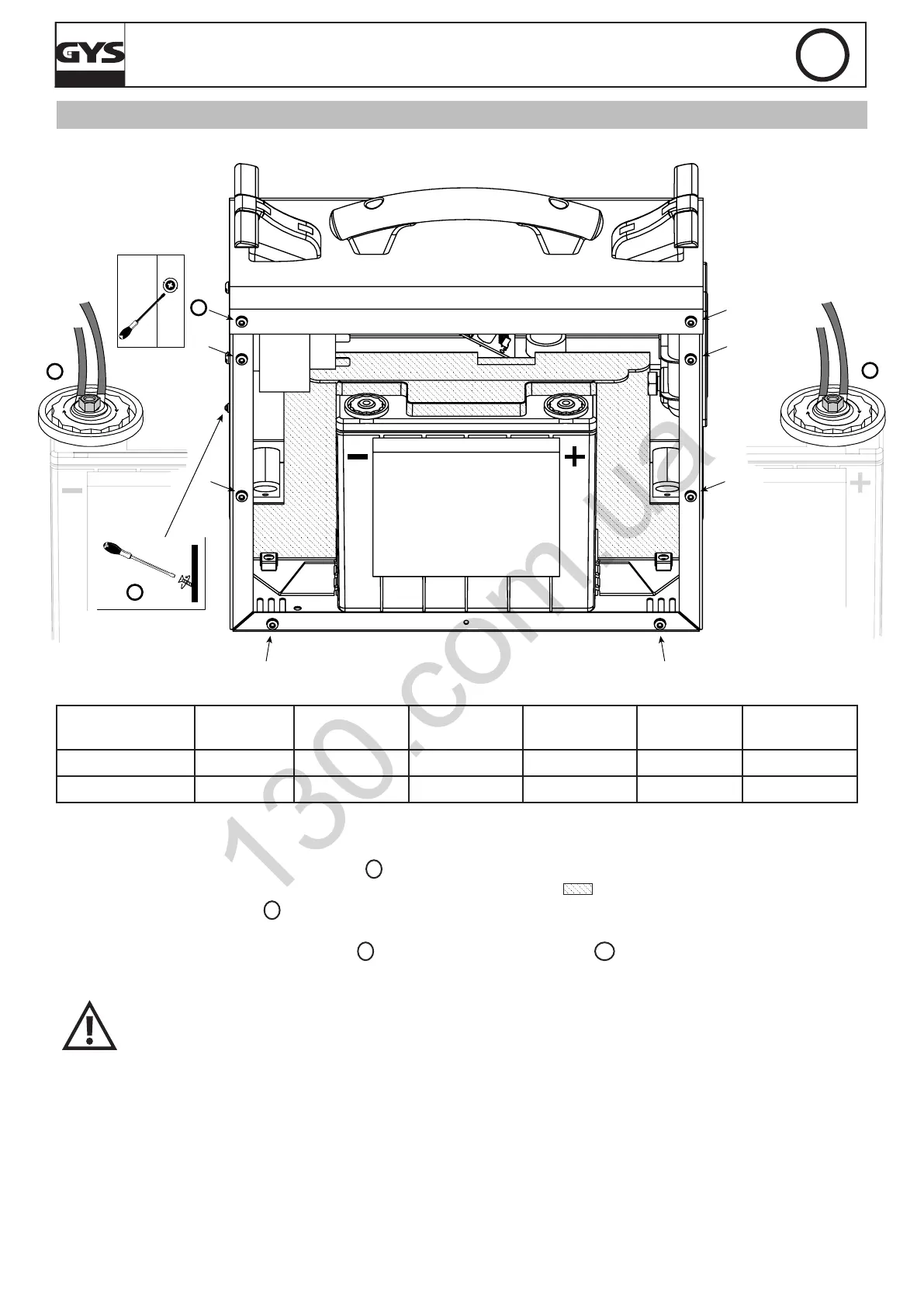
• Then, unscrew the back panel (picture 1
1
- 8 screw) and remove it.
• The battery is kept stable in the GYSPACK by a partition (striped area
). Loosen the partition screws to re-
move the battery (picture
2
)
.
• Once this has been done, the front of the battery is visible (see picture). The battery is connected to the GYSPACK
at two points: at the - terminal (picture
3
) and at the + terminal (picture
4
). To remove the battery, remove the
2 nuts that enable the connection between the battery and the GYSPACK at the + and - terminals.
When putting a new battery in, make sure to match the polarities of both the battery and
the GYSPACK 650-810. - Terminal on the left, + terminal on the right (see picture). Put the 2
screws and washers back on, tighten the nuts (recommended tightening torque of 4 Nm).
• Tighten again the partition and screw the back panel back on.



 To Next Page