EasyManua.ls Logo

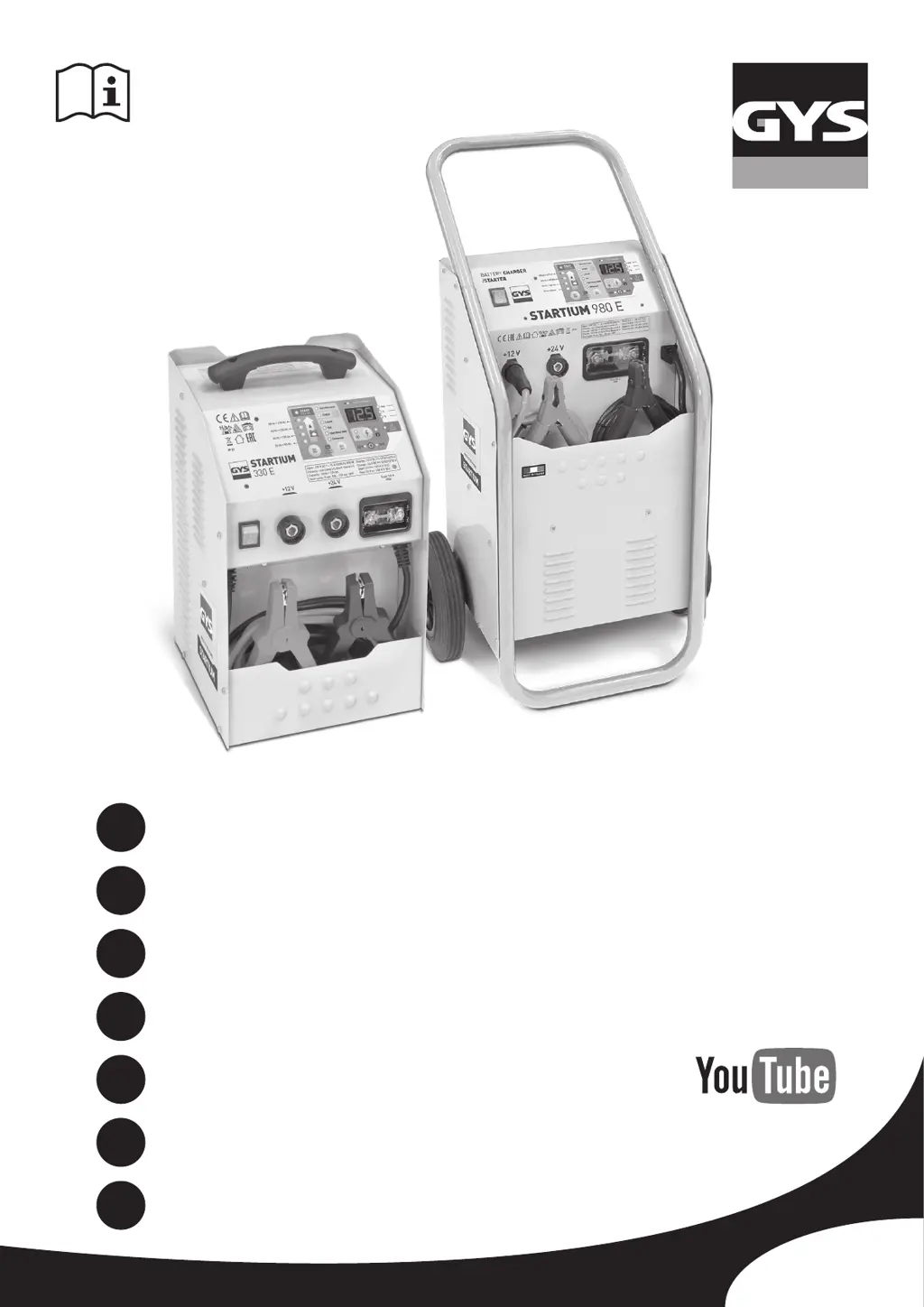
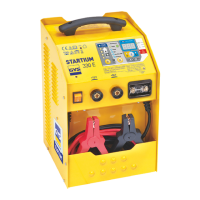
GYS STARTIUM 330E - User Manual

GYS STARTIUM 330E
64 pages
Go to English
Print Icon
To Next Page IconTo Next Page
Loading...
75567_V7_05/07/2019
FR
2-11 / 60-64
www.gys.fr
EN
5 / 12-19 / 60-64
STARTIUM 330E
STARTIUM 480E
STARTIUM 680E
STARTIUM 980E
DE
5 / 20-27 / 60-64
ES
5 / 28-35 / 60-64
RU
5 / 36-43 / 60-64
NL
5 / 44-51 / 60-64
IT
5 / 52-59 / 60-64

Other manuals for GYS STARTIUM 330E

Questions and Answers

  • D
    Debbie BrownAug 22, 2025
    What to do if the battery boils when using GYS Remote Starter?
    • R
      Robert AustinAug 22, 2025
      If the battery boils when using the GYS Remote Starter, it could be due to an incorrect voltage selection (12V or 24V). In this case, charge the battery before attempting to start the engine again. Another reason could be that your battery has elements in short circuit, which means that the battery is unrecoverable and needs to be replaced.
  • K
    Kyle CardenasAug 25, 2025
    What to do if no LED switches on my GYS Remote Starter?
    • H
      hilldanielAug 26, 2025
      If no LED switches on your GYS Remote Starter, there could be a major power supply fault, so check your mains power supply. Alternatively, the machine may have overheated, activating the thermal protection («th»). In this case, ventilate the area. Also, make sure that the start/stop button is pressed.
  • J
    judith38Aug 28, 2025
    What to do if the error LED switches on and the buzzer sounds on my GYS Battery Charger?
    • R
      Ronald MeyersAug 28, 2025
      If the error LED is on and the buzzer sounds, several issues could be the cause. First, the clamps may be in short circuit or have reverse polarity, so check that the fuses haven't melted and ensure the clamps are not short-circuited and the polarities are correct. Another reason may be a faulty battery. Use a voltmeter to check the terminals’ voltage. If the voltage jumps to 2.5V per element immediately, the battery might be sulfated or damaged. Also, ensure that the clamps are correctly connected for the voltage (12V or 24V). If the display shows «BAt HS», connect a battery or, if the battery voltage is
  • M
    Madison BradyAug 31, 2025
    Why no LED switches on on my GYS Battery Charger?
    • E
      Erin SandersAug 31, 2025
      If no LED switches on, there could be a major power supply fault, so check your mains power supply. Another reason might be machine overheat, which activates the thermal protection «th», so ventilate the area. Also, ensure the start/stop button is pressed.
  • A
    Aaron HughesSep 3, 2025
    What to do if sparks appear at the clamps of my GYS Battery Charger?
    • D
      David GravesSep 3, 2025
      Sparks at the clamps can be caused by polarity reversal, so connect the clamps the correct way (+/+;-/-). Sparks may also appear if Timer mode is active.
  • W
    William VillarrealSep 6, 2025
    What to do if my GYS Battery Charger shows 0% in START ENGINE mode and the start is impossible?
    • C
      Christian WernerSep 6, 2025
      If the display shows 0% in START ENGINE mode and starting is impossible, the battery may be sulfated. The machine automatically blocks the start to protect on-board electronics. Charge the battery before attempting a START ENGINE again.
  • L
    Lance SchaeferSep 9, 2025
    Why is my GYS Battery Charger making the battery boil?
    • D
      dianahuntSep 9, 2025
      If the battery boils, the voltage selection (12V or 24V) may be incorrect. Also, your battery may have elements in short circuit, which means it cannot be recovered and must be changed.
  • M
    Michelle MorenoSep 10, 2025
    Why does my GYS Remote Starter show 0% in START ENGINE mode and won't start?
    • M
      Mason CaldwellSep 12, 2025
      If your GYS Remote Starter displays 0% in START ENGINE mode, preventing the start, it's likely because the battery is sulfated. To resolve this, charge the battery fully before attempting to use the START ENGINE mode again. This is a protective measure to safeguard the on-board electronics.
  • H
    Hannah EvansSep 12, 2025
    What to do if desulphation charging time is more than 1 hour on my GYS Battery Charger?
    • K
      Kenneth JonesSep 12, 2025
      If the desulphation charging time is more than 1 hour, the battery cannot be recovered and should be replaced.
  • D
    Diana MontgomeryNov 15, 2025
    What to do if the error LED switches on in my GYS Remote Starter?
    • G
      Gina HuntNov 15, 2025
      If the error LED switches on your GYS Remote Starter, it could be due to several reasons. First, check your mains power supply. Second, the clamps might be in short circuit or have reversed polarity. In this case, verify that the fuses are intact. Also, ensure the clamps aren't in short circuit and polarities are correct. If you're charging a faulty battery, check its terminals' voltage with a voltmeter; a sudden jump to 2.5V per element indicates sulfation or damage. A voltage error (12-24V) could also be the cause, so confirm the clamps are correctly connected for the appropriate voltage. If the battery isn't connected or reads

Summary

Safety Instructions

General Safety and Usage

Read manual before use, ensure user supervision, and understand all safety precautions.

Device Usage and Placement

Use indoors only, avoid rain/moisture, ensure ventilation, and keep away from heat sources.

Explosion, Fire, and Acid Hazards

Warnings on explosive gas, sparks, flames, and acid projection; requires safety gear.

Connection and Maintenance

Connection;Disconnection Procedures

Disconnect power before connecting/disconnecting; follow specific terminal connection order.

Maintenance and Safety

Replace damaged parts, unplug before work, clean with dry cloth, avoid solvents.

Compatibility and Regulations

For industrial environments; may have compatibility issues in residential sites; check IEC compliance.

Product Information and Setup

Regulations and Disposal

Device compliance marks (CE, EAC) and instructions for proper product disposal.

General Description and Power Supply

STARTIUM capabilities, power supply needs, model ratings, and extension cord advice.

Connection Pre-checks

Ensure booster is off, identify terminals, route cables safely before any connection.

Operation Modes

Battery Capacity and Connection Steps

Select voltage, connect clamps, connect to mains, and power on.

Display and Mode Usage

Understand display for battery status; select charger, starter, or alternator test modes.

Disconnection and Charger Mode

Follow reverse disconnection order; select charge speed and battery type in charger mode.

Charger Mode Details

Charge Selection and Initiation

Select charge speed and battery type; press START/STOP to begin charging.

Charge Management and Safety

Manage charge stops, understand floating charge, and heed battery boiling warnings.

Automatic Restart Functionality

Configure automatic restart to resume charge after power interruptions.

Advanced Features and Modes

Automatic Restart and Timer Mode

Check auto-restart mode; set timed charging from 10-120 min.

Starter Mode Operation

Connect carefully; select START ENGINE mode to assist vehicle start-up.

Starter Mode Features and Warnings

Handles sulfated batteries, blocks start for damage, and warns about other vehicle issues.

Alternator Test and Protections

Starter Mode Settings and Alternator Test

Follow precharge times, wait between attempts, and perform alternator test.

Interpreting Test Results and Protections

Understand alternator test outcomes and device protections for clamps, thermal, and power faults.

Troubleshooting and Warranty

Troubleshooting Error Indicators

Diagnose issues with error LEDs, buzzers, no lights, long desulphation times, and start failures.

Troubleshooting Battery and Clamp Issues

Address battery boiling problems and sparks at clamps, ensuring correct polarity.

Warranty and Failure Returns

Review warranty coverage, exclusions, and the process for returning faulty units.

Symbols and Icons

Symbol Explanations

Interpret symbols for fuse, recycling, and IP rating for device understanding.

GYS STARTIUM 330E Specifications

General IconGeneral
BrandGYS
ModelSTARTIUM 330E
CategoryWelding System
LanguageEnglish

Related product manuals