EasyManua.ls Logo

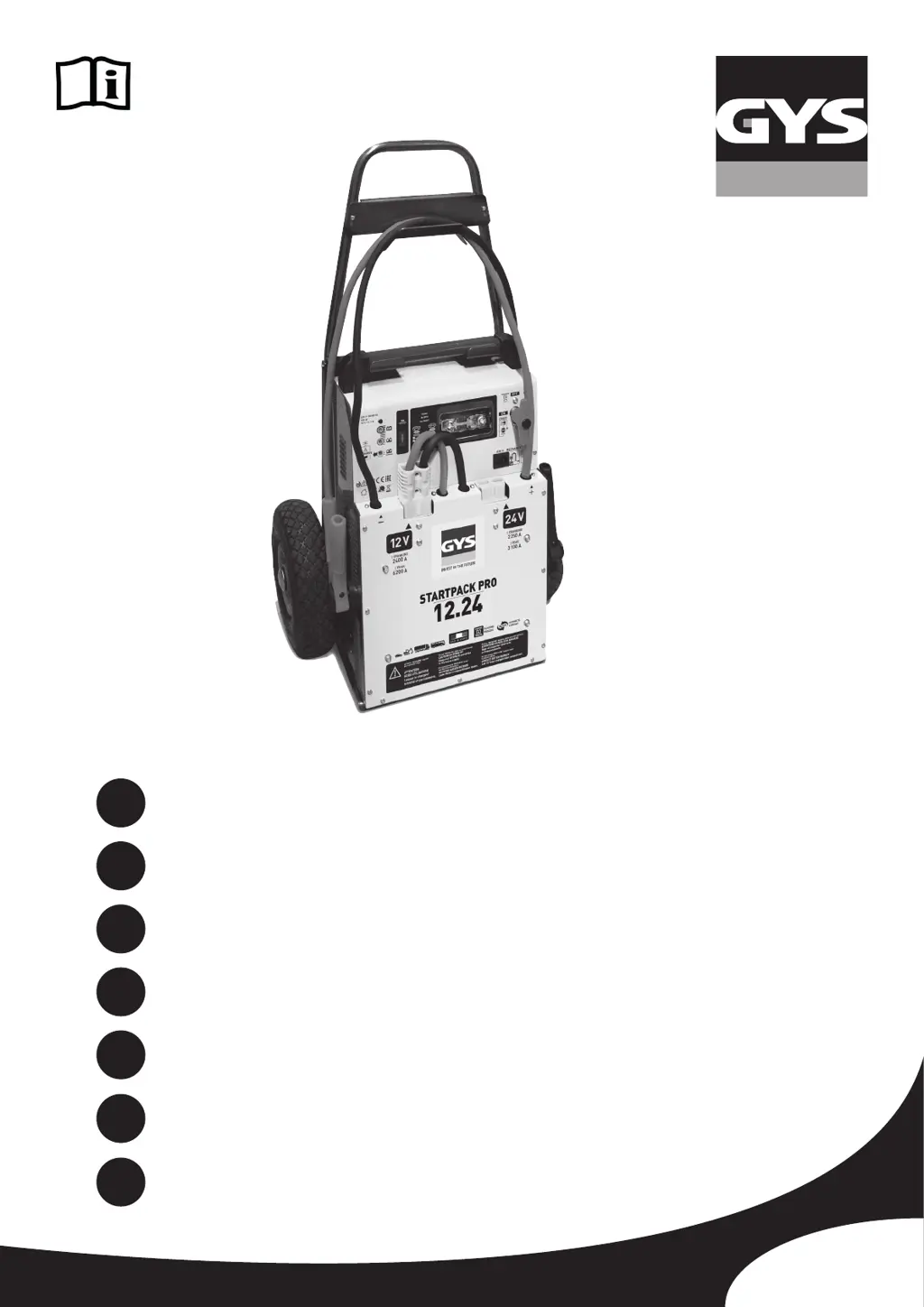
GYS STARTPACK PRO 12.24 - User Manual

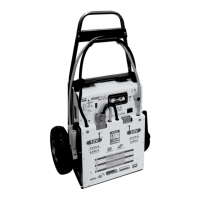
GYS STARTPACK PRO 12.24
48 pages
Go to English
Print Icon
To Next Page IconTo Next Page
Loading...
75689_V6_08/01/2020
FR
2 - 7 / 44-48
www.gys.fr
EN
8-13 / 44-48
STARTPACK PRO 12.24
DE
14-19 / 44-48
ES
20-25 / 44-48
RU
26-31 / 44-48
NL
32-37 / 44-48
IT
38-43 / 44-48

Questions and Answers

  • S
    Scott TannerAug 14, 2025
    Why are there sparks when connecting GYS STARTPACK PRO 12.24 Extender clamps to the vehicle battery?
    • K
      Krista SandersAug 14, 2025
      Sparks may occur when connecting the clamps to the vehicle battery if the battery switch is turned ON, the voltage selector is on 12V or 24V, the voltage selector is in the wrong position, or there is a polarity inversion. To resolve this, turn the battery switch OFF, disconnect the voltage selector before connecting the clamps, ensure the selected voltage corresponds to the vehicle’s battery voltage, and verify the correct polarity on the battery.
  • T
    Tyler JonesAug 18, 2025
    What to do if GYS Extender cannot start the vehicle and the red LED flashes?
    • S
      Susan AlvarezAug 18, 2025
      If the GYS Extender cannot start the vehicle and the red LED flashes, it could be due to discharged internal batteries, too many starting attempts without allowing recovery time, or an incorrect battery voltage. Recharge the machine to the maximum level and try again. Allow 3 minutes between starting attempts, and each start should not last more than 5 seconds. Also, ensure that the selected voltage corresponds to the voltage of the vehicle’s battery.
  • J
    John HerreraAug 21, 2025
    What to do if STARTPACK PRO is plugged in but no light is on?
    • J
      Joseph DuffyAug 21, 2025
      If the STARTPACK PRO is plugged into the mains but no light is on, check for the presence of 230V voltage on the supply. Also, make sure the voltage connector is plugged into the 12V socket, and replace the fuse if it has blown.
  • K
    Kaitlyn RogersAug 25, 2025
    How to fix alarm sound and red LED on GYS Extender?
    • T
      Tanya WoodAug 25, 2025
      If the GYS Extender product detects an inversion of polarity, an alarm will sound and the red LED will turn on. To fix this, check the battery polarity, ensuring the red clamp is connected to the (+) terminal and the black clamp to the (-) terminal of the battery.
  • M
    Miguel AguilarAug 27, 2025
    Why does the orange LED flash for more than 3 hours on GYS STARTPACK PRO 12.24 Extender?
    • T
      Terry HendersonAug 27, 2025
      If the orange LED flashes for more than 3 hours and does not turn green on your GYS Extender, it means the charger has detected sulphated or deeply discharged batteries. The product will attempt to recover the battery with a specific charge of 16 hours.
  • A
    Amy SmithAug 31, 2025
    What to do if GYS STARTPACK PRO 12.24 cannot start the vehicle and the red LED is off?
    • S
      simpsonchadAug 31, 2025
      If the GYS Extender cannot start the vehicle and the red LED is off, it indicates that the internal batteries voltage is very low, and they might be damaged. Put the product on recharge to attempt recovery of internal batteries.
  • C
    Charles MooreSep 3, 2025
    Why is the red LED flashing on my GYS Extender?
    • S
      Sharon SmithSep 3, 2025
      If the red LED on your GYS Extender flashes, it indicates that the battery voltage has dropped below 12.5V after a start or heavy consumption. To resolve this, charge the device after use. The red LED will then turn off.
  • W
    William JonesSep 6, 2025
    Why do orange and green LEDs flash alternatively during GYS STARTPACK PRO 12.24 charge?
    • R
      Ricky WhiteSep 6, 2025
      If the orange and green LEDs flash alternatively during the charge of your GYS Extender, it means the charger is on thermal protection because it is overheating due to high room temperature. The charger will automatically restart the charge once the temperature has dropped sufficiently.
  • J
    Jennifer AdamsSep 10, 2025
    What does it mean when orange and green LEDs are flashing on GYS STARTPACK PRO 12.24 after charging?
    • J
      Joel RobinsonSep 10, 2025
      If the orange and green LEDs are flashing after 24 hours of charge on your GYS Extender, it indicates that the internal batteries are damaged and their voltage is not increasing despite the charge. Unplug the machine from the mains, and then restart the charge. If the problem persists, the batteries are damaged.

Summary

Safety Instructions

General Safety and Hazards

Essential safety rules, explosion risks, fire prevention, and acid hazards.

Connection and Disconnection

Steps for connecting and disconnecting the device to/from the battery and power supply.

Maintenance

Guidelines for servicing, cable replacement, cleaning, and fuse checks.

Regulations and Disposal

Compliance with directives, conformity marks, and proper product disposal.

General Description

Trolley Assembly

Illustrated steps for assembling the trolley for the device.

Use in Starter Mode

Instructions on how to use the device for starting a vehicle.

Use in Charger Mode

Internal Batteries Advice and Maintenance

Recommendations for care and maintenance of the device's internal batteries.

No Warranty on Batteries

Statement regarding battery warranty exclusion due to improper care.

Troubleshooting, Causes, Solutions

Warranty

Details of the product warranty coverage and exclusions.

Battery Replacement

Technical Specification

Spare Parts

Pictograms and Symbols

GYS STARTPACK PRO 12.24 Specifications

General IconGeneral
BrandGYS
ModelSTARTPACK PRO 12.24
CategoryExtender
LanguageEnglish

Related product manuals