Need help?
Do you have a question about the H3C WA6622 and is the answer not in the manual?
This document outlines the installation and technical specifications for an Access Point (AP).
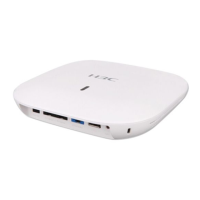
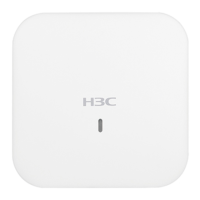
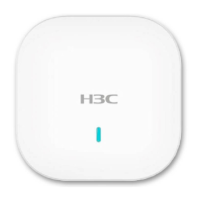
The AP is designed for indoor use, providing wireless network access. It can be mounted on a wall or a ceiling, and supports both Power over Ethernet (PoE) and local power sources. The AP functions as a network device, connecting to an Access Controller (AC) for configuration and management. It supports various Ethernet standards and wireless protocols, enabling it to serve as an uplink device for Internet or MAN access, and to connect downlink devices. The AP's operational status is indicated by an LED, which provides visual cues for initialization, radio card detection, Ethernet interface status, AC registration, and client association for both 2.4G and 5G radios.
Dimensions and Weight:
Antenna (built-in):
System Power Consumption:
Powering Option:
Protocols:
Environmental Requirements:
Power Adapter Specifications (if using local power source):
Ports:
Installation: The AP can be mounted on a wall or a ceiling. Wall mounting involves marking and drilling holes, inserting screw anchors, securing a mounting bracket, and then attaching the AP to the bracket. Ceiling mounting requires removing a ceiling tile, marking and drilling holes, threading pan-head screws through the mounting bracket and ceiling tile, securing with washers and nuts, and then attaching the AP to the bracket. For ceiling installations, the ceiling thickness must be less than 18 mm (0.71 in) and capable of bearing a load of 5 kg (11.02 lb); reinforcement may be needed for weaker ceilings.
Powering: The AP can be powered via a PoE switch (802.3af/802.at) using an Ethernet cable connected to the 5GE/PoE+ port, or by a local AC/DC power adapter (not provided). Ensure the power source is reliably grounded before powering on.
Network Connectivity:
The AP connects to an Access Controller (AC) for all settings and configurations. To verify network connectivity, the display wlan ap all command can be executed on the AC. An AP status of "R/M" indicates successful connection to the network.
LED Indicators: The AP features an LED that provides status information:
Safety Recommendations: Only qualified personnel should install and remove the AP and its accessories. Users must read all safety instructions carefully. Key safety measures include taking adequate precautions to avoid bodily injury and device damage, placing the AP in a dry and flat location with anti-slip measures, keeping the AP clean and dust-free, avoiding moist areas and liquid intrusion, and keeping the AP and installation tools away from walkways.
Pre-installation Tasks: Before installation, users should connect the AP to a power source and the network to verify correct operation via the LEDs. The MAC address and serial number at the rear of the AP should be recorded for future use. Cabling at the installation site must be completed.
Installation Position Determination: When determining the installation position, consider the following principles: minimize obstacles (like walls) between the AP and clients, keep the AP away from electronic devices that generate radio frequency (RF) noise (e.g., microwave ovens), ensure the AP does not interfere with daily work and life, and select a location free from water seepage, soaking, or condensation.
Reset Functionality: The reset button can be used to reset the AP (press and hold for no more than 5 seconds) or to restore factory default settings (press and hold for more than 5 seconds).
 General
| Brand | H3C |
|---|---|
| Model | WA6622 |
| Category | Wireless Access Point |
| Language | English |

 To Next Page