EasyManua.ls Logo

Haag-Streit FUNDUS MODULE 300 - User Manual

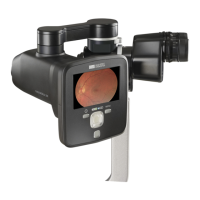
Haag-Streit FUNDUS MODULE 300
28 pages
Print Icon
To Next Page IconTo Next Page
Loading...
SERVICE MANUAL
INSTALLATION GUIDE
Tradition and Innovation Since 1858, visionary thinking and a
fascination with technology have guided us to develop innovative products of
outstanding reliability: Anticipating trends to improve the quality of life.
FUNDUS MODULE 300
Edition 2.00 / 2020 08

Questions and Answers

  • A
    Ann JohnsonAug 8, 2025
    How to fix Haag-Streit FUNDUS MODULE 300 when captured images cannot be transferred to EyeSuite software automatically via USB?
    • D
      Daniel MontgomeryAug 8, 2025
      First, verify that the Fundus Module software is installed and working. If the images still won't transfer, ensure the USB cable is firmly connected to the base plate and the Release Module RM02, and that the Release Module RM02 is connected to the PC; if not, connect the cable firmly. If the issue persists, try changing the USB cable to another USB port, restart your PC, and wait for the drivers to install correctly. If problems continue, contact customer service.
  • B
    Barbara ThompsonAug 12, 2025
    What to do if captured images cannot be transferred to PC via Cradle on Haag-Streit Medical Equipment?
    • D
      David LopezAug 12, 2025
      To resolve this, first, ensure the Fundus Module software is installed and working. Next, check that the USB cable is securely connected to both the cradle and the PC; if not, connect it firmly. Then, make sure the camera is placed firmly on the cradle; if it isn't, reposition it. Also, verify that the cradle and camera connectors are clean; if not, clean them. Finally, check that the cradle pins are intact. If the problem persists after these steps, contact customer service.
  • J
    Jody BlakeAug 16, 2025
    Why does Haag-Streit FUNDUS MODULE 300 camera shut down after being lifted from the cradle?
    • M
      Mindy GarrisonAug 16, 2025
      To address this, charge the battery by placing the camera in the cradle and check if it starts charging. A blinking green power LED indicates charging. If it doesn't charge, ensure the camera is firmly placed on the cradle, the connectors are clean, and the power supply is firmly connected to both the cradle and the mains. If charging does occur, wait until the green LED stops blinking, indicating a full battery (about 2-3 hours), and then try powering up the camera again. If the camera still doesn't start, replace the battery.
  • J
    jacobstonyAug 21, 2025
    What to do if Haag-Streit Medical Equipment camera can’t power up when placed in the cradle?
    • J
      Jason HernandezAug 21, 2025
      To resolve this, first, ensure the power supply is firmly connected to both the cradle and the mains. If it is, make sure the camera is placed firmly on the cradle. Next, check that both the cradle and camera connectors are clean. Finally, ensure the cradle pins are intact. If the camera still won’t power up after these steps, contact customer service.
  • V
    Vicki SuarezAug 25, 2025
    How to fix Haag-Streit FUNDUS MODULE 300 camera that can't power up when pressing left soft key?
    • B
      bsnyderAug 26, 2025
      First, charge the battery by placing the camera in the cradle and check to see if the green power LED starts blinking, indicating that the battery is charging. If it doesn’t, make sure the camera is firmly placed on the cradle, both the cradle and camera connectors are clean, and the power supply is firmly connected to the cradle and the mains. If the LED does blink, wait until it stops, indicating a full charge (approximately 2-3 hours), and then try to power up the camera again. If it still doesn’t power up, replace the battery.
  • J
    jordanbrianAug 29, 2025
    Why Haag-Streit FUNDUS MODULE 300 camera gives focus range error?
    • R
      Rodney ParsonsAug 29, 2025
      Check if the error message persists when the device is kept in a horizontal position during calibration. If it does, contact customer service. Otherwise, it is safe to continue using the camera. If the problem reappears, contact customer service.
  • T
    Tracy GaySep 3, 2025
    What to do if Haag-Streit Medical Equipment camera shows question marks at the display?
    • L
      Lindsay WilsonSep 3, 2025
      Update the software by following the flashing instructions in the Service Manual. If this does not resolve the problem, contact customer service.

Haag-Streit FUNDUS MODULE 300 Specifications

General IconGeneral
TypeFundus Camera Module
Imaging TechnologyDigital Imaging
Light SourceLED
ConnectivityUSB, Ethernet
CompatibilitySlit Lamp BQ 900
Imaging ModalitiesColor Fundus Photography
SoftwareEyeSuite
Working DistanceStandard working distance for slit lamps
Power SupplyPowered via slit lamp

Related product manuals