English
31
5 Using the sweeper
5.1 Manual operation
1.Check the sweeper
(see Maintenance and care).
2.Adjust the sweeper
(see Adjusting the sweeper).
3.Guide the push handle with both
hands.
4.Push the sweeper forward at normal
walking pace.
5.Empty the waste bin asrequired
(see Emptying the waste bin).
5.2 Adjusting the sweeper
Height adjustment
NOTE
• Do not pressthe disc brushesonto the
ground too firmly.
• An excessive contact pressure will not
achieve a better cleaning result but will
increase the wear.
• An excessive contact pressure will
increase the pushing resistance.
NOTE
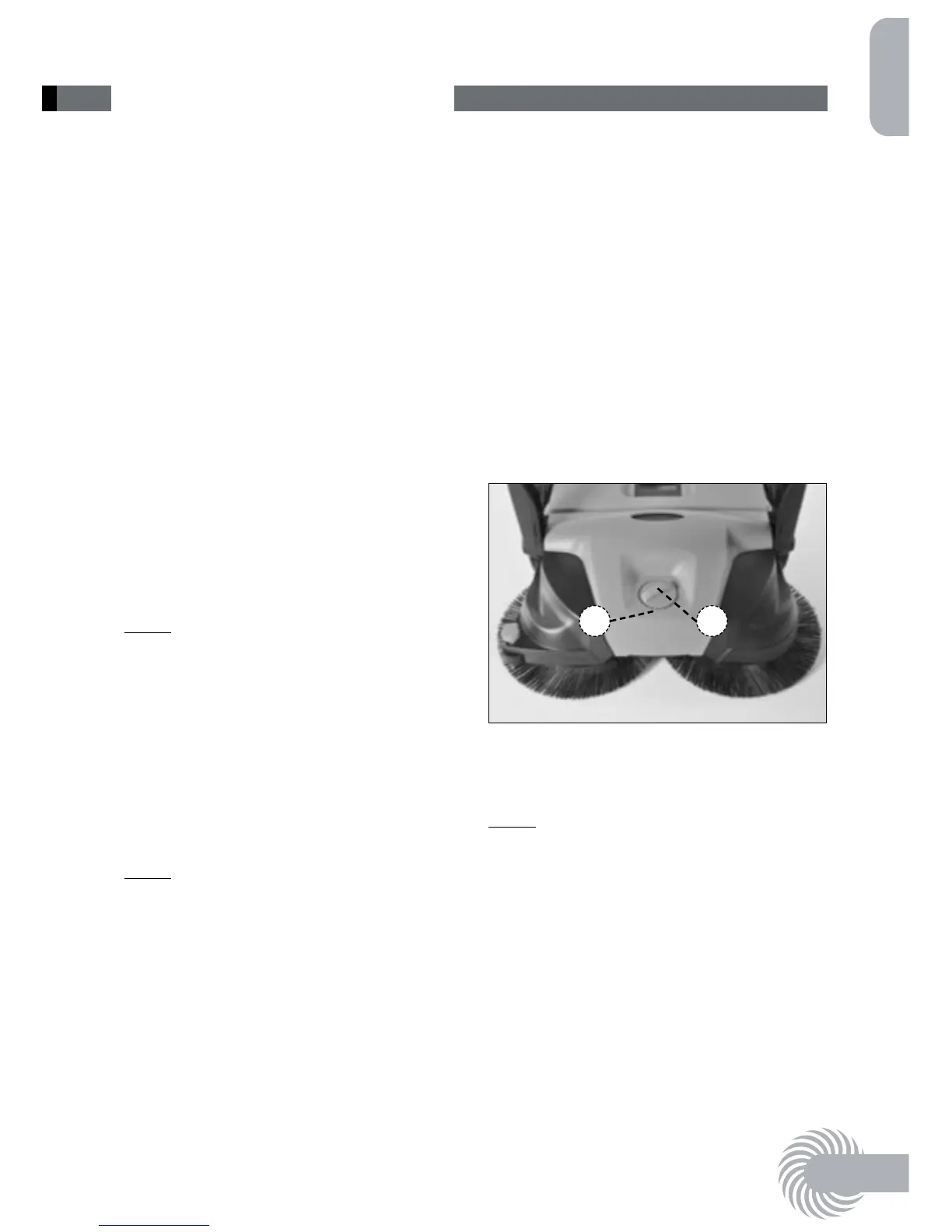
The knob for height adjustment of the
disc brushesislocated in the middle
of the front section. The height adjust-
ment knob allowsthe height of the disc
brushesto be adjusted to the ground to
be swept.
1.Adjust to the required level (1):
• Level 1–2: for all flat, hard surfaces
(e.g. asphalt, concrete, slabs…)
• Level 3–4: for damp leaves, sand,
uneven surfaces
(e.g. washed concrete slabs)
• Level 5–8: for heavy soiling and very
uneven surfaces
2.To do this, turn the knob (2) anti-clock-
wise or clockwise to the desired posi-
tion.
1 2
Adjusting the brush
holding- down device: 477 / 497
NOTE
The brush holding-down device adjusts
the right disc brush tothe edge areasto
be swept, e.g. wallsor kerbs.
Excessive wear can occur in the event of
unsuitable adjustment at lower edges.
The holding-down device must not scrape
on the ground.



 To Next Page