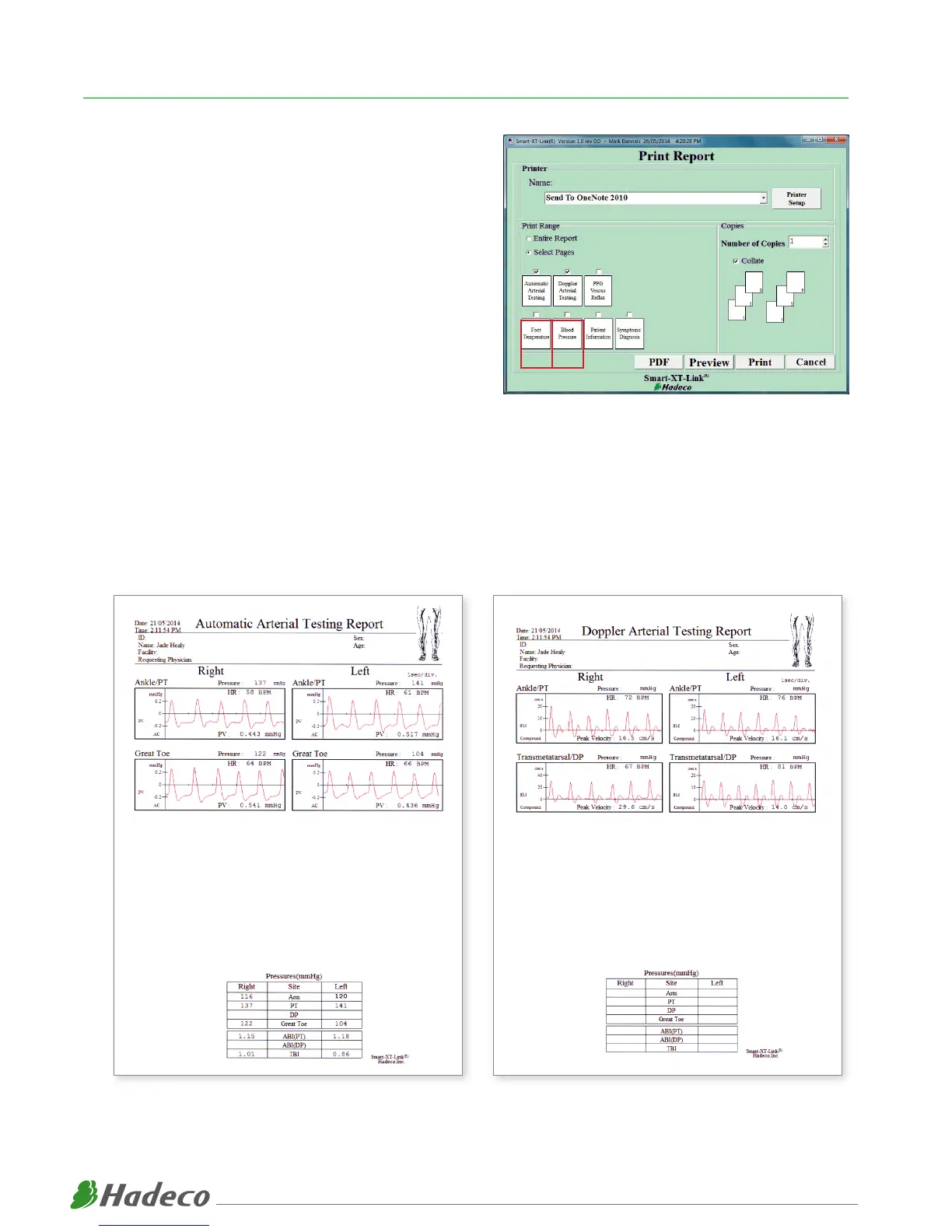
(1) Once all waveforms are taken, click “Print”.
(2) Select pages you wish to include in patient report (Automatic
Arterial Testing & Doppler Arterial Testing).
(3) Click “Preview” to ensure the report includes pages you require.
(4) If you wish to print your patient report, select printer you wish
to use and click “Print”.
(5) If you wish to save your patient report as PDF, click “PDF”. Se-
lect folder you wish to save patient report PDF’s and click “Save”.
(6) To start process again for new patient, Return to Main Screen
and click “New File”. You can also load existing files by clicking
“Search Files”.
PRINTING & SAVING REPORTS
Example of a Patient Report:
10



 To Next Page