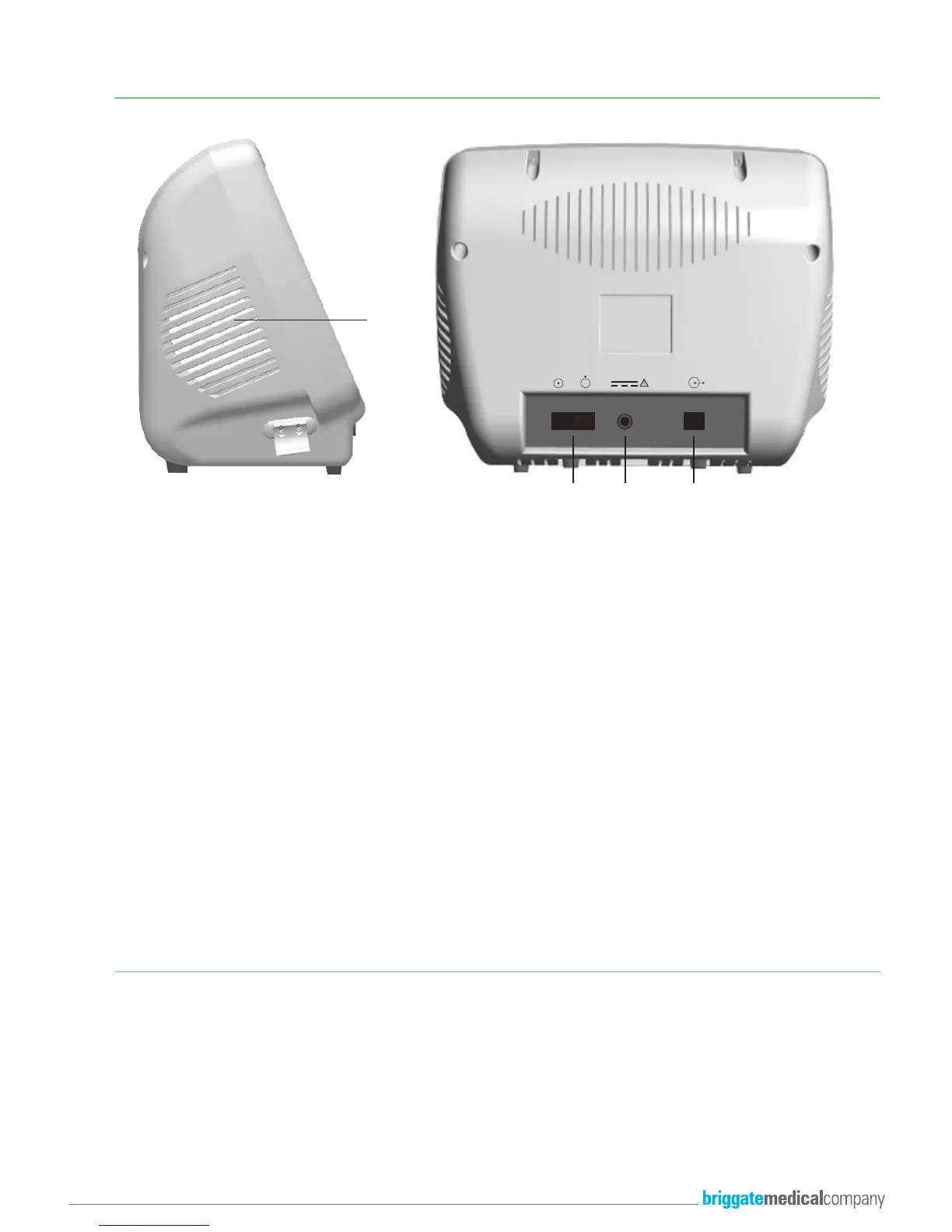
11.
12. 13. 14.
For a more detailed explanation on the Features and Controls for the Smartdop XT6, please refer to the
Manufacturers Operating Manual supplied with the device.
11. Speaker For waveform audio output
12. Power Switch ON/OFF To turn the device ON and OFF
13. AC Adapter connection To be be connected to Mains Power supply
14. Serial USB Port To connect to Windows based PC
MAIN FEATURES & CONTROLS
SMART-XT-LINK SOFTWARE INSTALLATION
The Smartdop XT6 CAN ONLY BE OPERATED VIA THE SMART-XT-LINK SOFTWARE.
Please refer to the sections titled “3.Getting Started (pg 6)” and “4.Testing (Pg 8)” in the pdf manual supplied on the USB Flash Drive
for instructions for software installation and initial set-up of the device.
5



 To Next Page