90º
60º
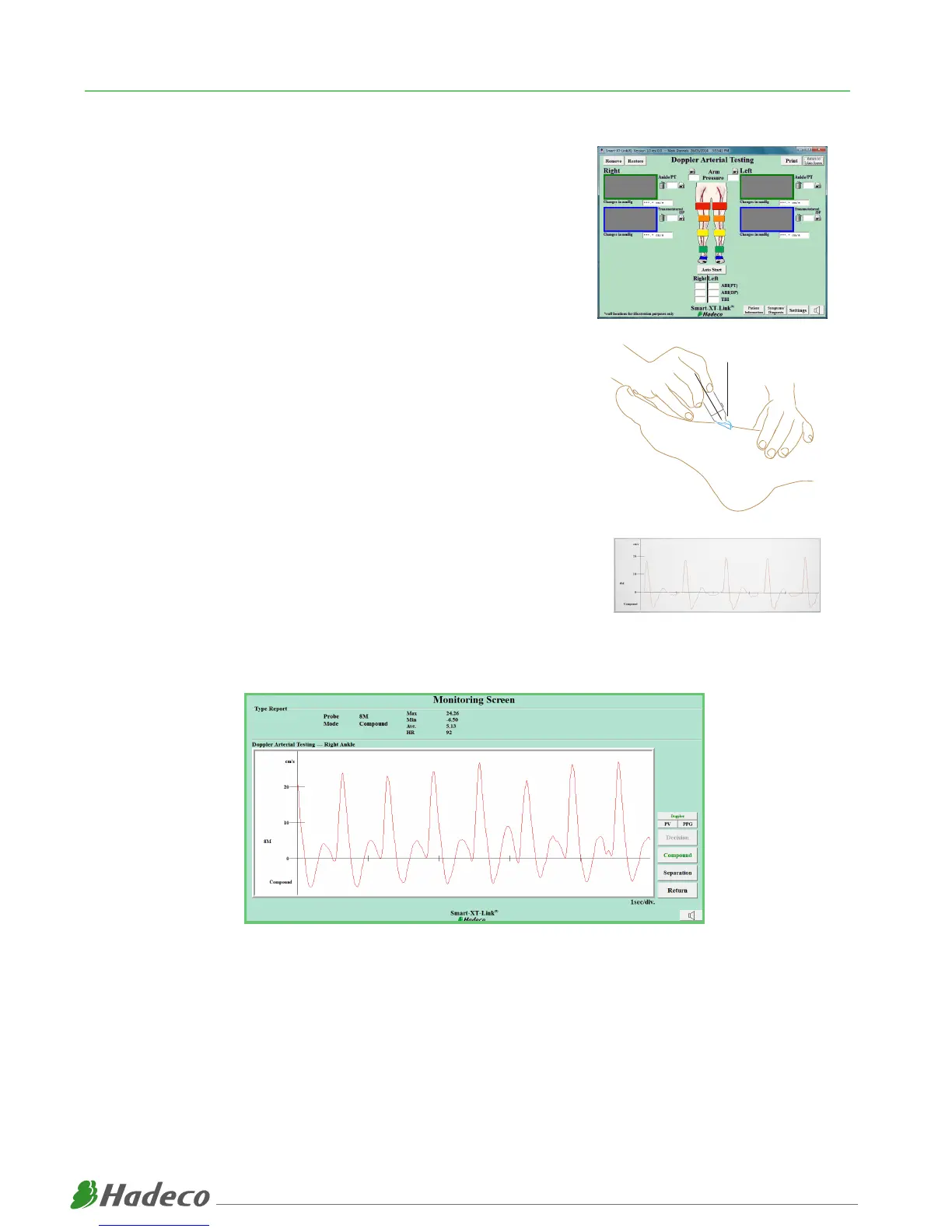
(1) Enter “Doppler Arterial Testing”. This screen should already be set up
with the necessary sites from your Initial Set Up process.
(Refer to Initial Set-Up Manual)
(2) Connect 8Mhz probe to Smartdop XT6 and have doppler gel ready.
(3) Click on any individual site and a Monitoring Screen will appear,
ready to detect a waveform.
(4) Palpate relevant pulse and apply doppler gel.
(5) Position probe on pulse and angle at approximately 60 degrees to the vessel. Adjust the
probe angle until clear, crisp sounds are heard and a
defined waveform is visible on the Smart-XT-Link Software.
(6) Once you have found an ideal waveform, use “Freeze” button on the
probe. If you are unsatisfied with current waveform, press “Freeze” button
on the probe again to continue searching for an ideal waveform.
STANDARD DOPPLER VELOCITY WAVEFORMS
(7) Once you have an ideal waveform identified on the Monitoring Screen, click “Decision” to save
waveform and click “Return”.
(8) Repeat previous step across all required sites.
8



 To Next Page