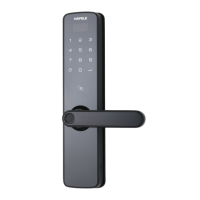
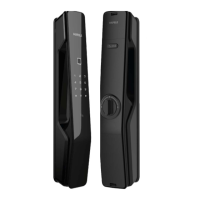
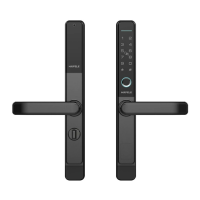
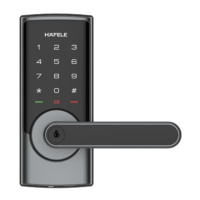
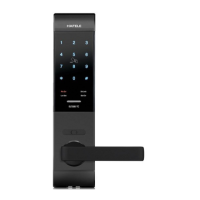
This document provides a user manual for the Häfele ER5000 and ER5100 smart door locks, outlining their functions, technical specifications, usage, and maintenance.
Function Description
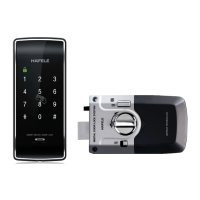
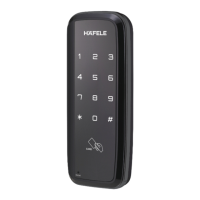
The Häfele ER5000 and ER5100 are smart door locks designed to provide secure and convenient access control. Both models feature a touch screen keypad for PIN code entry and a card reader area. The ER5100 model additionally includes a fingerprint sensor for biometric authentication. The locks support multiple unlocking methods, including Master PIN Code, User PIN Code, Fingerprint (ER5100 only), Card, and APP access (with optional wireless module). They can operate in either Auto Locking Mode, where the deadbolt automatically extends after unlocking and closing the door, or Manual Mode, where the lock can be manually engaged from the outside by pressing any key for 1 second or from the inside using the thumb turn or CLOSE/OPEN button.
Key features include:
- Master Mode: Allows entry into programming and setting features using a Master PIN Code.
- Master PIN Code: Used for unlocking, programming, and setting features. The default is "12345678" and must be changed after initial installation.
- User PIN Code: Supports 4-10 digit codes with a maximum capacity of 20 users (user numbers 00-19).
- Fingerprint (ER5100 only): Supports up to 100 fingerprints (user numbers 00-99).
- Card: Supports up to 100 cards (user numbers 00-99).
- Auto Locking: Automatically locks the door after successful unlocking and closing.
- Manual Mode: Allows manual locking by pressing any key for 1 second from outside or using the thumb turn/CLOSE/OPEN button from inside.
- One Touch Locking: Extends the bolt when retracted by activating the keypad and pressing any key for 1 second.
- Shutdown Time: The lock shuts down for 5 minutes after 10 unsuccessful attempts at entering a valid PIN code.
- Away Mode: Restricts all user PIN codes, fingerprints, and cards, allowing access only via Master PIN Code or APP. It is automatically disabled upon Master PIN Code or APP access from outside. An alarm is triggered if the device is unlocked by thumb turn or override key in this mode (requires wireless module).
- Silent Mode: Disables code confirmation tones for quiet areas, selectable in Master Mode's voice settings.
- Status LED: Located on the outside panel.
- Wrong Code Entry Limit: Shuts down the lock after 10 unsuccessful PIN code attempts.
- Reboot Button: Allows restarting the lock in case of a system crash.
- Reset Button: Restores the lock to factory default settings and deletes all user credentials.
- Privacy Mode: When enabled by long-pressing the CLOSE/OPEN button for 3 seconds, all user PIN codes, fingerprints, and cards are prohibited, except for Master PIN Code and APP key. An alarm is triggered if the device is unlocked from indoors until a valid PIN code/fingerprint/card is verified.
- Fake PIN Code: Allows adding random numbers before and after the real PIN code to prevent exposure, with a maximum length of 32 digits.
- Micro USB Emergency Power Supply: Allows charging the lock with a 5V power bank if battery voltage is too low to open the lock from outside.
Important Technical Specifications
- Master PIN Code: 4-10 digits (default: "12345678").
- User PIN Code Capacity: Max 20 (user numbers 00-19).
- Fingerprint Capacity (ER5100 only): Max 100 (user numbers 00-99).
- Card Capacity: Max 100 (user numbers 00-99).
- Wrong Code Entry Limit: 10 times.
- Shutdown Time: 5 minutes after exceeding wrong code entry limit.
- Power Source: Alkaline batteries (recommended).
- Emergency Power: Micro USB (5V power bank).
- Connectivity: Bluetooth (optional), Remote Control (optional), Z-wave (optional) for function extension.
- Voice Guide Languages: English, Spanish, Portuguese, French, Chinese.
Usage Features
Opening the Door:
- From Outdoor:
- PIN Code: Touch the keypad, enter the enrolled PIN code, and press [#].
- Fingerprint (ER5100 only): Place an enrolled finger on the sensor until a beep sounds.
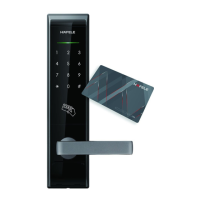
- Card: Place an enrolled card on the card icon area until a beep sounds.
- From Indoor:
- CLOSE/OPEN Button: Press the button once.
- Thumb-Turn Knob: Turn the knob to the unlock position.
Closing the Door:
- Auto Locking Mode: The deadbolt automatically extends after unlocking.
- Manual Locking Mode:
- From Outdoor: Press and hold any key for 1 second.
- From Indoor: Press the CLOSE/OPEN button once, or turn the thumb-turn knob to the lock position.
Programming:
- Entering Master Mode: Touch the screen to activate, then enter
* * + Master PIN Code + #.
- Change Master PIN Code: In Master Mode, select option 1.
- Add User PIN Codes: In Master Mode, select option 2, then 1.
- Add User Fingerprint (ER5100 only): In Master Mode, select option 2, then 2.
- Add User Card: In Master Mode, select option 2, then 3.
- Delete User PIN Code: In Master Mode, select option 3, then 1.
- Delete User Fingerprint (ER5100 only): In Master Mode, select option 3, then 2.
- Delete User Card: In Master Mode, select option 3, then 3.
- Set Locking Mode (Auto/Manual): In Master Mode, select option 4.
- Language Settings (including Silent Mode): In Master Mode, select option 5, then choose the desired language or Silent Mode.
- Enable Away Mode: In Master Mode, select option 6.
- Function Extension (Join/Log off Network): In Master Mode, select option 8.
Maintenance Features
- Battery Replacement: Replace all batteries when a low battery alert is issued, ensuring proper installation. Only use alkaline batteries.
- Cleaning: Wipe the product with a soft cloth. Avoid corrosive substances.
- Reboot: If the system crashes, press the reboot button on the outside panel.
- Reset to Factory Default Settings:
- Ensure the lock is in "unlock" status.
- Open the battery cover to locate the reset button.
- Press and hold the reset button with a sharp object.
- Remove at least one battery from the battery box, then reinstall all batteries.
- Continue holding the reset button until a voice guide is heard.
- Emergency Power: Use a 5V power bank via the Micro USB port if batteries are depleted and the lock cannot be opened from outside. Replace batteries immediately after unlocking.
Warnings:
- Read and understand all instructions before use.
- Damage due to failure to follow instructions voids the warranty.
- Do not expose the product to rain, water, or corrosive substances.
- Do not scrape the fingerprint sensor with sharp objects to avoid permanent damage.
- Replace all batteries promptly when a low battery alert occurs.

 Need help?
 General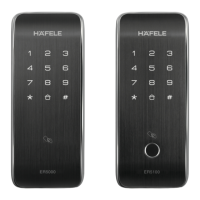

 To Next Page