7
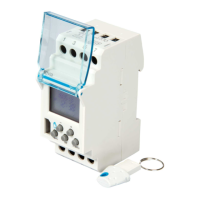
Connect the EGN003 Bluetooth® clock key to the
EGN103 time switch.
1 To create a new program: on the home screen,
touch the clock key icon and enter the program
settings one by one, or use a clock key template
(see section 4).
2
To add steps to a program, see section 6.
Once the key has been discovered, pair it to your
mobile device using the Hager Mood app.
Load the program onto the clock key.
1
3
2
4
Bluetooth
®
clock key
3
auto
On
24
1812
60
ok
menu
+
5. Loading a program from the app to the clock key (EGN103 and EGN003)



 To Next Page
 Loading...