64 65
TROUBLESHOOTING GUIDE TROUBLESHOOTING GUIDE
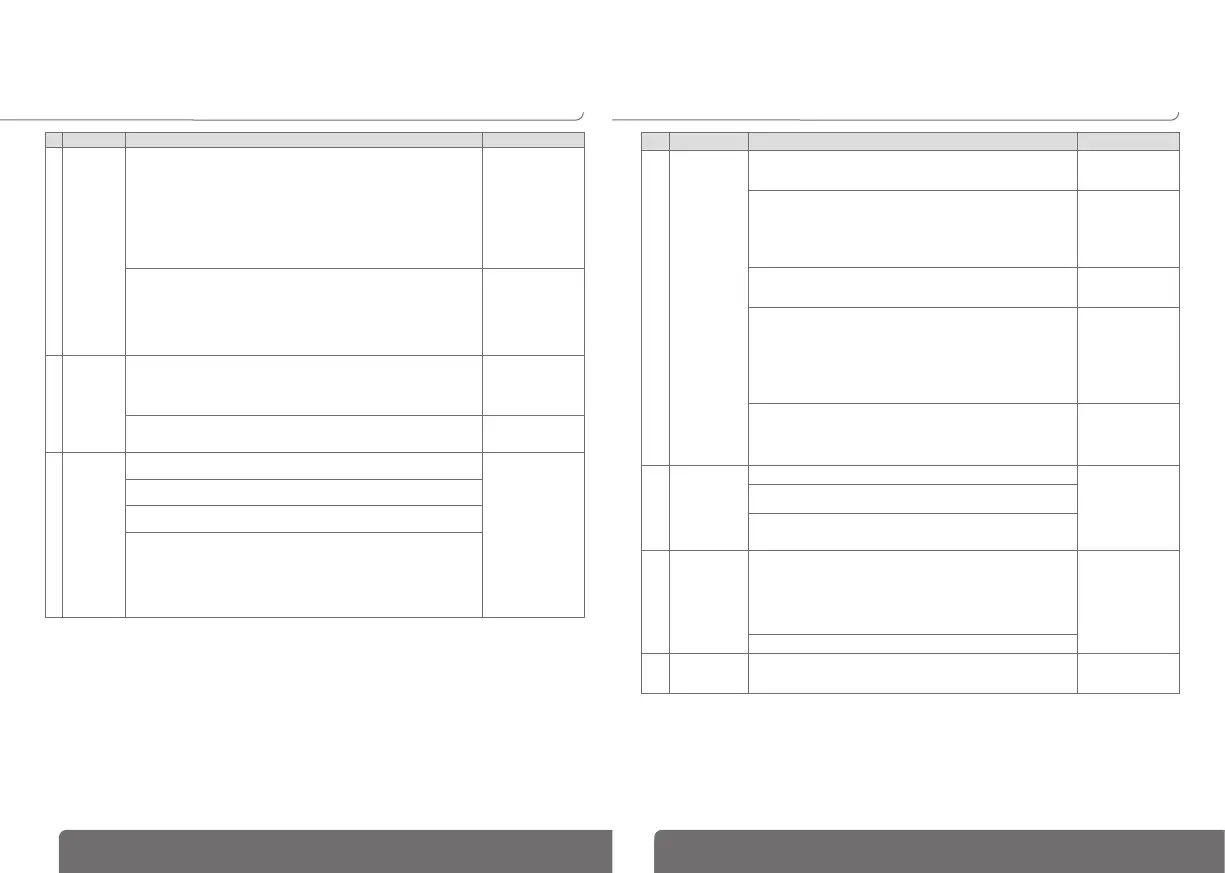
Problem Action to be performed Expected results
6
Return to
priority
source
has been
achieved
but
source 2
(Generator)
is still
running.
Check status of genset cool down timer (cdt). The cool down timer
(2CT) will begin when
transfer to position 1
(priority source) has
been achieved. (2CT
time delay duration
can be between 0
and 60s).
Check the status of the Gen-start contact (terminals 13 - 14):
- If in the SETUP menu, GEN = NO (Normally Open) :
Contact 13 - 14 Closed = Start GENSET
Contact 13 - 14 Open = Stop GENSET
- If in the SETUP menu, GEN = NC (Normally Closed):
Contact 13 - 14 Closed = Stop GENSET
Contact 13 - 14 Open = Start GENSET
The Generator
stops running
and “SOURCE 2
availability” LED
goes OFF.
7
ON LOAD
and OFF
LOAD tests
cannot be
started
using the
keypad.
Verify that the operating mode password (factory code 4000) has been entered
correctly to enable access to the test functions.
The “TEST ON
LOAD” or “TEST OFF
LOAD” LED is lit, in
accordance with the
selected mode.
Check on the display that the selectable MAN input has not been activated
(IN / OUT menu).
The MANUAL
indicator is no longer
displayed.
8
Product
remains
OFF after
loss of the
priority
source.
Check that the congurable MAN input has not been activated (verify that the
MANU indicator is not displayed).
The produit is on
(“ON” LED is lit)
and “SOURCE 2
availability” LED is lit.
Check there is no external fault, Ft1 or Ft2, activated through a congured
input ➡ “Fault” LED is on.
With a multimeter, verify that voltage (>100 VAC) is present across terminals
203 & 205 (emergency source connection).
Check the status of the Gen-start contact (terminals 13 - 14):
- If in the SETUP menu, GEN = NO (Normally Open):
Contact 13 - 14 Closed = Start GENSET
Contact 13 - 14 Open = Stop GENSET
- If in the SETUP menu, GEN = NC (Normally Closed):
Contact 13 - 14 Closed = Stop GENSET
Contact 13 - 14 Open = Start GENSET
Problem Action to be performed Expected results
9
Transfer is not
achieved after
loss of priority
source.
Verify that the controller and the transfer device have an available power
supply: controller: Terminals 203 - 205 = >100 VAC (source 2).
change over switch: Terminals 101 - 102 = 230 VAC
Is on: “ON” LED is lit.
Check that the product is in automatic mode:
- Auto mode on the product must not be inhibited. Check that a
programmable input, if congured, has not been activated (verify that
the MANU indicator is not displayed).
- When utilising with an controller verify the handle has been removed
and that the selector is in the automatic position.)
Automatic mode is
selected.
Check the status of the “SOURCE 2 availability” LED. If this LED is not
on, refer to the appropriate section above (“SOURCE 2 availability” LED
is off) Item 4
“SOURCE 2
availability” LED
is on.
Check the below settings in the TIMER menu:
- for time delay MFt (Main Failure timer) ➡ countdown when the product
is OFF
- for time delay dtt (delay transfer timer) ➡ source 2 must be available
for this duration before transfer is achieved.
The “AUT” LED is
on. Message 2AT
xxx is displayed
before transfer (xxx
accounts for the time
delay duration, which
can be between 0
and 60s)
If the switching device is a circuit breaker, set time delay parameters
OMR and OMF to a value other than zero (typically 2 sec.)
The breaker will
pause in position
0, during transfer,
for the congured
duration.
10
Motorised
transfer of
switch does
not correspond
to control
commands
I, O, II
Check cabling for control commands. Transfer corresponds
to the control
commands.
Verify the selected control logic mode LoG in the SETUP menu (pulse,
contactor or circuit breaker).
Check RN1 and RN2 settings in the SETUP menu.
11
Message
“FLT POS”
(position fault)
is displayed.
In the SETUP menu, check that the number of ACs selected
corresponds to the number of auxiliary contacts connected.
If it does not, modify this setting accordingly. If the problem still exists,
modify the AC setting to 0.
If, after pressing the ENTER key (fault reset), the message FLT POS is
no longer displayed, the problem emanates from the auxiliary contact
circuit (auxiliary contact of transfer device or connection error).
Error message FLT
POS is no longer
displayed
Check the mechanical position of the transfer switch/breakers.
12
Error message
Err XXXX is
displayed.
Failure cannot be solved - Product internal failure. To be returned to
the factory Hager for
technical analysis.


 To Next Page