hager
"DALI Gateway C00Cx2" software
Functional description
Seite 59 von 130
Time functions
Object
"Switching"
additional function
Behaviour
- bus voltage failure
- bus voltage return
- ETS programming
*
Object
"Brightness value
feedback"
Blinking
*
Group
* = optional parameterization
Object
"Central function"
Polarity of
central object
*
Object
"staircase timer
function start/stop"
Object
"Extension unit"
Scene
control
recall
storing **
*
*
*
Staircase timer
function
(timing)
*
*
Object
"Brightness value"
Object
"Dimming"
automatic
shutoff function
Scene priority
lower
higher
Soft-ON / OFF
*
Dimming speed /
Dimming behaviour
*
Verzögerung nach
Busspannungswiederkehr
zyklisches Senden
Object
"Disable" / "Forced-control"
** = Basically, no new scene value will
be stored if a disable or forced-control
position is active!
Object
"Switching
feedback"
*
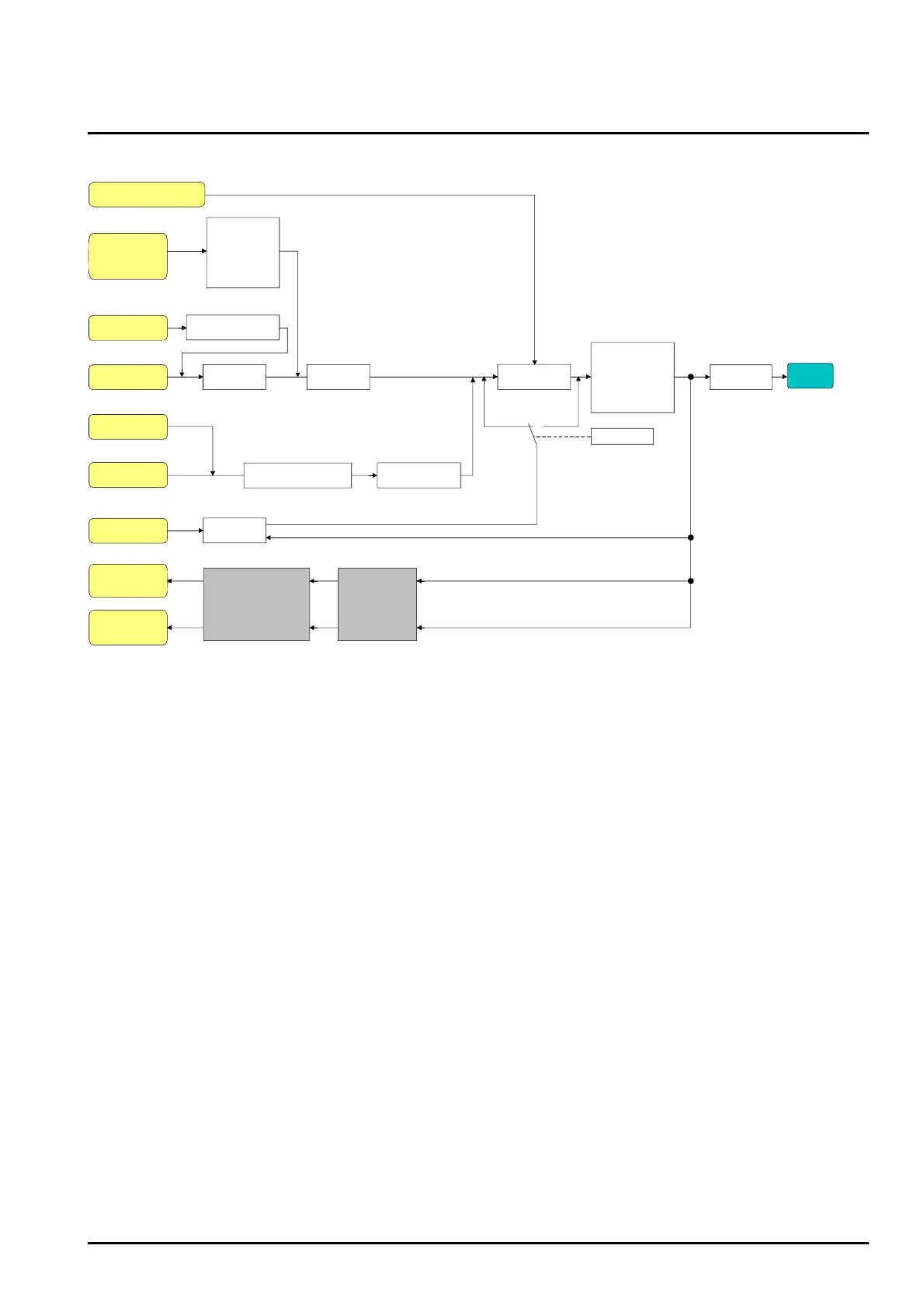
Fig. 16: Functional feedback diagram
• Disable function as an additional function: A ‘blinking” DALI group will always be reported back as
“Switched on” and with the switch-on brightness. Switching status feedback will be transmitted for
disabled groups as well, if the outputs, for example, have been manually adjusted.
Activating the switching status feedback function
The switching status feedback can be used as an active message object or as a passive status object.
As an active message object, the switching status feedback information will also be directly transmitted
to the bus. As a passive status object, there will be no telegram transmission after an update. In this
case, the object value must be read-out. The ETS automatically sets the object communication flags
required for proper functioning.
The “Switching status feedback ?” parameter is separately created for each DALI group in the “Groups
- [x] group name - switching" parameter node.
Set parameter to “Yes, feedback object is active message object”
The “Switching status feedback” object will be enabled. The switching status will be transmitted once
the status has been updated. After a bus/ mains voltage return or after programming with the ETS, a
feedback telegram will be automatically transmitted.
Set parameter to “Yes, feedback object is passive status object”
The “Switching status feedback” object will be enabled. The switching status will be transmitted only
if the feedback object is read by the bus. After bus voltage return or after programming with the ETS,
there will be no automatic transmission of the feedback.


 To Next Page