hager
"DALI Gateway C00Cx2" software
Functional description
Seite 91 von 130
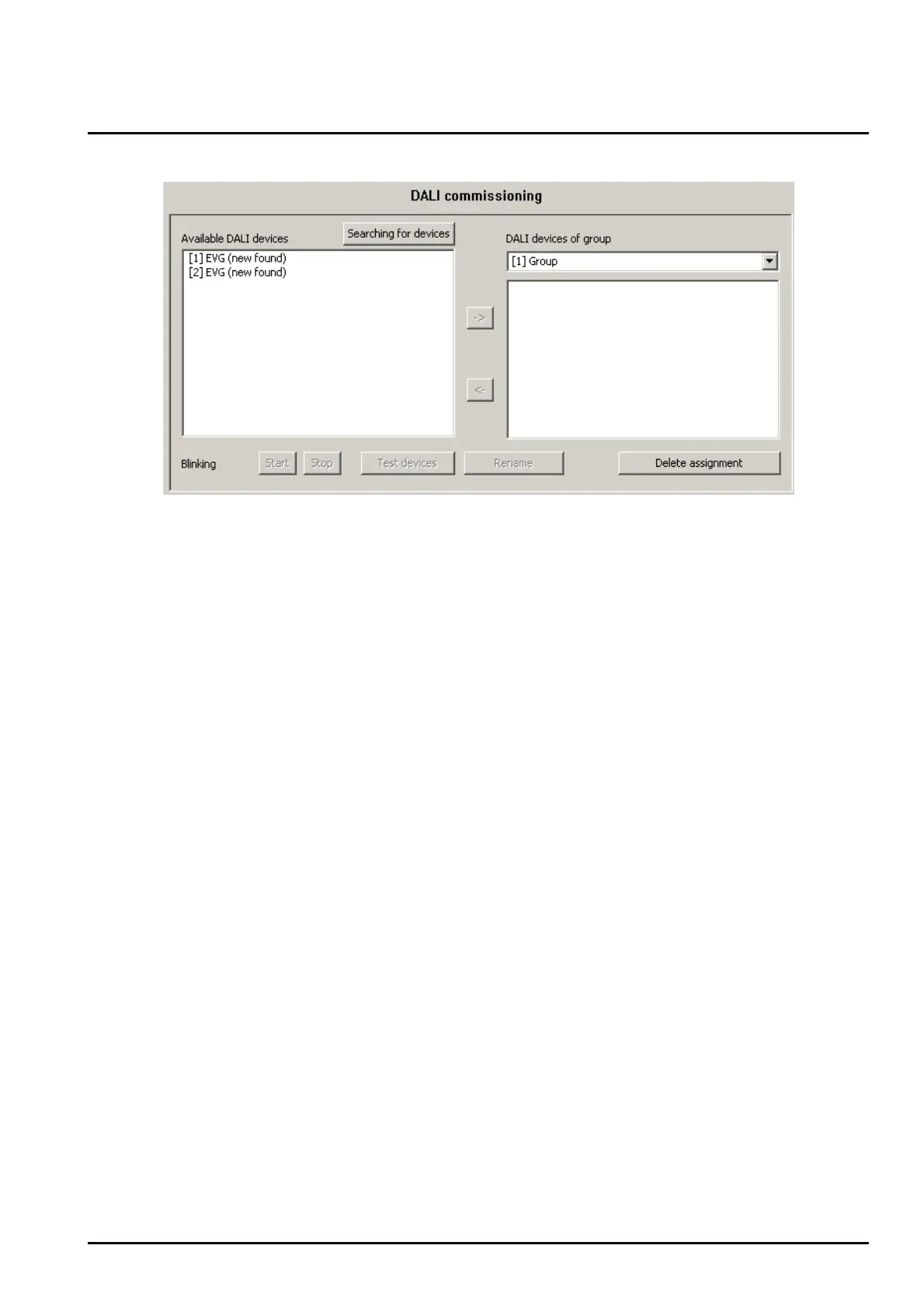
Figure 38: Assigning a name to identified devices
• The short address of a device shown in square brackets in front of the device name cannot be
edited.
• The short addresses of the identified devices are assigned randomly. Several test functions available
in the plug-in can be used to detect during the name assignment which device is actually identified in
the list entry. The “Start”, “Stop”, and “Test devices” buttons running the test functions are found in
the lower margin of the commissioning environment (cf. figure 38). The devices to be tested have to
be selected in the left partition first.
Clicking on the “Start” button will start a periodical blinking (approx. 0.2 Hz) of the selected devices.
Blinking devices are identified in the list box by the addition of "--> Blinking". The blinking will cease
only by clicking on the “Stop” button.
Clicking the “Test devices” button will open the extended testing environment of the DALI
commissioning. At this point the devices that have previously been selected can be switched on and
off. In addition, a signal blinking periodically or in defined intervals can be transmitted to the
applicable devices.
Assigning groups
After all devices connected to the DALI Gateway have been identified and renamed the devices can be
assigned to the created groups.
For this purpose the DALI devices listed in the left window have to be moved into the right window of
the selected group. The assignment can be done by the clicking and drag&drop method or by
activating the "->" button between the two subwindows. An assignment can be cancelled by selecting
an assigned device and dragging it with the mouse back into the list box with the existing DALI devices
or by activating the "<-" button.
Using the same procedure it is also possible to have several devices simultaneously assigned or
cancelled.


 To Next Page