hager
"DALI Gateway C00Cx2" software
Functional description
Seite 92 von 130
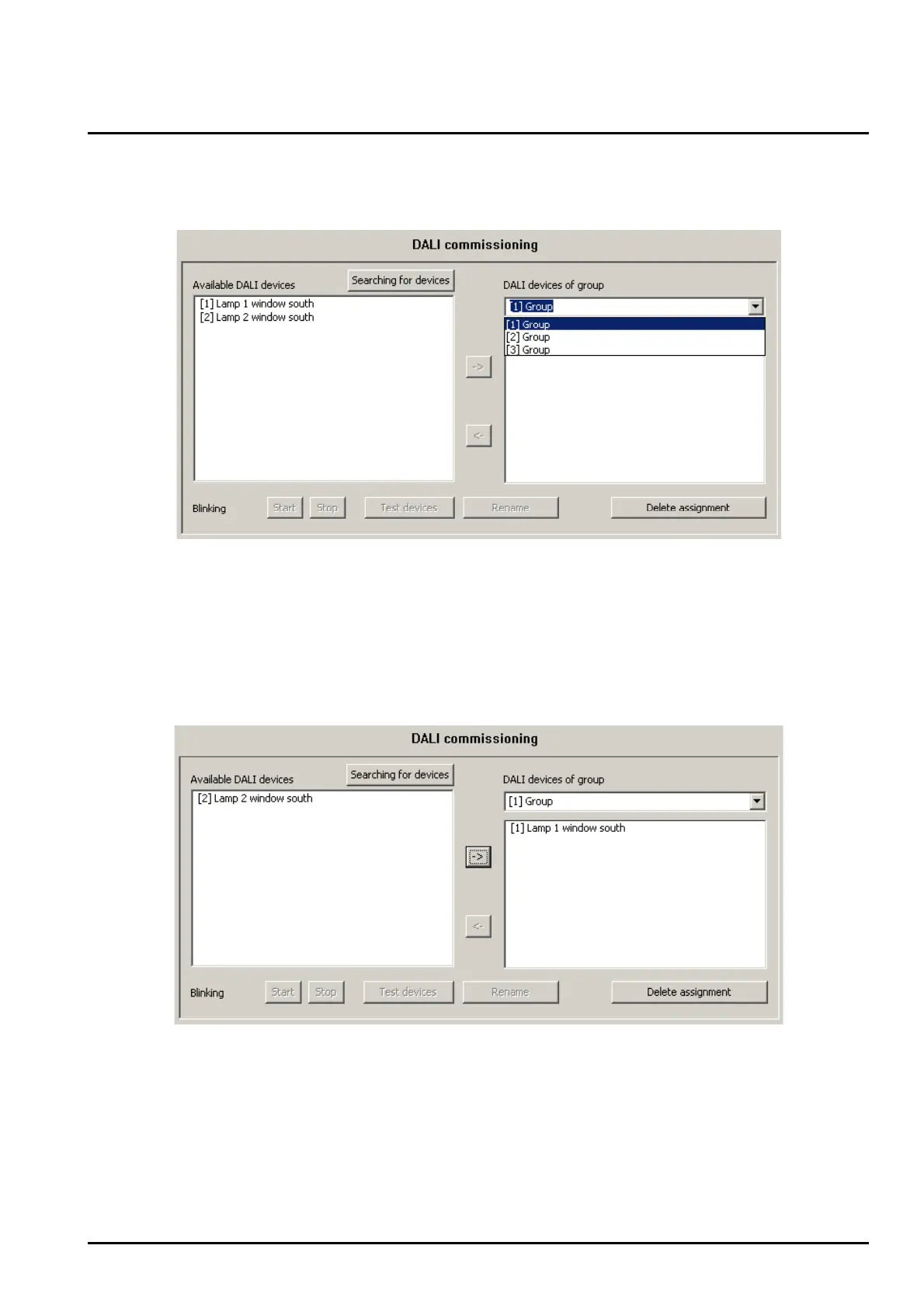
Select the required group that will have devices assigned to them from the right subwindow.
Figure 39: Selecting a group
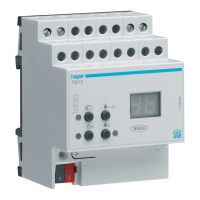
Assign one or several available DALI devices to the group.
The assigned devices will be removed from the list box in the left subwindow and will appear for the
selected group in the right window (cf. figure 40).
Figure 40: Assigning a device to a group


 To Next Page