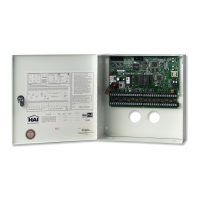
The OmniLT has 2 (expandable to 10) outputs that can be used to switch relays. Outputs 1 and 2 are controlled by unit numbers
27 and 28. These are hardwired outputs that are connected directly through the OmniLT and not through a module. If you have
something connected to these outputs, such as a sprinkler system, your dealer will explain its operation.
• Outputs cannot be brightened or dimmed.
• Outputs are not affected by All ON or All Off commands.
All On / Off
The All On/Off menu is used to turn all lighting unit numbers on and off.
Note: UPB, CentraLite, and RadioRA devices are not affected by the OmniLT “All On” or “All Off” command. To achieve this
functionality, we suggest the following:
UPB: Program a Link into each device that will respond to an OmniLT “All On” and “All Off” command program. For example:
In each UPB switch that will respond to “All Off” and “All On”, program a Link (in this example, Link 50 is used) that
will go to 100% when activated (turned on). Then write the following programs in the OmniLT controller:
WHEN ALL ON: LINK 50 ON
WHEN ALL OFF: LINK 50 OFF
CentraLite: Program the “All On” and “All Off” macro to execute an All On Scene and an All Off Scene on the
CentraLite.
RadioRA: Program the “All On” and “All Off” macro to execute Phantom Button 16 (All On) and Phantom button 17 (All Off).
For example:
WHEN ALL ON: PHANTOM BUTTON 16 ON
WHEN ALL OFF: PHANTOM BUTTON 17 ON
This All On/Off menu is also used to control Leviton Scenes, RadioRA Phantom Buttons, UPB Links, and CentraLite Scenes.
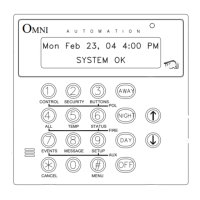
From the top-level display or from the main menu, press the 4 (ALL) key on the console keypad.
ALL
0=OFF 1=ON 2=SCN 3=LINK
↓
ALL
4=PHANTOM 5=CENLIT ↓
All Lights On
At the ALL prompt, press the 1 (LIGHTS ON) key. The console will beep, and a command will be sent that turns on all specified
X-10 or ALC units or HLC Rooms. X-10 Appliance Modules do not respond when the All Lights On command is sent. By
factory default, all lighting units respond to the All-On command.
NOTE: The All On function can be changed, if desired - See Set Up Misc, All On And All Off.
All Off
At the ALL prompt, press the 0 (OFF) key. The console will beep, and a command will be sent that turns off all specified X-10
and ALC units and HLC Rooms. By factory default, all lighting units respond to the All-Off command.
NOTE: The All Off function can be changed, if desired - See Set Up Misc, All On And All Off.
23


 To Next Page