19
Service Manual
Note
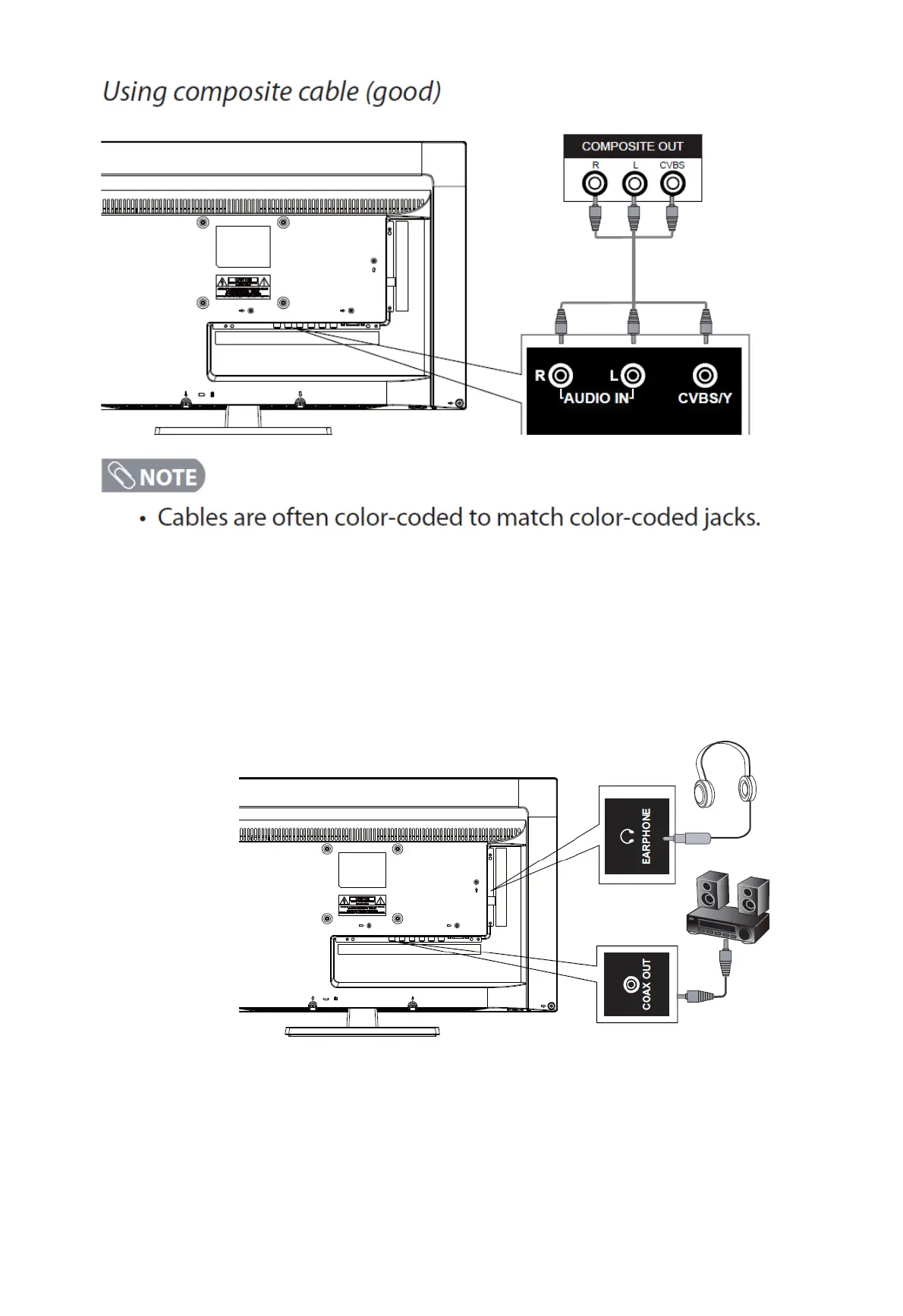
The component and composite audio and Y jack are shared. You can only connect one component or composite device at a
time.
When connecting a composite video source, connect the yellow video wire to the Y (green) jack.
Connecting A Digital Audio Device and Headphones
Note
Turn off the TV set and external devices before making connections
When headphones are inserted, the TV speakers will be muted


 To Next Page